Runway's New Aleph 2.0 Can Reformat Your Video for Every Platform — No Reshoot Required
Runway's Aleph 2.0 now reformats existing video for any aspect ratio by generating what's missing — not cropping. Here's what it does, what it can't, and whether it's worth your credits.

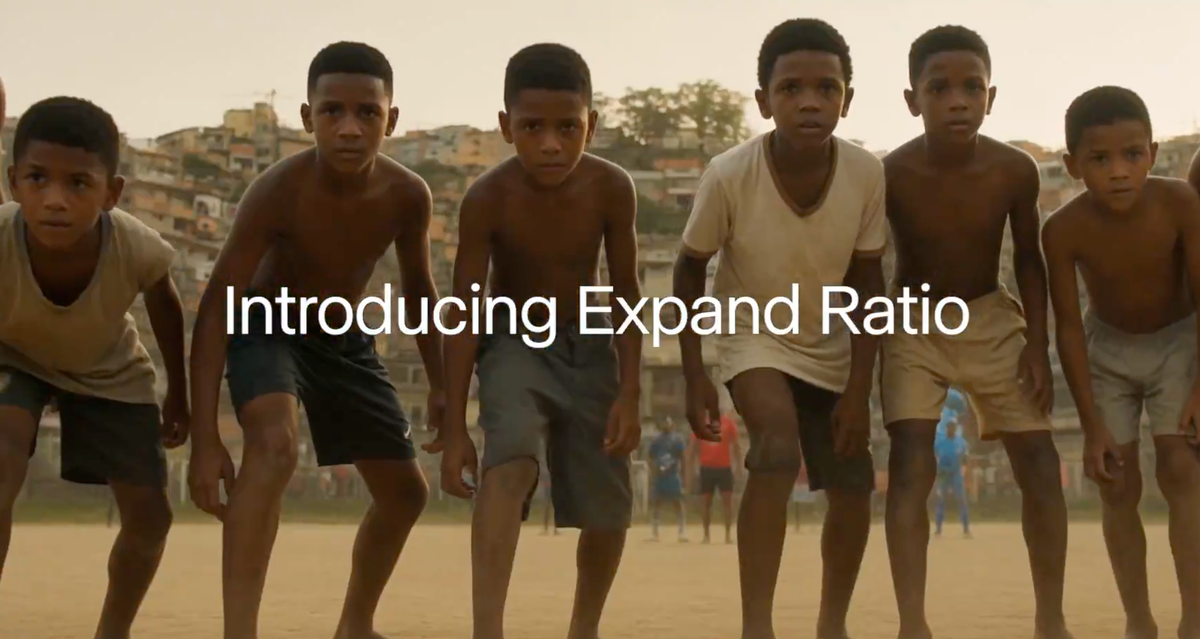
Runway's Aleph 2.0 just got a feature that solves one of the most tedious problems in modern video production. Upload a horizontal video, choose a new aspect ratio, and the AI fills in the missing parts of the scene — not by cropping, not by stretching, but by generating what would logically be there. One video, every platform, no reshoot.
What Aleph 2.0 Actually Is
Aleph 2.0 launched May 21 as Runway's upgraded flagship video editing model — and it works fundamentally differently from every other AI video tool on the market. Most AI video models generate video from text or a still image. Runway Aleph is in-context: it takes your existing footage and rewrites parts of it on demand, preserving the original look, motion, and continuity.
The key distinction: Aleph makes targeted edits, changing only what you want to change and keeping everything else intact. That precision is what separates it from every other AI video tool — you're not generating something new, you're editing something that already exists. It supports clips up to 30 seconds at 1080p.
The New Feature: Intelligent Aspect Ratio Reformatting
One video, now made for every feed and format. Upload your existing video, choose your desired aspect ratio and watch our editing model, Aleph 2.0, fill in the rest of the scene as if you made it that way from the start.
— Runway (@runwayml) June 8, 2026
Try it on our desktop web app at the link below. pic.twitter.com/EdPkUEc2BS
Runway announced today (June 8) a specific new Aleph 2.0 capability in their desktop web app: upload any video, select a new aspect ratio, and Aleph generates the content needed to fill the frame — not a zoom or crop, but an AI-completed scene.
Shot a 16:9 interview for YouTube? Aleph fills in the sides to make it 9:16 for Reels. Shot vertical content for TikTok? It extends the frame horizontally for a YouTube cutdown.
For filmmakers and content creators producing across multiple platforms, this is significant. The alternative — reshooting, reframing in post, or accepting awkward crops — has always been a real production cost.
What It Can and Can't Do
Current limitations worth knowing before you spend credits:
- Clip length: up to 30 seconds at 1080p for general editing; some features cap at 5 seconds
- File size: 64MB cap
- No audio: voice, music, and sound effects are out of scope
- No timeline editing: this is a clip-level tool, not a full editor
The honest test that matters: does the reformatting actually hold continuity? If the AI-generated fill changes the actor's position, adds motion artifacts, or breaks the look of the original shot, it becomes a novelty rather than a production tool. Creators are testing it now — watch the community response over the next week before building it into a regular workflow.
The Bigger Battle
AI video competition has become crowded fast. Google Veo, ByteDance Seedance, Kling, Pika, Luma, and Runway are all chasing the same creator and marketing budgets. Runway's strongest answer isn't simply a better generation model — it's workflow. Editor projects, model switching, API access, agents, asset management, and now a more controlled editing loop for existing footage.
The aspect ratio tool is a small but telling signal of where that strategy is going — away from impressive demo clips and toward tools that solve real, recurring production problems. That's the right battlefield for working creators.
Resources & Reads
- Runway — Aleph 2.0 and Edit Studio Official Announcement — full feature breakdown direct from Runway; start here
- Runware — Aleph 2.0 API Docs and Editing Guide — most technical breakdown available; good for understanding exactly what the model accepts and returns
- AIPedia — Aleph 2.0 Competitive Analysis — best third-party take on what this means in the context of the AI video race
- Picsart — Aleph 2.0 Integration Overview — context on where the model is showing up across the broader AI tool ecosystem
- Filmora — Aleph Honest Limitations Breakdown — worth reading before committing to it in a production pipeline
- Runway Changelog — ongoing feature updates; bookmark this if you use Runway regularly
The Signal in the Noise
Reformatting video for multiple platforms has always been an invisible tax on solo creators and small teams — real time, real cost, rarely talked about. Runway is betting AI can absorb that entirely. If the quality holds up in real-world testing, this is the kind of quiet workflow improvement that saves hours every week without making headlines. Try it on a recent clip before building it into your pipeline. Available now on all paid Runway plans via the desktop web app.