AI on Set: Which Tools Are Actually Saving Indie Productions Time (and Which Are Hype)


The AI filmmaking space is louder than ever. New tools drop weekly, every platform claims to be revolutionary, and it's genuinely hard to separate what's useful from what's just impressive in a demo reel. Here's an honest breakdown.
The conversation around AI and filmmaking tends to swing between two poles: breathless enthusiasm from tech optimists, and reflexive dismissal from purists who think any AI tool is a shortcut dressed up as innovation. Neither take is particularly useful if you're an indie filmmaker or a small production company trying to figure out where to actually spend your time and money.
So let's skip the think-pieces about whether AI will replace cinematographers and focus on something more practical: which tools are saving real time on real productions right now, and which ones are still mostly living in marketing copy.
Pre-Production: Where AI Is Genuinely Earning Its Keep
This is where AI has made the most meaningful, least-controversial impact on independent productions — and it's not where most of the hype is focused.
Script breakdown and shot listing has historically consumed enormous amounts of coordinator time. Tools like ShotKraft use AI to analyze scripts and generate preliminary shot lists, flagging scene requirements and helping organize the pre-production pipeline faster than any PA with a highlighter. It's not perfect, and it still requires a skilled eye to refine the output — but compressing a two-day breakdown into a few hours is a genuine win for a lean team.
Visual development and storyboarding have also improved dramatically. Platforms like Adobe Firefly Boards, now baked into the Premiere ecosystem, let you generate concept imagery, rough storyboards, and visual references during pre-production without commissioning an illustrator for every idea. For pitching clients or locking a visual direction before the shoot, the ability to quickly generate and iterate on reference imagery is legitimately useful. It doesn't replace a real storyboard artist for complex sequences, but it removes friction in the early creative conversation.
Scheduling and budgeting AI is more nascent, but tools are emerging that can analyze a script, identify location requirements, and generate rough production schedules. Treat these as starting points, not deliverables — but a rough schedule that takes 20 minutes instead of two days is a starting point worth having.
On-Set: Useful in Specific Contexts, Overhyped in General
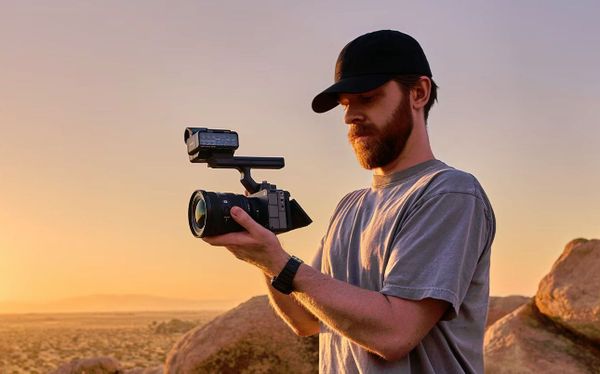
AI's on-set utility is more narrow. Autofocus systems with AI-driven subject tracking — the kind baked into cameras like the Sony a7S III, Canon R-series, and others — are genuinely excellent and have meaningfully changed what a solo shooter can achieve. That's AI that's been embedded into hardware and proven out. It works.
Beyond that, the on-set AI pitch gets murkier.
Wireless focus control apps with AI-assisted tracking exist, but their reliability in real production environments is inconsistent. Wireless signal on a busy stage, multiple operators competing for bandwidth, and the latency tolerance required for critical focus work don't always play nicely with cloud-dependent AI tools. The tech is improving, but it's not a replacement for a seasoned 1st AC yet.
Real-time AI monitoring tools — designed to flag exposure issues, continuity problems, or compositional errors during production — are an interesting category. A few are in development or early release. Watch this space, but don't build your workflow around them yet.
Post-Production: The Most Developed, Most Useful Category
Post is where AI has delivered the most concrete, measurable value for working editors and colorists — and where the tools have had the most time to mature.
Adobe Premiere's AI-enhanced masking (updated in January 2026) and the companion After Effects updates have meaningfully sped up rotoscoping and isolation work. These aren't flashy features, but they're the kind of thing that saves an editor two to three hours on a complex shot. At Sundance 2026, 85% of premiering films were made using Adobe Creative Cloud — that's not a marketing statistic to dismiss, it's a signal about where working editors have landed.
Topaz Starlight 2.5 is worth knowing about for anyone who regularly delivers upscaled or archival content. The current version handles AI upscaling without the over-smoothing artifacts that plagued earlier generations. For documentary work pulling from older archival footage, or productions delivering in formats that exceed acquisition resolution, it's a tool that solves a real problem cleanly.
Text-based editing — where you edit video by editing a transcript — has moved from novelty to genuinely viable for long-form content. Tools using this approach have become increasingly sophisticated, and for interview-heavy documentary or corporate work, it's a workflow change that can compress edit time significantly.
AI color grading assistance is a more contested space. Tools exist that can analyze a reference image and apply a grade. Results vary widely depending on the source material and the sophistication of the tool. Good colorists aren't losing work to these — but junior editors are using them to get a faster starting point, which isn't nothing.
The Category Worth Watching Carefully: AI Video Generation
This is where the hype is loudest and the ground is shakiest for production use.
Runway Gen-4.5, Google's Veo 3, Kling's native 4K generation, and OpenAI's Sora have all made significant leaps in 2026. The output quality for short sequences — establishing shots, cutaways, abstract visual elements — has improved to the point where it's genuinely usable in some contexts. Music videos, promos, and concept pieces have all incorporated AI-generated footage effectively.
But for narrative work, the limitations remain real. Character consistency across cuts is still a problem. Physics behavior in complex motion is still unreliable. And the copyright and ethics questions around training data haven't been resolved — which matters if you're delivering work for a client with legal exposure.
The honest summary: AI video generation is a useful prototyping and ideation tool right now. As a production element, it works for specific, controlled applications. As a replacement for principal photography, it's not there yet.
A Framework for Deciding What to Adopt

Not every AI tool deserves a place in your workflow just because it exists. A few questions worth asking before you commit:
Does it solve an actual bottleneck? The best AI tools target tasks that are genuinely time-consuming and don't require high-level creative judgment. Breakdown, scheduling, transcription, rough storyboards — these are good candidates. Anything involving nuanced on-set decisions is a worse fit.
Is it reliable enough to depend on? A tool that works 80% of the time isn't useful if the 20% failure rate shows up during a live shoot or a client delivery. Test anything new on low-stakes projects before it goes into a production-critical workflow.
What's the real time savings? Marketing claims and real-world performance are different things. Run the tool through your actual workflow and clock the actual time difference. If it's not saving meaningful time or improving output quality, it doesn't earn a spot.
The AI filmmaking landscape in 2026 is genuinely exciting — and genuinely noisy. The tools that are saving indie productions real time are mostly quiet, practical, and unglamorous. The tools generating the most buzz are mostly still developing. The trick is knowing which category you're looking at before you build your workflow around it.