ARRI Film Lab 1.5 Is a Free Update With New Film Formats, Halation Controls, and 4x Speed
ARRI Film Lab 1.5 adds 8mm, 16mm, and 65mm looks, anamorphic grain matching, new halation controls, ACES 2.0 support, and up to 4x faster processing. It’s free for existing users.

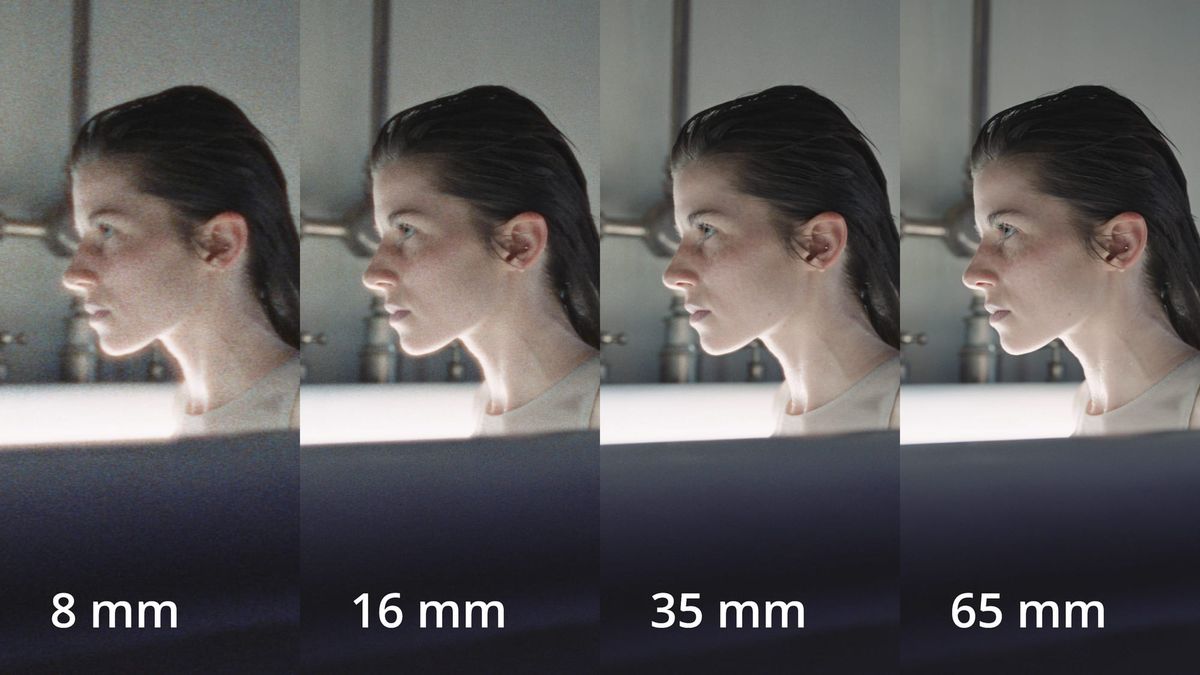
ARRI has released Film Lab 1.5, the first major update to its film emulation plugin since it launched last November. The update adds 8mm, 16mm, and 65mm starting looks, new grain and halation controls, anamorphic matching, ACES 2.0 support, and up to 4x faster processing.
It’s a free upgrade for existing license holders. Film Lab is sold through RE:Vision Effects.
New Film Formats
Until now, every look in Film Lab was based on 35mm film. Version 1.5 lets colorists start from 8mm, 16mm, 35mm, or 65mm, with grain and image character matched to each gauge.
That makes it easier to match a specific format, whether that’s a grainy 16mm documentary look or the finer texture of large-format film.
More Control Over Grain and Halation
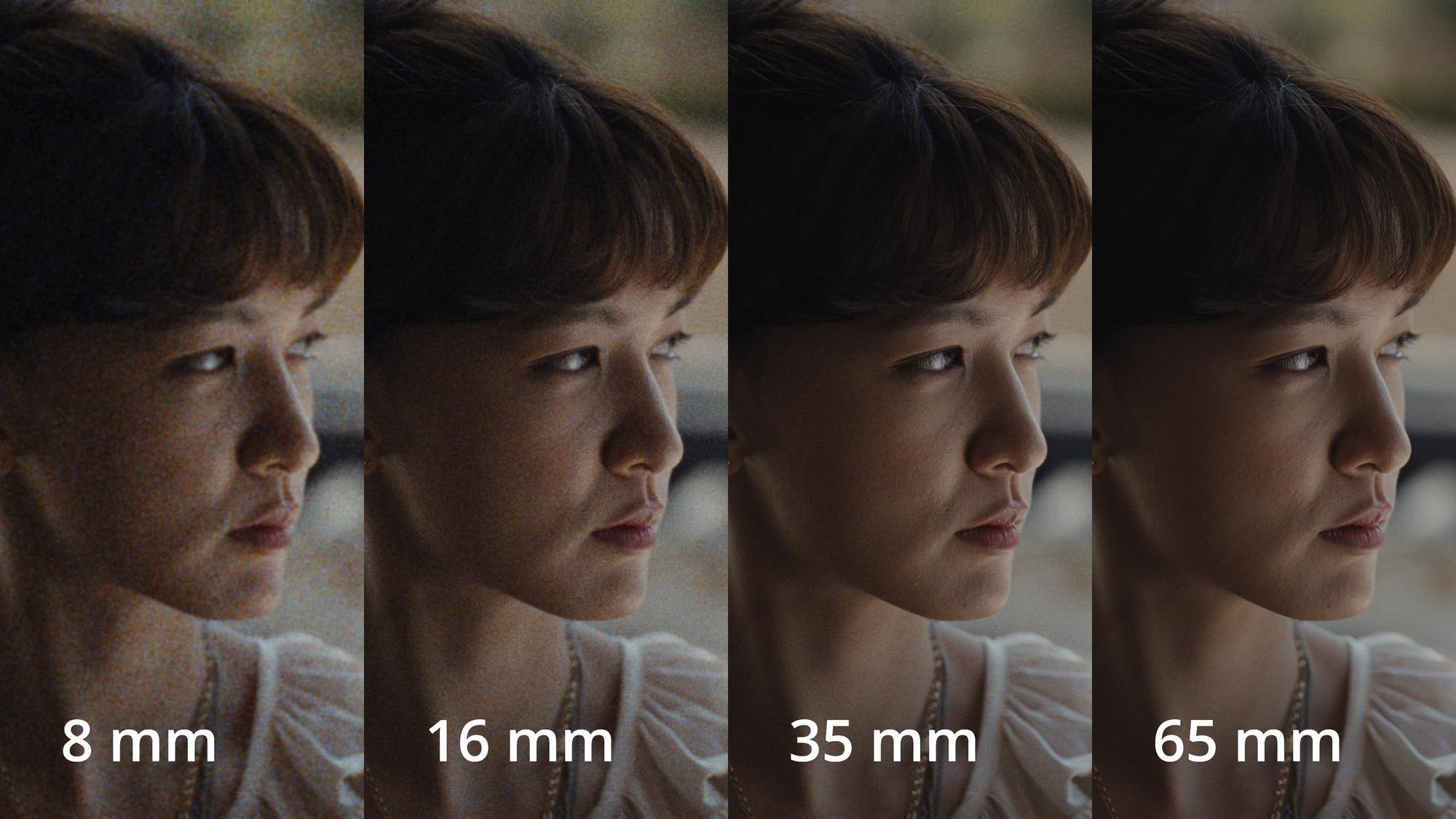
Two new parameters, Grain Size and Rendition of Detail, can each be adjusted from 0.75 to 1.5. A new Halation Spread control sets the radius and character of the glow around highlights.
Grain Intensity and Halation Intensity now go up to 2.0, so the effect can be pushed further for stylized looks.
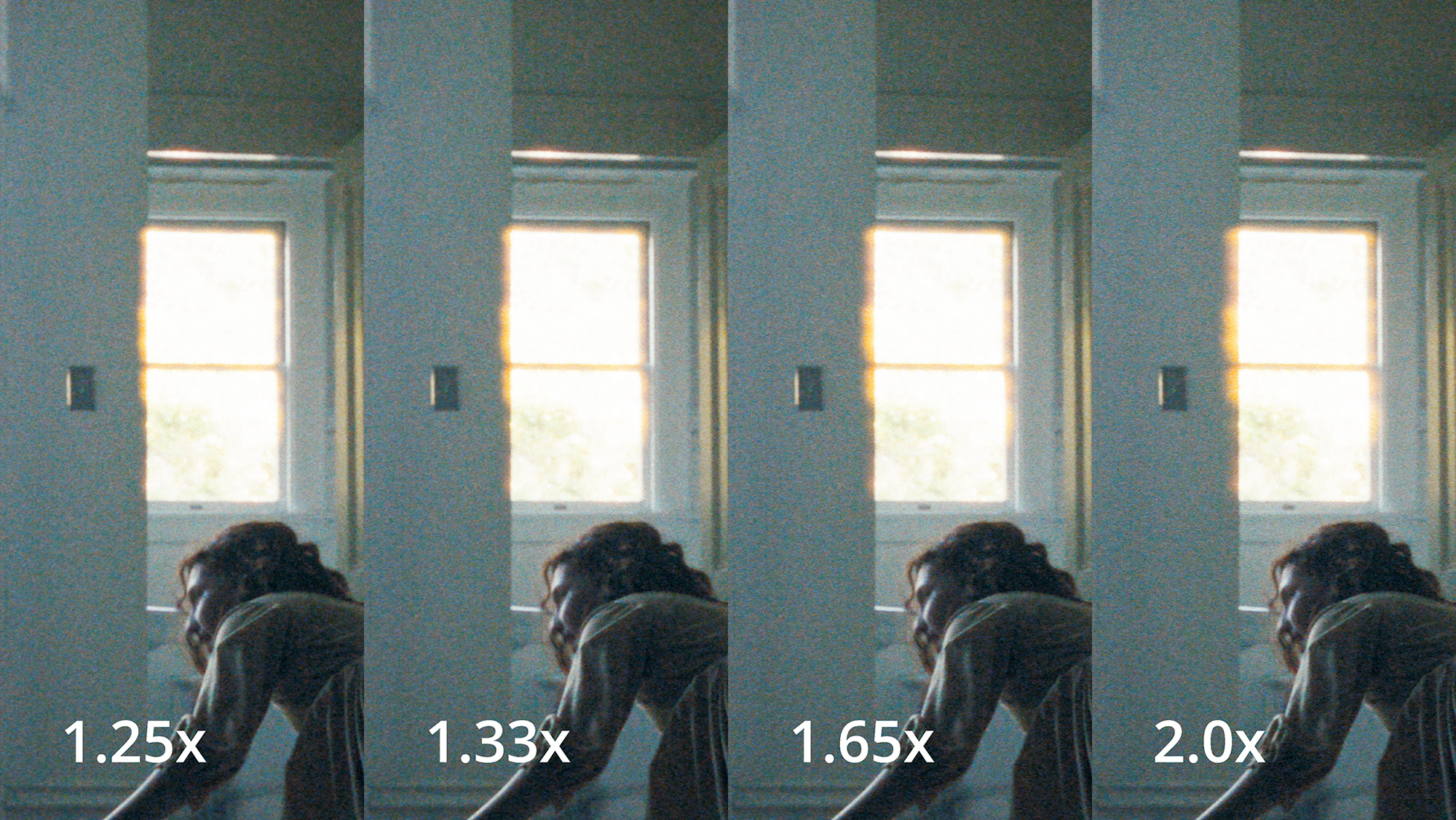
Film Lab 1.5 also adds eight anamorphic squeeze ratios from 1.25x to 2.0x. That way grain and halation stretch the way they would on anamorphic film instead of looking uniform across the frame.
ACES 2.0 and Faster Processing
The update adds ACEScc and ACEScct input and output options for ACES 2.0 workflows. In Baselight, Film Lab can now follow the timeline color space automatically.
ARRI says processing is up to 4x faster. The plugin was already built for real-time 4K playback.
What Film Lab Does
Film Lab is an OpenFX plugin that adds the look of film to digital footage: grain, color, halation, and gate weave. It supports DaVinci Resolve, Fusion Studio, Baselight, Nuke, Scratch, Silhouette, and others.
Grain can be set to match 50D, 200T, or 500T negative stocks. Color options include print stock characteristics, reversal, and bleach bypass, and the plugin includes ARRI’s Look Library.
It works with ARRI and third-party camera footage. At launch, the plugin required a LogC3 or LogC4 workflow with ARRI color management, which is one reason the new ACES 2.0 support matters for mixed-camera productions.
Competitive Context
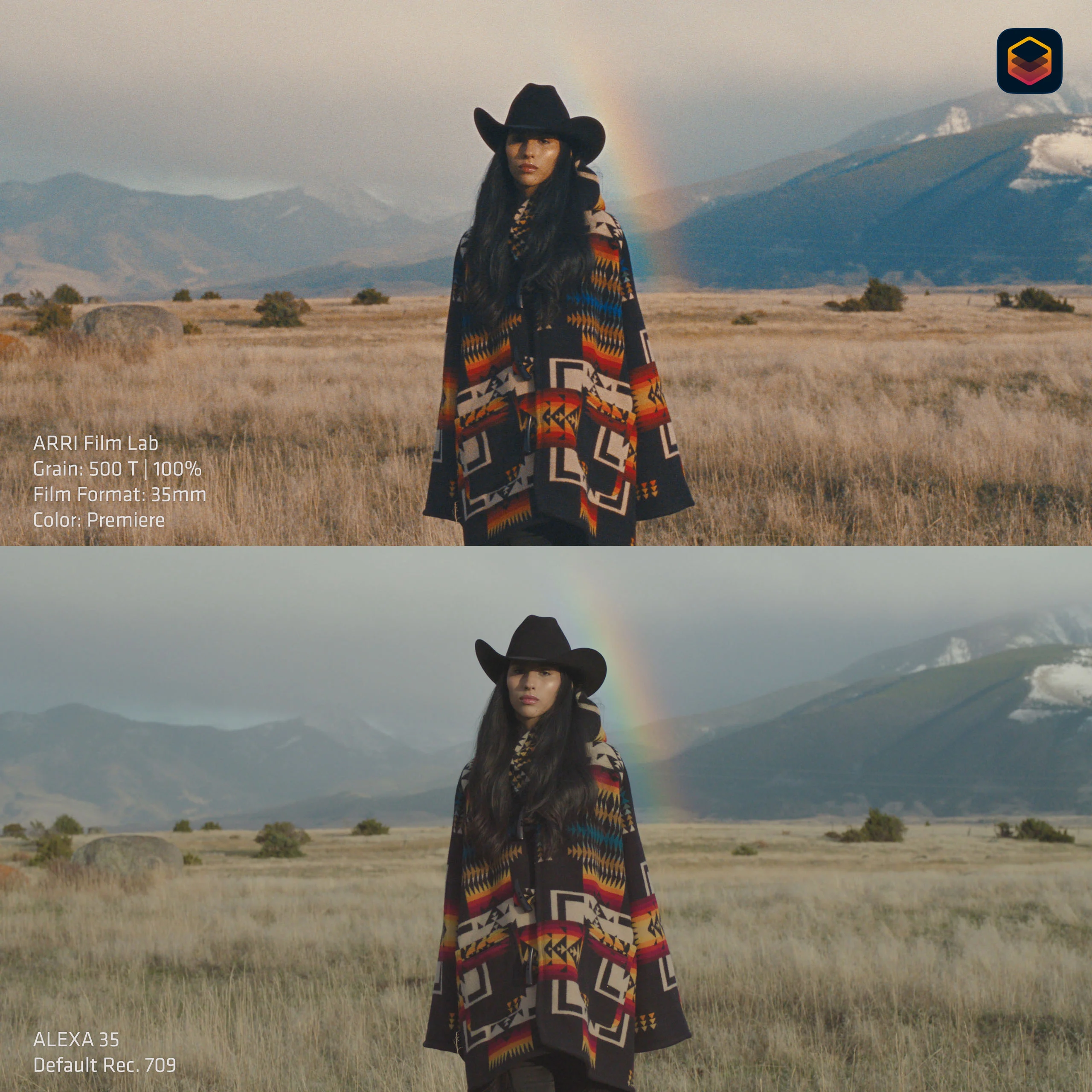
Film emulation has become a crowded category. Dehancer and FilmConvert Nitrate are the long-standing options, and DaVinci Resolve includes its own Film Look Creator.
ARRI’s advantage is the source. Film Lab is built by the company behind the ALEXA, with on-set preview available on the ALEXA 35 and ALEXA 35 Xtreme. Its price is also higher than most alternatives.
For more on where film emulation fits in a grading pipeline, see What Is a DRT in DaVinci Resolve, and Which Ones Are Worth Using?.
The Signal in the Noise
For existing Film Lab users, this is an easy upgrade. The new formats and anamorphic matching cover two of the most common needs in film emulation, and ACES 2.0 support opens it up to more productions.
For anyone deciding whether to buy, the permanent license is a bigger investment than most film emulation tools. The monthly option and free trial make it easier to test on a real project first.
Specs & Pricing
- Version: ARRI Film Lab 1.5
- Upgrade: Free for existing license holders
- Permanent license: $494.60
- Subscriptions: Monthly and annual options available ($24/month and $247/year for Resolve at launch)
- Film formats: 8mm, 16mm, 35mm, 65mm
- Anamorphic ratios: 1.25x to 2.0x (eight options)
- Color management: ACEScc and ACEScct (ACES 2.0), LogC3, LogC4
- Hosts: DaVinci Resolve, Fusion Studio, Baselight, Nuke, Scratch, Silhouette, and others
- Trial: Free, full-featured
Which film emulation tool are you using in your grades right now? Share what’s working for you in the comments.