ARRI's LUKA Plugin Lets You Test Lighting and Camera Setups Before You Ever Step on Set
ARRI's LUKA plugin lets you test real ARRI lighting and camera setups in Unreal Engine before you ever step on set. Here's what it does and who it's actually for.

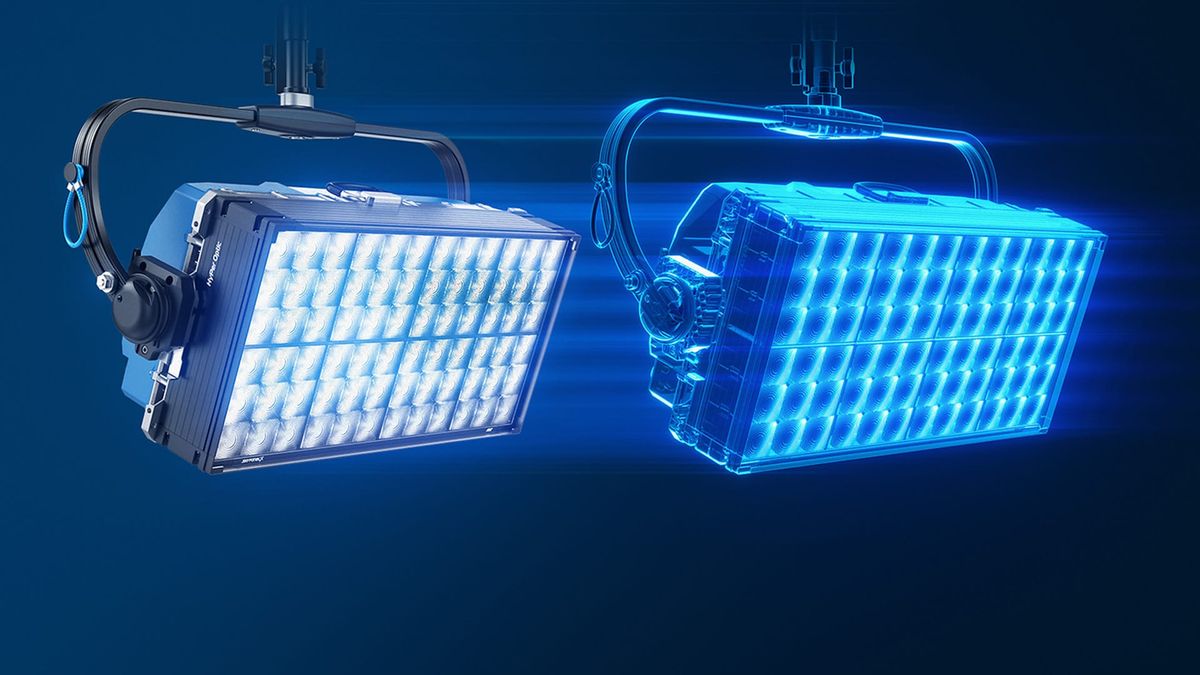
Pre-production just got a lot more precise. ARRI's LUKA is a plugin for Unreal Engine that lets you build an accurate virtual version of your shoot — real lighting fixtures, real camera bodies, real lenses — and test it before a single light gets rigged or a single dollar gets spent on a location day.
The pitch is simple: instead of guessing how many lights you'll need or what a scene will look like under a specific lighting setup, you can build it virtually first and see it rendered in real time.
What's actually in it
LUKA is built around three core pieces:
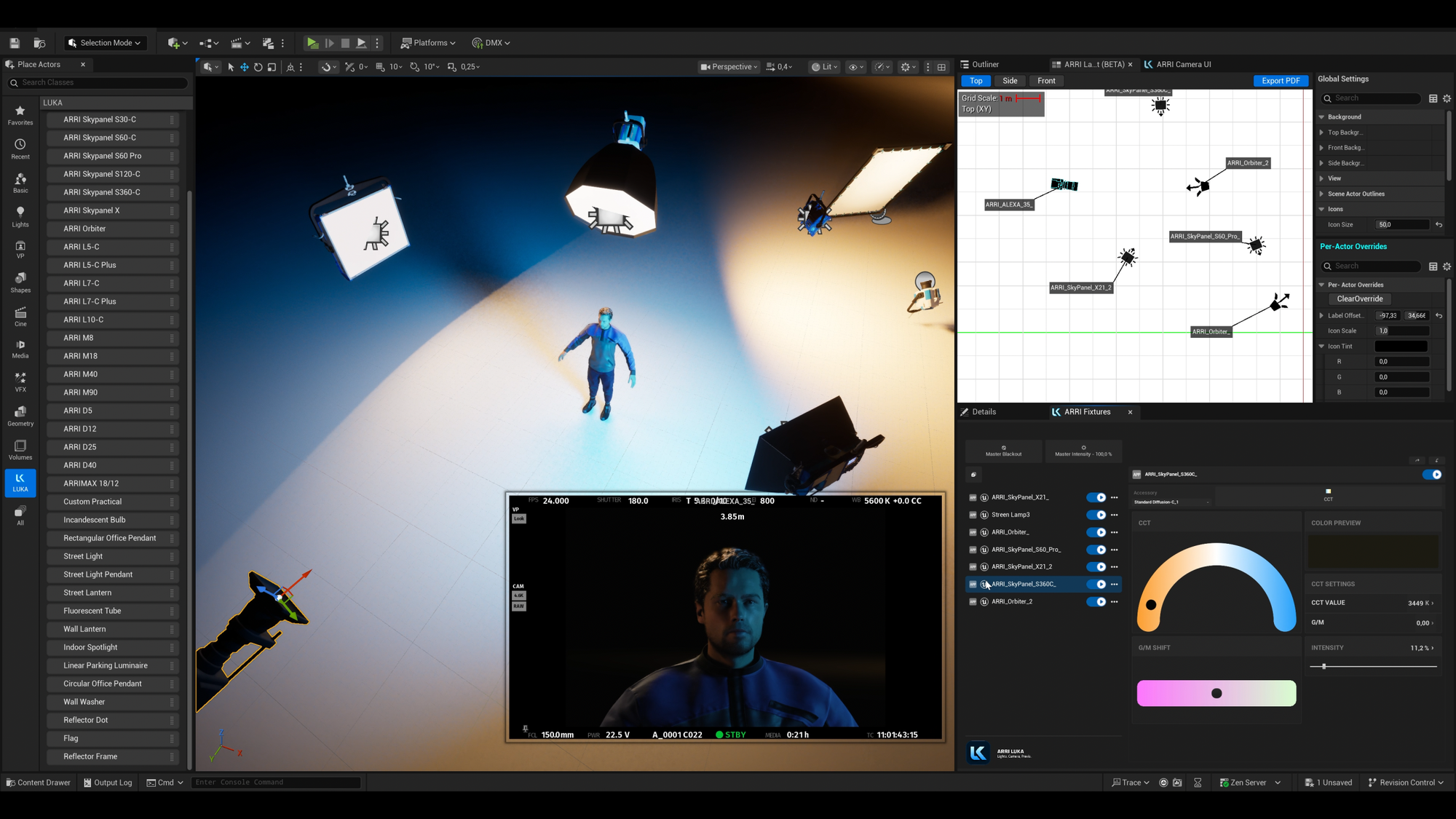
- ARRI Virtual Fixtures — digital twins of real ARRI lighting fixtures, modeled with accurate color, intensity, and light distribution, so what you see in the simulation matches what the actual fixture would do on set. Common modifiers (diffusion, bounce, flags) can be attached or positioned, and shadows render with realistic falloff depending on the source.
- ARRI Virtual Cam — a virtual camera that emulates specific ARRI camera models, incorporating real lens properties like focal length, focus, and T-stop, so exposure and color rendition in the simulation actually track what the physical camera would capture.
- Real-time rendering — built on Unreal Engine's Lumen rendering system, so moving a light or repositioning a camera updates lighting, shadows, and reflections instantly rather than requiring a render pass.
You can build a virtual set from scratch, adapt one of Unreal Engine's existing environments, or — notably — scan a performer's face with consumer-grade hardware to test how light falls on a realistic virtual stand-in of an actual cast member.
Where this actually gets used
ARRI positions LUKA across the full production pipeline, not just as a previs toy:
- Preproduction: Digital location scouting and lighting previsualization to nail down exactly what gear a scene needs before you're paying for it on a soundstage
- In-camera VFX / LED wall production: LUKA's virtual camera can sync in real time with a physical ARRI camera via LiveLink, useful for productions shooting against LED walls
- Postproduction: Faster, cheaper integration of CG elements using accurate virtual lighting references
Worth knowing before you dive in
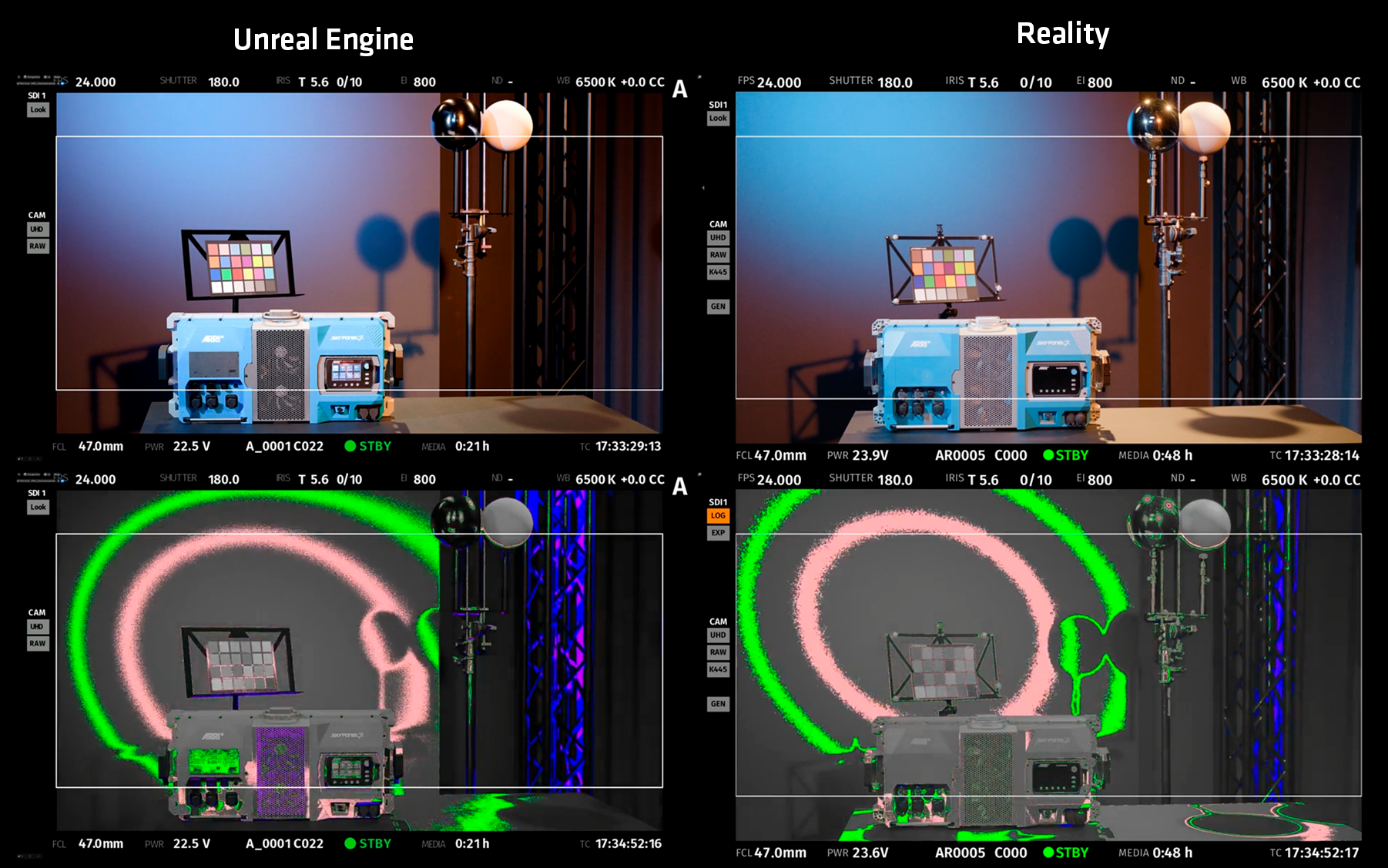
A few practical notes from ARRI's own FAQ: LUKA currently only supports ARRI camera models (though lighting isn't limited to ARRI fixtures — third-party lights work if the manufacturer provides IES photometric data). macOS support isn't available yet but is reportedly in development. And accuracy is best when you stick to LUKA's own camera and fixture combinations together — mixing in heavily customized materials or non-physical rendering tweaks will start to pull results away from real-world behavior.
This is squarely a tool for people already working at a level where pre-lighting a scene digitally saves real production dollars — film students experimenting with Unreal Engine can use it too, but the bigger value is for working DPs, gaffers, and VP-stage productions trying to lock a look before committing crew time and rental gear to it.
Key Specs:
- Platform: Unreal Engine plugin
- Camera support: ARRI camera models only (currently)
- Lighting support: ARRI Virtual Fixtures + third-party fixtures with IES data
- Rendering: Real-time, Lumen-based
- LiveLink support: Yes (for LED wall/ICVFX syncing with physical ARRI cameras)
- macOS support: In development, not yet available
- Trial: Free trial license available