Can Canva’s New AI Model Finally Fix Garbled Text in AI Images?
Canva’s first in-house image model plans layouts before rendering, aiming for legible text and outputs you can edit. Here’s how Craft works and what’s still unproven.

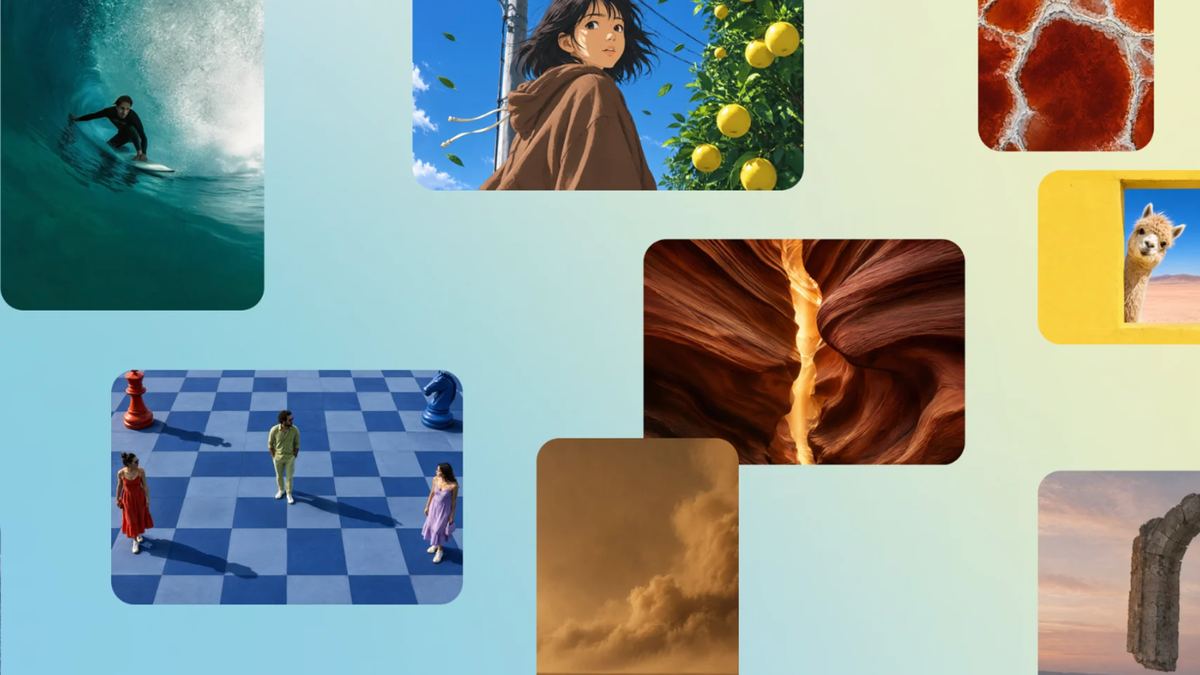
Canva has launched Craft, its first in-house image generation model, and its main pitch targets one of AI imaging’s longest-running problems: text. Canva says Craft produces legible text and accurate layouts, and its images can be converted into editable designs.
Craft is available now to all Canva users through Dream Lab, and to developers through Canva’s API. For filmmakers and creators, the obvious uses are thumbnails, posters, title cards and social graphics, which are exactly the formats where AI images usually fall apart.
How Craft Works
Most image models go straight from prompt to pixels. Craft splits the job in two: a planning stage decides element placement, scale, visual hierarchy and the text itself, then a rendering stage draws the final image.
According to TechCrunch, the model was trained on human-designed templates from Canva’s library, such as posters, social posts, presentations and menus, rather than photographs. Images render at up to 2K, in more than 30 aspect ratios.
Researchers from Leonardo.ai, which Canva acquired in 2024, contributed to the model. Two cheaper, faster versions, Craft-fast and Craft-ultrafast, are in development.
The Editable Part
The more practical feature may be what happens after generation. Craft’s images work with Canva’s Magic Layers, which converts a flat image into separate, editable design elements.
That means a generated poster isn’t a dead end. Text, graphics and layout pieces can be adjusted in Canva instead of regenerated from scratch, which is where most AI image workflows lose time.
Canva also plans to make Craft available inside chatbots like ChatGPT and Gemini through its MCP server, which it lists as “coming soon.”
Does It Actually Fix the Text Problem?
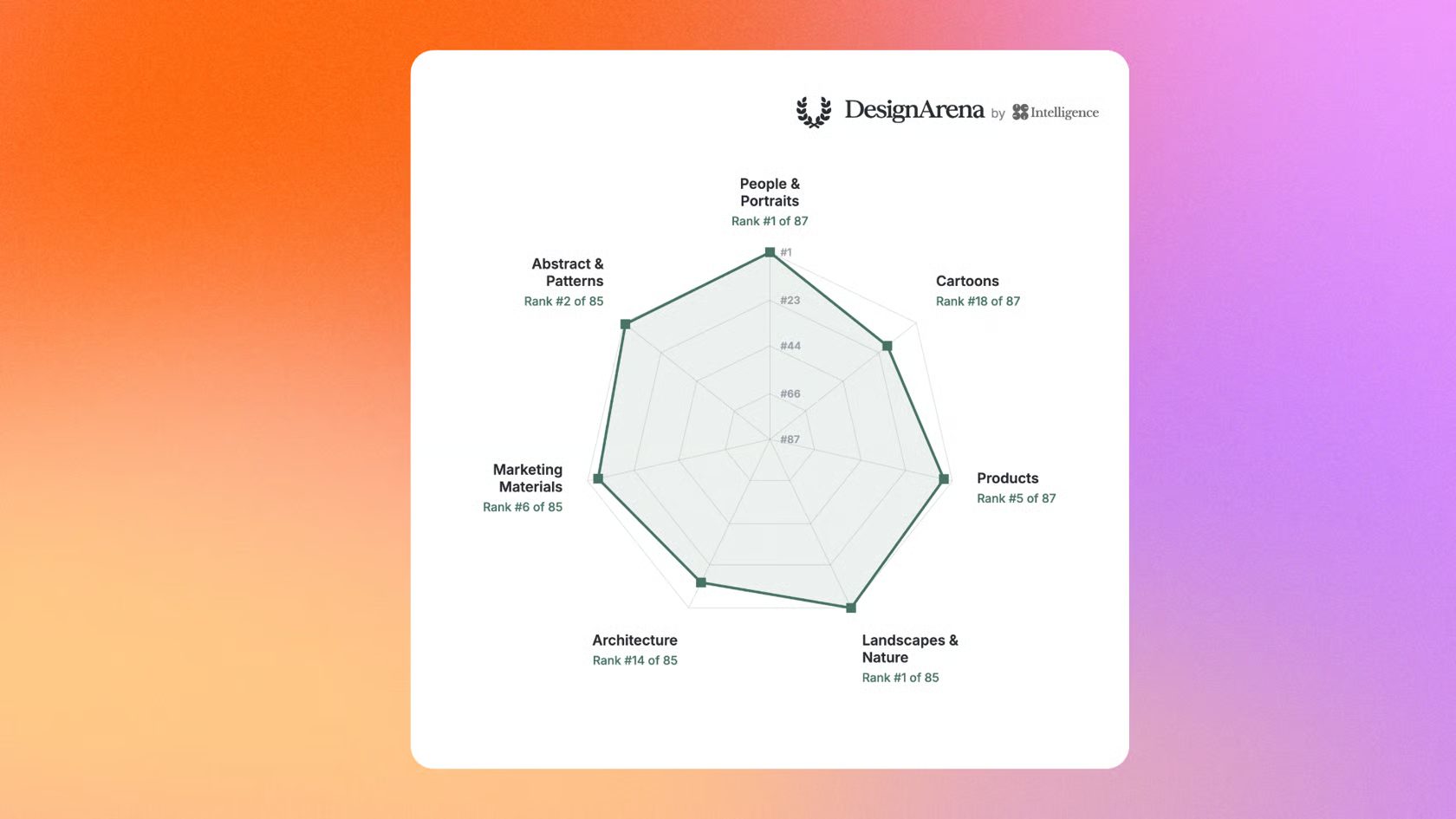
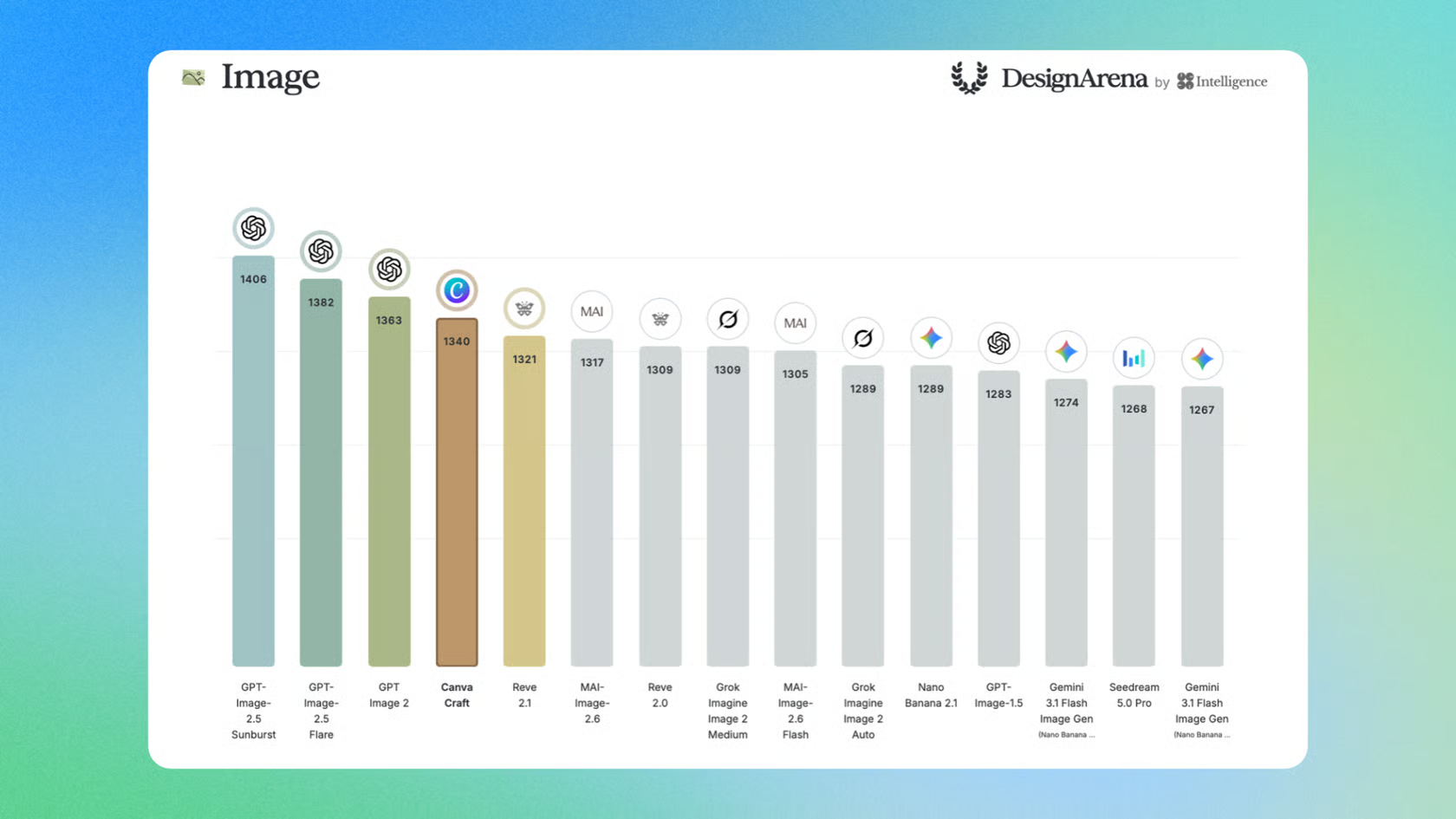
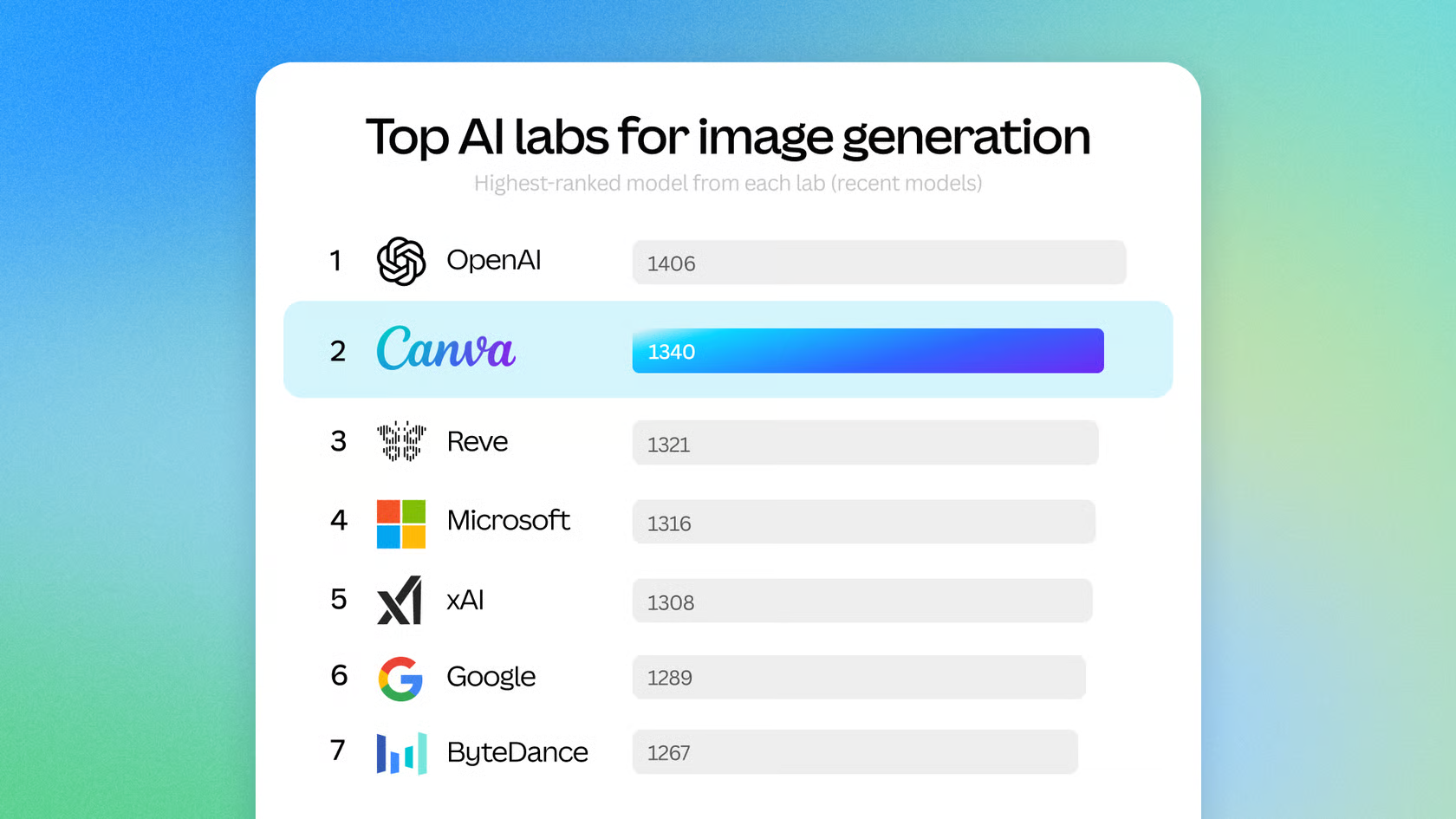
Canva points to DesignArena, a crowd-voted ranking site, where it says Craft debuted as the fourth-ranked image model overall. Canva also says Craft ranked first in the People & Portraits and Landscapes & Nature categories.
Those rankings are useful but limited. They’re based on side-by-side preference votes, not a dedicated text-accuracy test, so the text claims will be proven or disproven by hands-on use over the next few weeks.
There’s also the training question. Craft was trained on Canva’s template library, much of it made by human designers. Canva launched a creator compensation fund in 2023 for contributors who opt in to AI training. Whether that covers everyone whose work shaped Craft is a fair question for designers to ask.
Competitive Context
Craft enters a crowded field. Google’s Nano Banana models have become a default for many creators, covered in Nano Banana 2.1 Cuts the Price of Nano Banana 2 in Half. Ideogram has built its reputation on text rendering, most recently with a vector model covered in Ideogram’s Vector Model Generates SVGs for Motion Graphics.
Canva’s advantage isn’t raw image quality. Craft lives inside a design tool that tens of millions of people already use, and its outputs can be edited there, which makes it more of a workflow play than a model race.
The Signal in the Noise
For creators who already make thumbnails and posters in Canva, Craft is worth testing now, since it’s included in the app. The editable output matters more than the benchmark ranking, because fixing a typo in a layer beats regenerating an image ten times.
For everyone else, it’s too early to call Craft a fix for AI text. Canva hasn’t published pricing or plan limits, and independent tests will show whether its text holds up beyond the demos.
Have you tried Craft for thumbnails or posters yet? Share how the text held up in the comments.
The Details
- Model: Canva Craft
- Developer: Canva Research, with researchers from Leonardo.ai
- Launched: October 22, 2026
- Availability: All Canva users via Dream Lab; developers via Canva’s API
- Resolution: Up to 2K, 30+ aspect ratios
- Editing: Converts to editable layers with Magic Layers
- Coming soon: Craft-fast, Craft-ultrafast, and access in chatbots via Canva’s MCP server
- Pricing: Exact pricing available on Canva’s website