Need a 16:9 Version of a Vertical Clip? fal Reframe Generates the Missing Edges
fal Reframe uses H3 Max to change a video’s aspect ratio by generating new picture around the original frame, keeping timing and audio. Here’s how it works and what it costs.


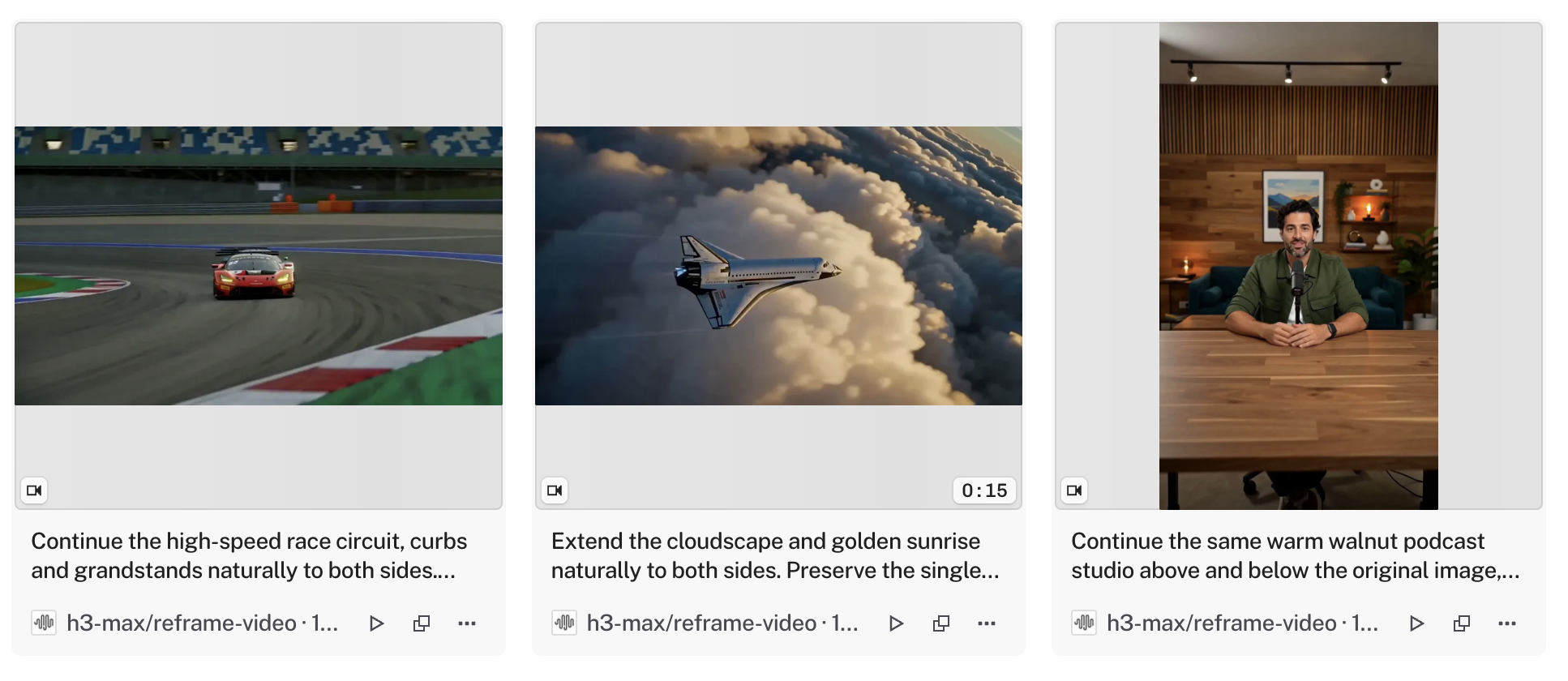
fal has launched Reframe, a tool that changes a video’s aspect ratio by generating new picture beyond the original frame instead of cropping it. It runs on MiniMax’s H3 Max model and keeps the original footage, timing, and audio intact.
That means a vertical clip can become widescreen, a 9:16 video can become square, and footage shot for one platform can be repurposed for another without losing what’s in the frame.
How fal Reframe Works
Introducing fal Reframe. Change any video's aspect ratio without cropping or reshooting.
— fal (@fal) October 13, 2026
Powered by H3 Max, Reframe extends your scene beyond the original frame while preserving the footage, timing, and audio.
Go from vertical to widescreen, 9:16 to 1:1, and more. pic.twitter.com/JpdBKOjhwX
Reframe uses generative outpainting. You upload a video, pick a target aspect ratio, and write a short prompt describing the scene, and H3 Max generates the area outside the original frame to fill the new shape.
The original footage stays in place inside the expanded frame. In fal’s words, the tool works “without cropping or reshooting.”
It accepts MP4, MOV, WebM, M4V, and GIF files. Output is available at 480p or 768p, and fal’s example result came out at 1344x768 and 24fps.
Pricing
Reframe is billed per second of generated video: $0.05 per second at 480p and $0.08 per second at 768p. A 5-second clip at 768p costs $0.40.
Longer videos are processed in overlapping sections, and fal bills for the overlap too. That means the billed duration can be longer than the final clip, so longer projects will cost somewhat more than the simple per-second math suggests.
Where It Fits
The most common use is social repurposing. A vertical clip shot for Reels or TikTok can get a widescreen version for YouTube, or a horizontal video can get a square cut without chopping off the subject.
It can also rescue shots framed too tightly for a new format. Instead of cropping in and losing resolution, the generated edges add picture around the original.
The 768p maximum keeps this firmly in the web and social category for now. For professional deliverables, the output resolution won’t hold up next to native 4K footage.
Competitive Context
Most editing tools handle aspect ratio changes by cropping. Premiere Pro’s Auto Reframe and DaVinci Resolve Studio’s Smart Reframe both track the subject and crop to the new shape, which works well when the original frame has room to spare.
Luma offers its own Reframe feature, which also uses generative outpainting to expand video to new aspect ratios. fal’s version brings the same idea to its API platform, where developers can build it into their own apps and workflows.
fal has steadily added H3 Max tools, covered in fal Brings MiniMax H3 Max to Its Platform and fal’s H3 Max Director API. For background on the platform itself, see What Is fal.ai?.
The Signal in the Noise
Reframe solves a common, practical problem. Most creators shoot for one platform and then need versions for three others, and cropping often cuts out the subject or the composition.
At $0.08 per second, it’s inexpensive for short social clips. The 768p ceiling and generated edges mean it works best for content where the original footage is the focus and the expanded area is supporting background.
Specs & Pricing
- Model: MiniMax H3 Max
- Price: $0.05/second (480p), $0.08/second (768p)
- Output resolution: 480p or 768p
- Input formats: MP4, MOV, WebM, M4V, GIF
- Preserves: Original footage, timing, and audio
- Billing note: Overlap between processing windows is billed
Would you use AI outpainting to repurpose your videos for other platforms, or stick with cropping? Share your approach in the comments.