H3 Max Can Now Turn Your Blender Previs Into Photoreal Video
fal's new H3 Max 3D to Video mode turns Blender previs clips into photoreal video, guided by your camera moves and timing, from about $1 per shot.

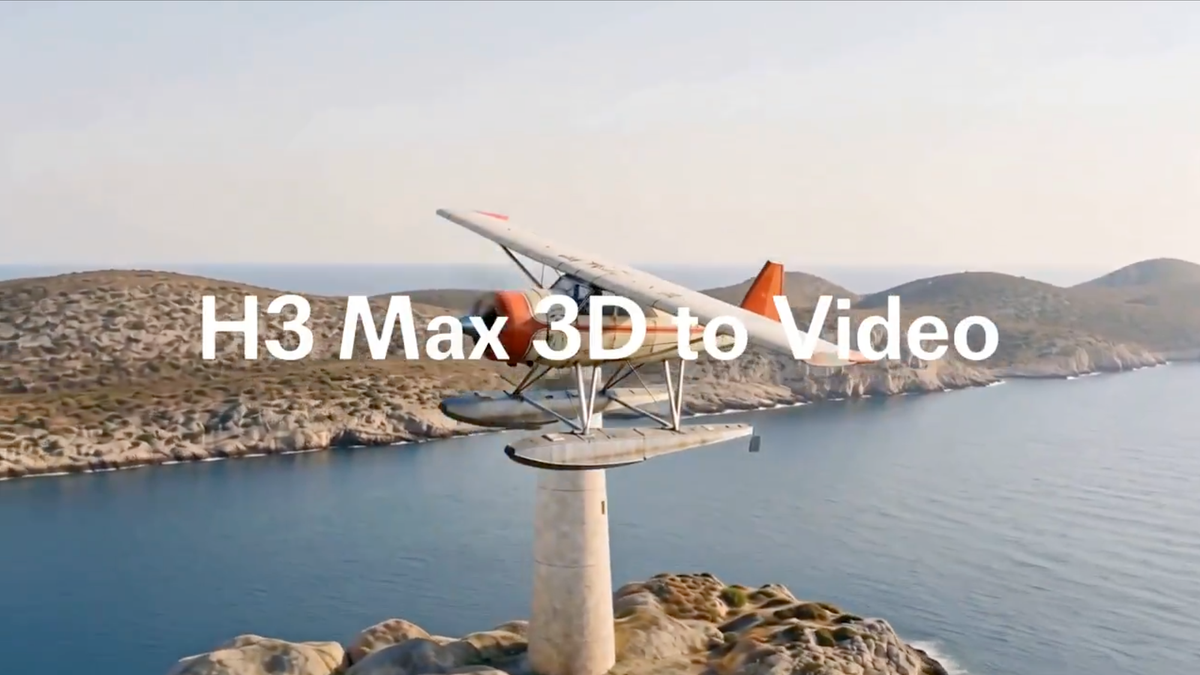
fal added a 3D to Video mode to H3 Max, its speed-optimized version of MiniMax H3. Upload a Blender render or 3D previs clip up to 15 seconds long, and it generates photoreal video that follows the source's layout, camera movement, and shot timing.
For filmmakers already blocking scenes in 3D, it's a direct bridge from a gray-box previs to something that looks much closer to a finished shot.
How It Works
3D to Video is now live on H3 Max, the fastest video model on the market and ranked #1 for video editing.
— fal (@fal) September 23, 2026
Upload a Blender previs up to 15 seconds, and H3 Max turns it into photoreal video while preserving camera movement and shot timing.
Add reference images to carry specific… pic.twitter.com/EA2CgvYDkL
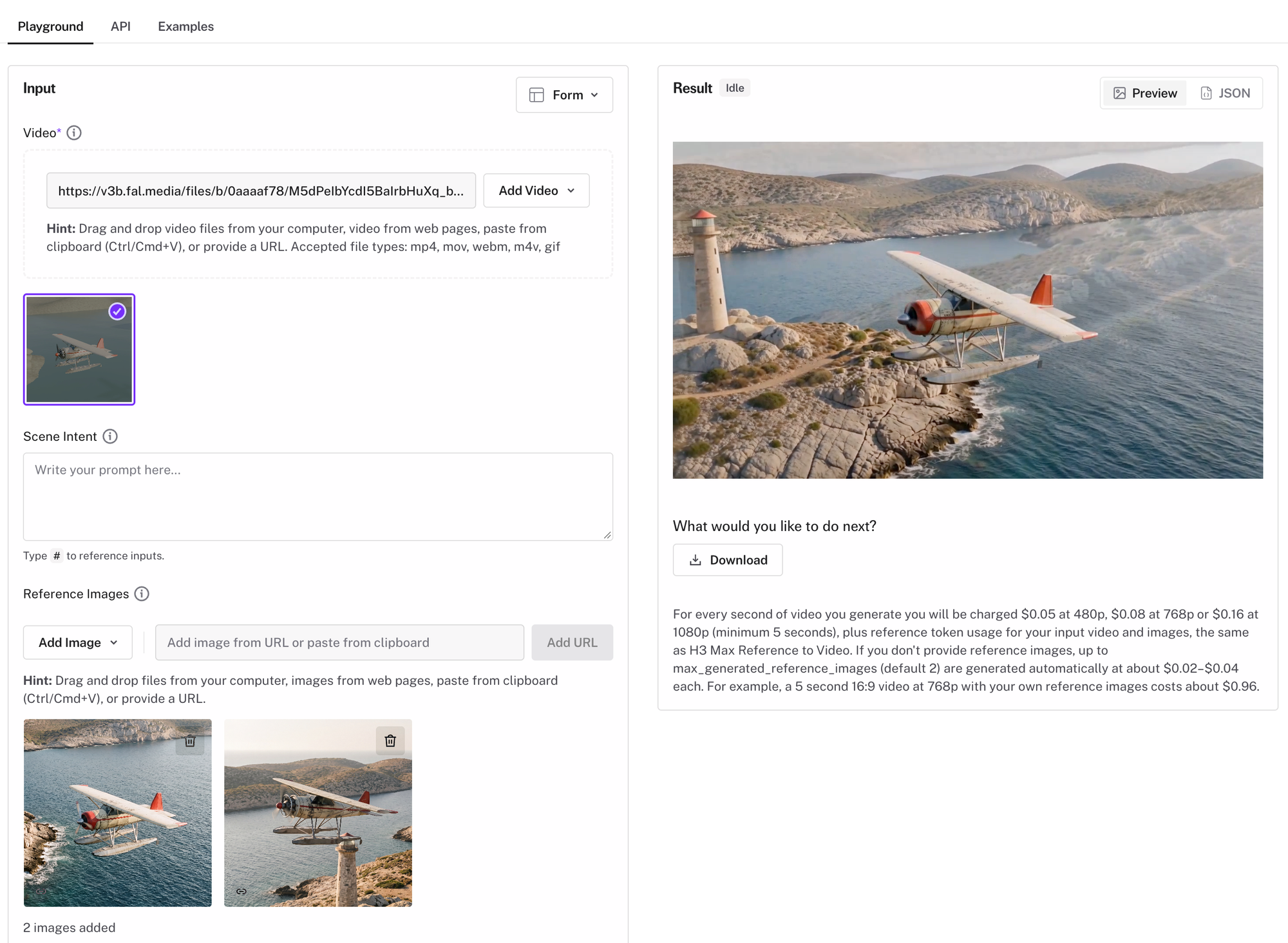
You upload a source clip, typically a rough 3D render with basic geometry, placeholder characters, and your intended camera moves. H3 Max uses that clip as visual guidance for scene layout, motion, camera movement, and edit timing.
You can add up to eight reference images to control how specific characters, objects, and environments should look in the final result. If you don't provide references, the model generates a few of its own, two by default.
The tool also handles multi-shot sequences. According to fal, it plans the shots in your source clip, generates opening references when needed, renders each shot, and assembles the final video.
Output is available at 480p, 768p, or 1080p.
What It Costs
Pricing is per second of generated video, with a five-second minimum:
- 480p: $0.05 per second
- 768p: $0.08 per second
- 1080p: $0.16 per second
There are also reference token costs for your input video and images. fal's own example puts a five-second 768p clip with your own reference images at about $0.96. Automatically generated references add roughly $0.02 to $0.04 each.
The Important Caveat
fal is clear that the source clip guides the result rather than locking it. In its own words, exact geometry, camera paths, and motion are "not guaranteed."
That matters for previs specifically. The whole point of blocking a shot in 3D is precise control over framing, lens, and camera movement. If a generated shot drifts from your camera path, it may look great and still not match what you planned.
The practical takeaway: treat this as a way to visualize how a previs could look as a real shot, not as a guaranteed frame-accurate render of it. Anything that needs exact continuity should be checked closely.
Why This Is Useful
Previs has gotten much more accessible in recent years. Free tools like Blender and Unreal Engine let independent filmmakers block out entire sequences with real lenses and camera moves before shooting. The recent horror hit "Obsession" used Unreal Engine previs to plan its shots.
The gap has always been how those previs renders look. Gray boxes and mannequins are great for planning, but they're hard to show to a financier, client, or crew who needs to feel what the final shot will be.
3D to Video targets exactly that gap. It turns a planning tool into something closer to a pitch or proof-of-concept, without rebuilding the scene with full textures and lighting.
Competitive Context
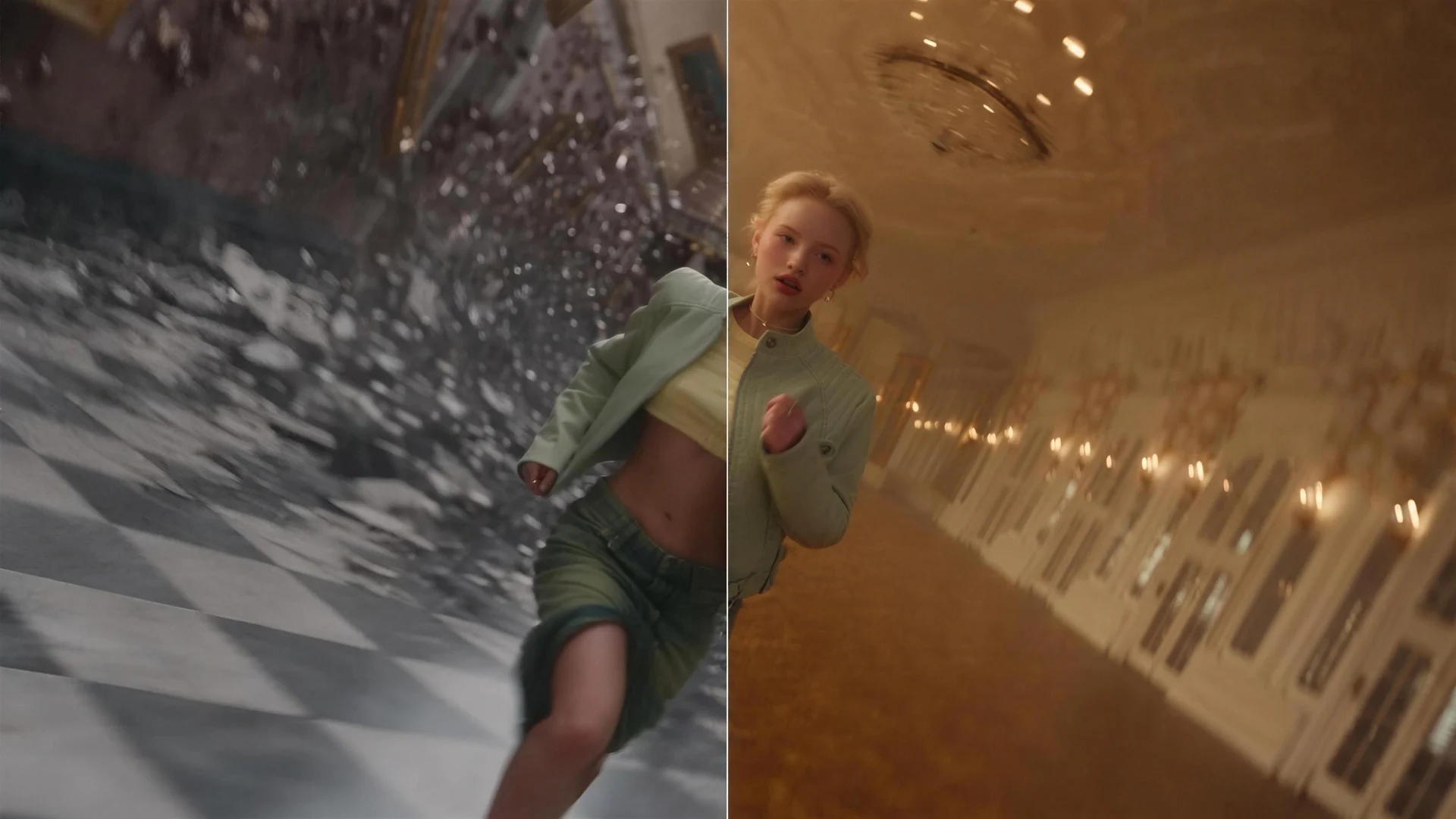
Video-to-video tools are becoming a major focus across AI video. Runway's Aleph re-renders existing footage, and Higgsfield's Genjutsu transfers motion and camera work onto new scenes.
What sets this apart is the input. It's built specifically for 3D previs rather than live-action footage, which targets filmmakers who already plan their shots in Blender or similar tools.
It also joins a fast-growing set of H3 Max modes on fal, including continuous generation with H3 Max Director and preset visual styles like VHS and pixel art.
The Signal in the Noise
The most interesting shift here is where AI video enters the process. Instead of generating a shot from a text prompt and hoping the camera does what you want, you define the shot yourself in 3D, and the model handles the look.
That's a much more director-friendly workflow. The creative decisions about framing, blocking, and timing stay with the filmmaker, as long as the model actually respects them, which is the part worth testing before relying on it.
Would you use a tool like this to pitch or test shots from your previs, or does not guaranteeing the exact camera path rule it out for your workflow?
Specs & Pricing
- Tool: H3 Max 3D to Video, on fal
- Base model: H3 Max, fal's speed-optimized MiniMax H3
- Input: Blender render or 3D previs clip, up to 15 seconds (mp4, mov, webm, m4v, gif)
- Reference images: up to 8; model generates 1–8 of its own if none provided (default 2)
- Multi-shot: plans, renders, and assembles each shot in the source
- Output: 480p, 768p (default), or 1080p
- Pricing: $0.05/sec (480p), $0.08/sec (768p), $0.16/sec (1080p); 5-second minimum; plus reference token costs
- Example cost: about $0.96 for a 5-second 768p clip with your own references
- Limitation: exact geometry, camera paths, and motion are not guaranteed
- Commercial use: permitted