What is Timecode and Why Do Filmmakers Use It?
Timecode assigns a unique address to every frame of video — making multi-camera sync, external audio alignment, and precise editing possible. Here's how it works.

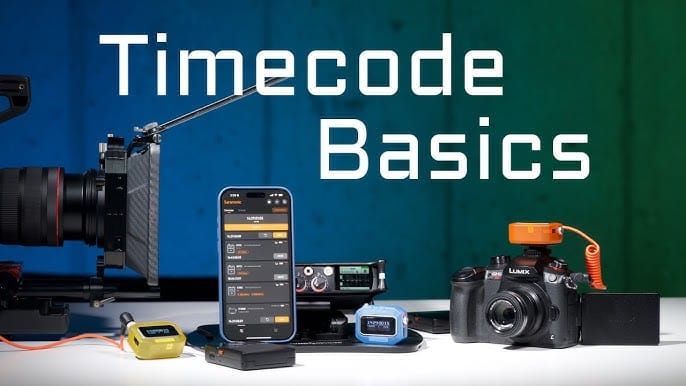
Timecode is a sequence of numbers assigned to every frame of video, identifying its position in time with hour, minute, second, and frame accuracy. It exists for one primary reason: synchronization. When multiple cameras, audio recorders, and other devices need to be aligned precisely in post-production, timecode is what makes that alignment possible.
For solo shooters editing their own single-camera footage, timecode operates invisibly in the background. For multi-camera productions, multi-track audio workflows, and anything involving external sound recording, understanding timecode becomes practically essential.
What Timecode Looks Like
Timecode is typically expressed as HH:MM:SS:FF — hours, minutes, seconds, frames. A timecode reading of 01:23:45:12 means one hour, twenty-three minutes, forty-five seconds, and twelve frames into the recording.
Every frame of video has a unique timecode address. This address is what editing software uses to synchronize clips, match audio to video, and maintain precise relationships between elements across a timeline.
Featured Video
Why Timecode Matters for Multi-Camera Productions
On a multi-camera shoot — whether a concert, a documentary interview with two cameras, or a narrative production with A and B camera — each camera records independently. When you bring the footage into an editing suite, you need a way to align the cameras so that the same moment in time appears at the same point on each clip.
Timecode solves this. When all cameras are synchronized to the same timecode source, their footage aligns automatically in any NLE that recognizes timecode. DaVinci Resolve's multi-camera sync and Premiere Pro's multi-camera sequence both use timecode as the primary sync method when it's available.
External Audio and Timecode
Professional audio recorders — Sound Devices, Zoom F-series, and others — record timecode alongside the audio. When the recorder is synchronized to the camera's timecode, the audio and video align automatically in post without the need for a clapper or manual sync.
On productions without timecode sync between audio and camera, a clapper or slate provides a visual and audio sync point that the editor uses to align manually. Timecode makes this process automatic.
Drop Frame vs. Non-Drop Frame
Timecode comes in two flavors: Drop Frame and Non-Drop Frame. The distinction exists because of a historical quirk in NTSC broadcast standards where the actual frame rate of 29.97fps doesn't divide evenly into hours, minutes, and seconds.
Drop Frame timecode skips certain frame numbers (it doesn't drop actual frames — just the numbers) to keep timecode synchronized with real elapsed time. It's indicated by a semicolon between seconds and frames: 01:23:45;12.
Non-Drop Frame timecode counts every frame consecutively without adjustments. It's indicated by a colon: 01:23:45:12. Over long recordings, Non-Drop Frame timecode drifts slightly from real elapsed time.
For broadcast delivery, Drop Frame is typically required. For everything else, the distinction rarely matters in practice.