Do You Still Need to Set Gain With 32-Bit Float Audio?
32-bit float audio protects against clipping and a mis-set gain, but not an overloaded mic, mic noise or monitoring problems. Here’s what it fixes and what it doesn’t.

For digital clipping, mostly no. For the rest of the signal chain, yes.
A 32-bit float file can hold 1,528 dB of dynamic range, according to Sound Devices. A 24-bit file holds 144.5 dB. That gap is why a clipped-looking file from a 32-bit float recorder can often be recovered in your editor.
How 32-Bit Float Works
The format stores each sample like scientific notation, with a mantissa and an exponent. That lets a file represent far louder and quieter values than fixed-point 24-bit, per Sound Devices. The trade-off is file size, which Sound Devices puts at about 33% more than 24-bit.
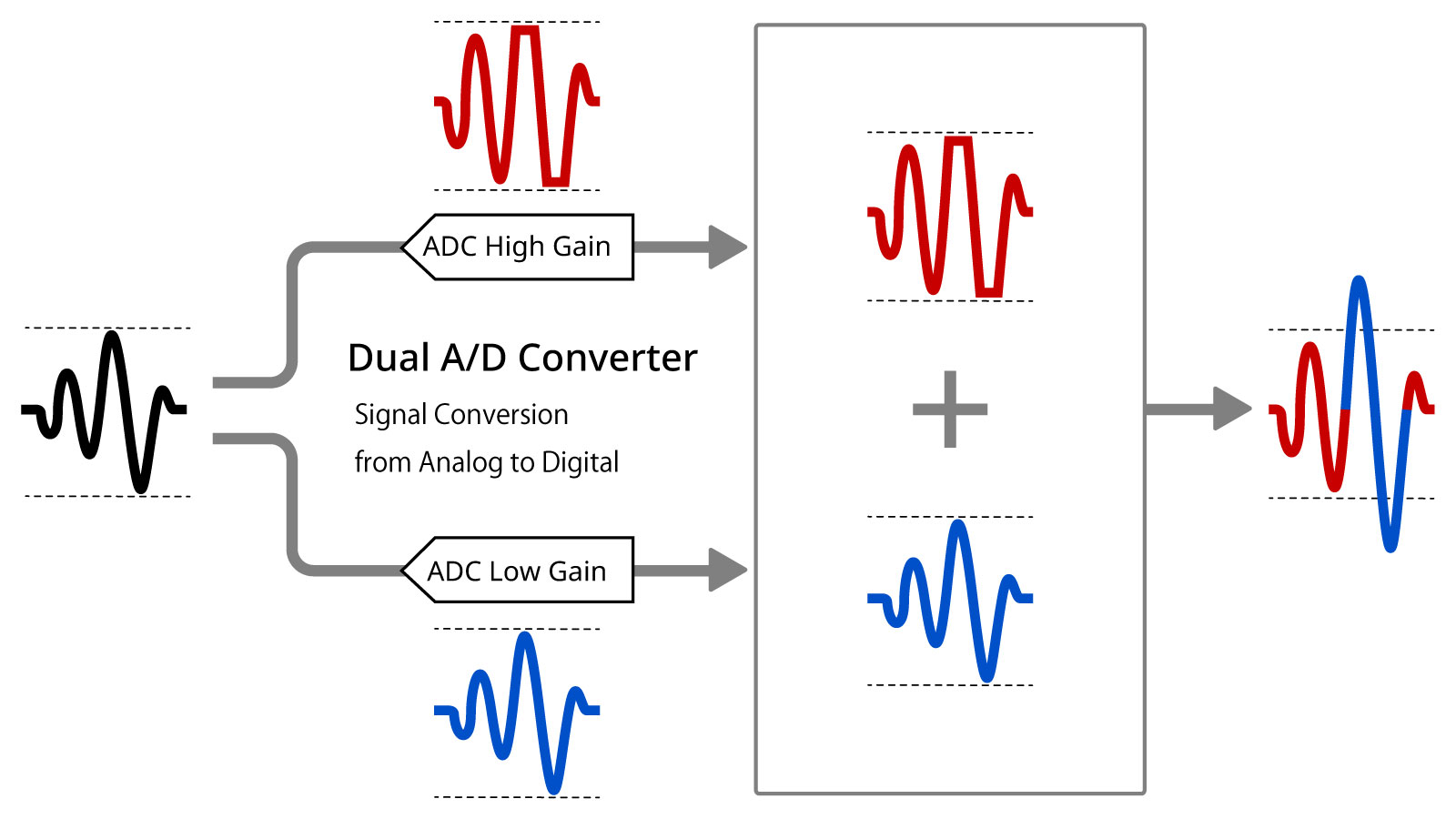
Recorders don’t use one giant converter. DPA explains that they typically run two converters in parallel, one tuned for low levels and one for high, and use the exponent to pick between them. It says real converters of this type reach about 130 to 142 dB, well short of the format’s theoretical 1,528 dB.
What It Fixes
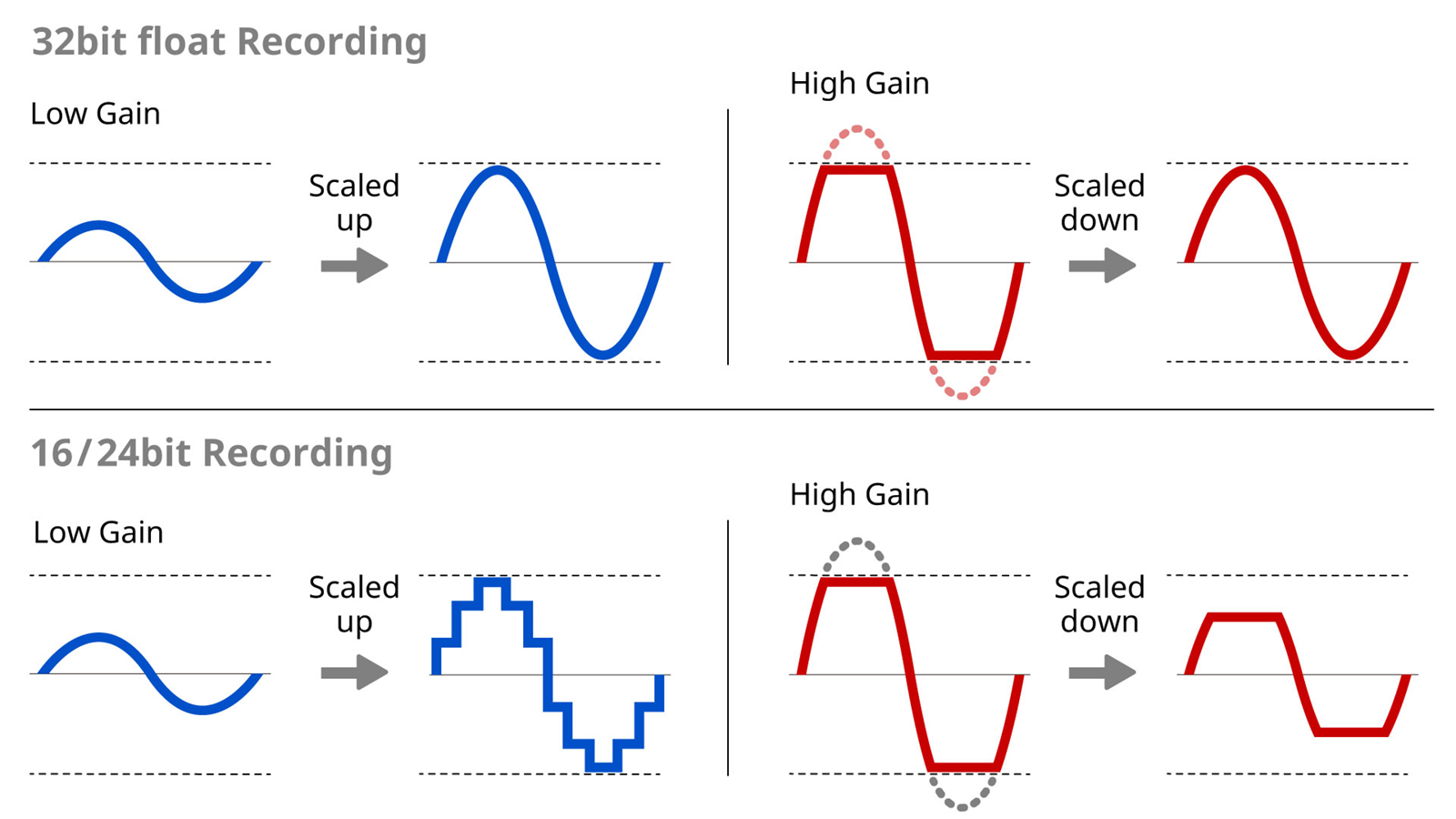
A mis-set gain stops being fatal. Sound Devices says that on its MixPre II recorders, gain settings don’t matter for fidelity in 32-bit float mode. Levels can be raised or lowered afterward with no added noise or distortion.
Zoom takes that further and leaves the gain knob off its 32-bit float recorders. It also says quiet dialogue can be brought up in post without raising white noise as much. Digital Camera World reports that nearly all editors read 32-bit float audio, with some manual work to recover very loud sounds.
What It Doesn’t Fix
The recorder’s input can still clip. DPA lists maximum input levels of +4 dBu for the Zoom F3 and +14 dBu for the Sound Devices MixPre II series. If the microphone’s output exceeds that, the audio clips before it reaches the 32-bit float stage.
The microphone still sets the noise and the ceiling. DPA says its self-noise sets the floor and its maximum output sets the top, and that 32-bit float can’t improve its inherent quality.
Files can look wrong until you fix them. Zoom notes that playback on the recorder or in an editor can look and sound distorted until you adjust the gain. DPA adds that normalizing to a fixed-point file is permanent, so keep the originals.
You still need to hear a usable signal. Sound Devices’ low-signal test records peaks below -100 dBFS, which are inaudible in the recorder’s headphones and invisible on its meters.
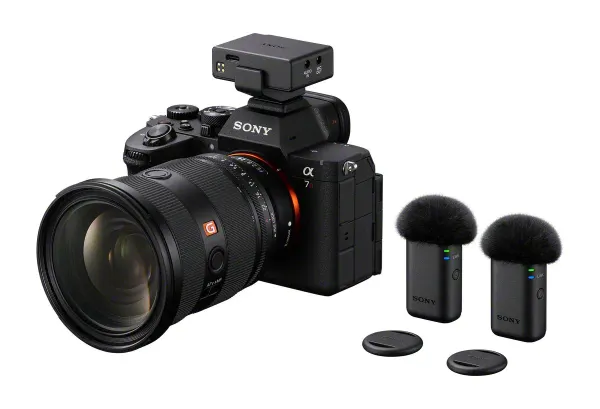
Implementation varies by product. Sony’s ECM-W5 records 32-bit float at 48 kHz only, and its 96 kHz mode is 24-bit, as covered in Sony ECM-W5 Wireless Mic: Headphone Monitoring, $399.99. Digital Camera World reports the DJI Mic 3 stores 32-bit float on its transmitters but is limited to 24-bit over Sony’s shoe adapter.
Competitive Context
24-bit with careful levels still works. Sound Devices calls 24-bit, 48 kHz the most widely used format in professional audio, and its MixPre II recorders offer 16-bit, 24-bit and 32-bit float. Smaller files and simpler handoffs are the draw.
32-bit float is now common in recorders. Zoom lists it across its F2, F3, F6 and F8n Pro field recorders, plus its MicTrak and Handy lines. It has also reached wireless kits such as the ECM-W5 and DJI Mic 3.
The Signal in the Noise
Treat 32-bit float as insurance against digital clipping and a bad gain guess. It isn’t a replacement for gain staging. Check your recorder’s maximum input level against your microphone, listen to what you record, and keep the original files.
DPA’s conclusion is that all the old rules still apply. The costs are larger files and one extra step in post. On unpredictable run-and-gun work that is a small price, and on controlled interviews with a known mic, careful 24-bit levels remain a valid choice.
For the wider basics, see The Audio Basics Every Beginner Filmmaker Gets Wrong.
Do you still ride gain on a 32-bit float recorder, or have you stopped watching the meters?