XLR vs. 3.5mm Audio: What's Actually the Difference for Video?
XLR and 3.5mm aren't just different connector shapes, they're different signal systems. Here's the real difference, and which one your setup actually needs.

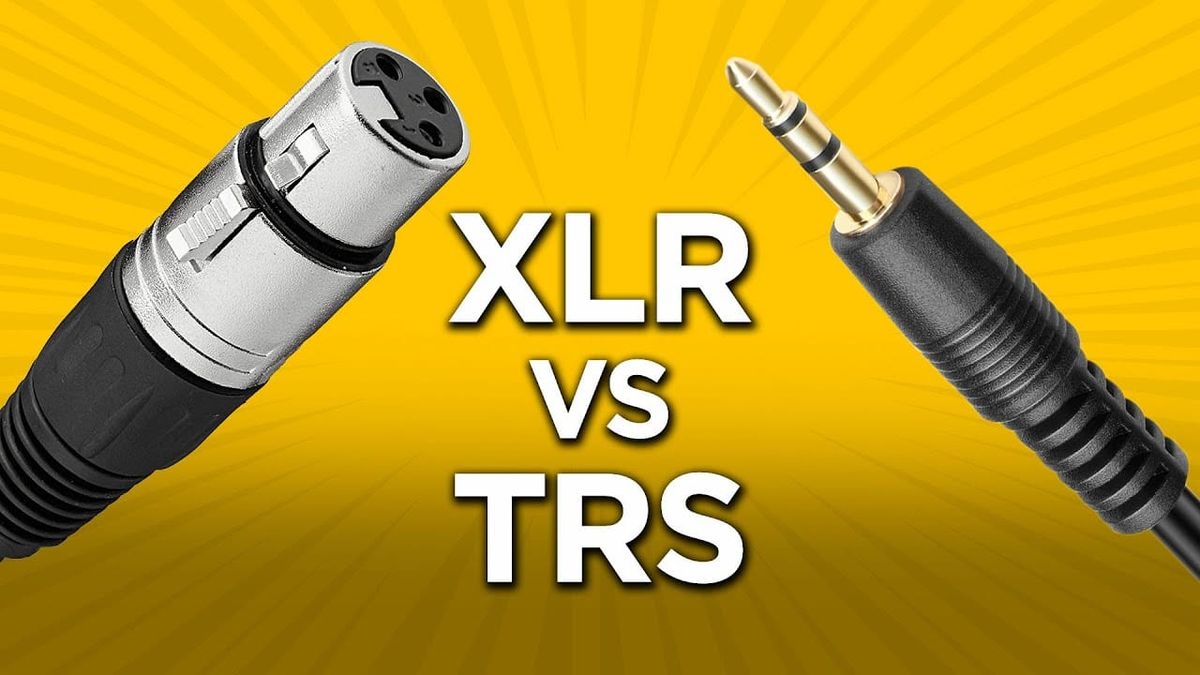
The connector on your microphone determines more than which port it plugs into. XLR and 3.5mm represent two fundamentally different ways of sending an audio signal, and understanding the actual difference, not just "one looks more professional", matters for anyone deciding what gear to buy or which input to use on a given shoot.
The Real Difference: Balanced vs. Unbalanced
XLR cables carry a balanced signal, using three conductors: a positive signal wire, a negative (inverted) signal wire, and a ground. When electrical interference hits the cable, it affects both the positive and negative wires roughly equally, and because the receiving device flips the negative signal back and combines it with the positive, that shared interference cancels itself out. The audio signal survives; the noise mostly doesn't.
A standard 3.5mm connection carries an unbalanced signal, just a signal wire and a ground, with no built-in mechanism to cancel interference picked up along the cable. That's the actual, technical difference underneath the connector shape, not marketing, not "professional vs. consumer" branding, a genuine difference in how each system handles electrical noise.
Why This Actually Matters in Practice
The gap between balanced and unbalanced shows up specifically as cable length increases and as electrical noise increases. XLR's balanced design can reliably carry a clean signal up to roughly 200 feet. Unbalanced 3.5mm connections start showing real degradation, hiss, hum, picked-up RF interference, once you're running much past 10-25 feet, especially near fluorescent lighting, motors, or other electronics.
For most video production setups, camera-mounted mic to camera body, wireless lav receiver sitting a few feet from the recorder, that length threshold rarely gets crossed, which is exactly why 3.5mm remains completely viable for a huge share of real shooting situations. The distinction becomes genuinely important on set-based productions with longer cable runs, sound carts positioned away from camera, or any environment with real electrical interference nearby.
Phantom Power Is the Other Real Difference

XLR connections can carry 48V phantom power, the electricity that condenser microphones need to operate. That's built into the XLR standard itself, run through the same three pins carrying the audio signal, no separate battery or power source required if your recorder or mixer supplies it.
Standard 3.5mm connections don't carry phantom power. Consumer and prosumer microphones using a 3.5mm connector instead rely on either an internal battery, or a much lower-voltage "plug-in power" (typically 3-5V) supplied by some cameras and recorders specifically for compatible mics. That's a meaningfully different power delivery system, not just a smaller connector, it's part of why certain professional condenser mics simply require XLR to function at all.
Does the Connector Itself Change Sound Quality?
Not directly, and this is worth being precise about: the connector doesn't change how a specific microphone capsule sounds. The same mic capsule wired to an XLR output versus a 3.5mm output won't have different fundamental tonal characteristics from the connector alone. What changes is the signal's resilience to interference and cable length, and the power delivery options available, real, practical differences, just not a difference in the microphone's inherent character.
Adapters exist to bridge the two, XLR-to-3.5mm cables and dedicated adapters like Røde's VXLR Pro, which uses an internal transformer to genuinely convert an unbalanced signal to true balanced output, rather than just changing the connector shape. That's worth knowing if you own 3.5mm mics but need to run a longer cable or connect to XLR-only gear, a proper transformer-based adapter, not a passive plug converter, is what actually gets you real balanced-signal benefits.
Which One Your Gear Actually Needs

Dedicated cinema cameras (Sony's FX line, Canon's Cinema EOS bodies) typically build in XLR inputs directly, phantom power included, reflecting their design priority around professional, longer-form production audio. Most mirrorless and DSLR bodies ship with only a 3.5mm mic input, which is exactly why the on-camera shotgun mic market, covered previously on this beat, defaults heavily to 3.5mm connections: it's what the camera actually has.
If you're running mics with real cable distance, using condenser mics that need phantom power, or working on a set with a dedicated sound department, XLR is the right call. If you're a solo or small-crew shooter running a camera-mounted mic a few feet from the body, 3.5mm remains a completely legitimate, unnecessary-to-upgrade-from choice for the vast majority of real shoots.
The Signal in the Noise
XLR isn't inherently "better audio," it's a different engineering solution to problems, interference over distance and power delivery, that most short-run, camera-mounted setups never actually encounter. Buying XLR gear because it looks more professional, without an actual cable-length or phantom-power need driving that choice, is spending money on a problem you don't have. Buy based on your actual setup: cable run length, whether your mic needs phantom power, and whether you're plugging into a camera body or a dedicated recorder.
What's your current setup, XLR, 3.5mm, or a mix depending on the shoot? Curious what's actually driven that choice for you, drop it in the comments.