Google’s Omni 1.2 Flash Goes After the Jump Cut in AI Video
Google’s Gemini Omni 1.2 Flash makes clips up to 15 seconds and claims fewer jump cuts, at $0.07 per second for 720p. The quality claims are Google’s own.


Google DeepMind made Gemini Omni 1.2 Flash generally available on November 5. Google says the update cuts unwanted jump cuts in longer AI video.
Clips now run up to 15 seconds, up from 10. Google lists 720p at $0.07 per second, 30% below Omni 1.1 Flash.
What Changed for Continuity
Google’s announcement says Omni 1.2 Flash directs continuous camera moves, such as FPV flythroughs, zoom-outs and orbits, with “significantly fewer unwanted jump cuts.”
One demo is a single FPV drone flight across a piazza, through bronze doors and up through the Pantheon’s dome, with no jump cuts. Another pulls from a shoreline close-up to an island vista in one 10-second shot.
Google also says there is less visual drift or morphing across motion and camera transitions. It says characters, props and environments hold from the first frame to the last, including when interpolating between a first and last keyframe or extending a clip.
Longer Clips and Reference Inputs
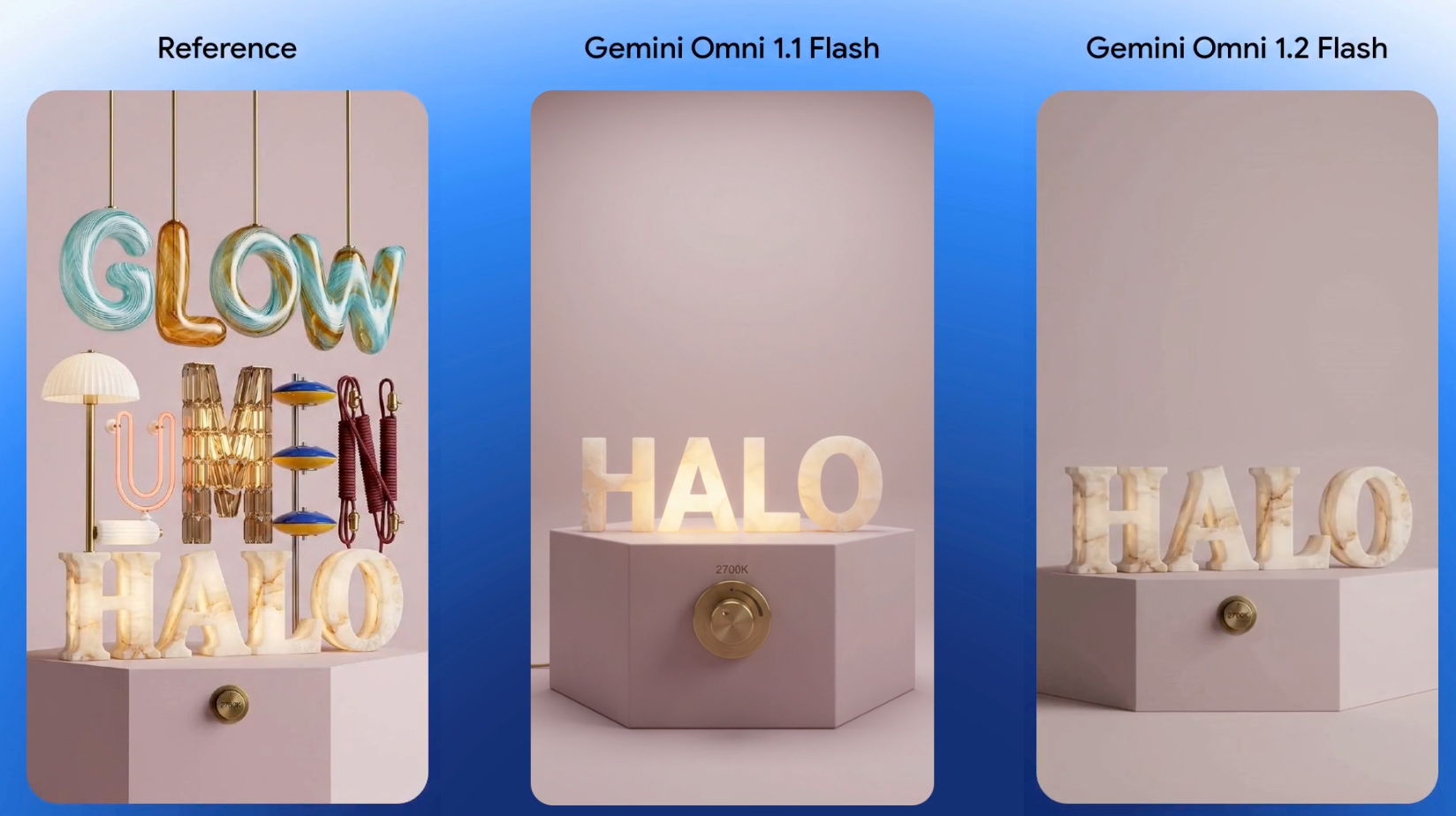
Clips can run 3 to 15 seconds in one-second steps. Google says that is enough for a product explainer or a full social ad spot in one generation.
Inputs can combine character, product or style images, motion clips up to three seconds and audio cues. Google says faces, garments, packaging typography and brand colors stay consistent across camera angles.
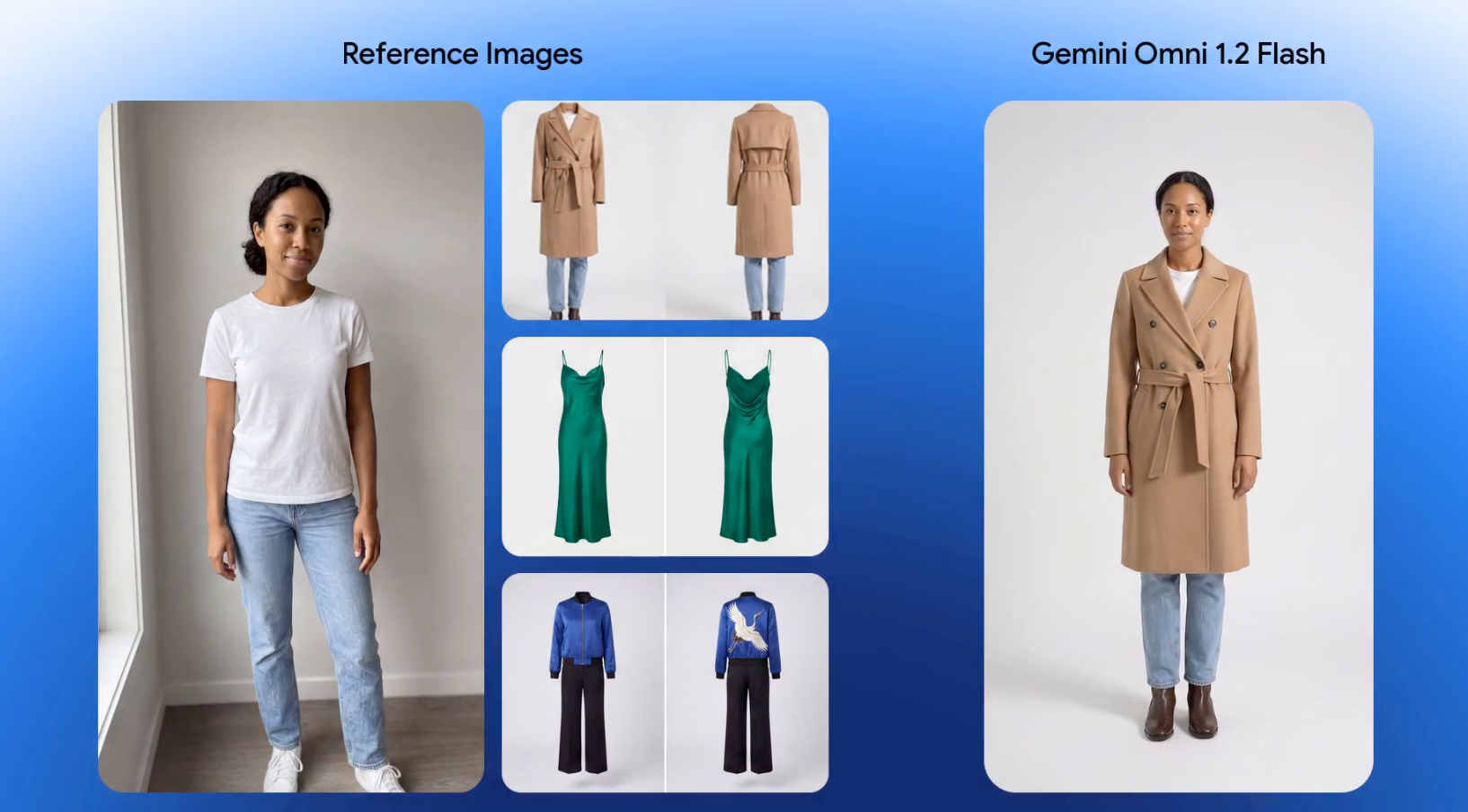
Its virtual try-on demo uses one model photo and shots of three outfits to make a 15-second sequence with 360-degree turns.
Editing, Dialogue and Cost
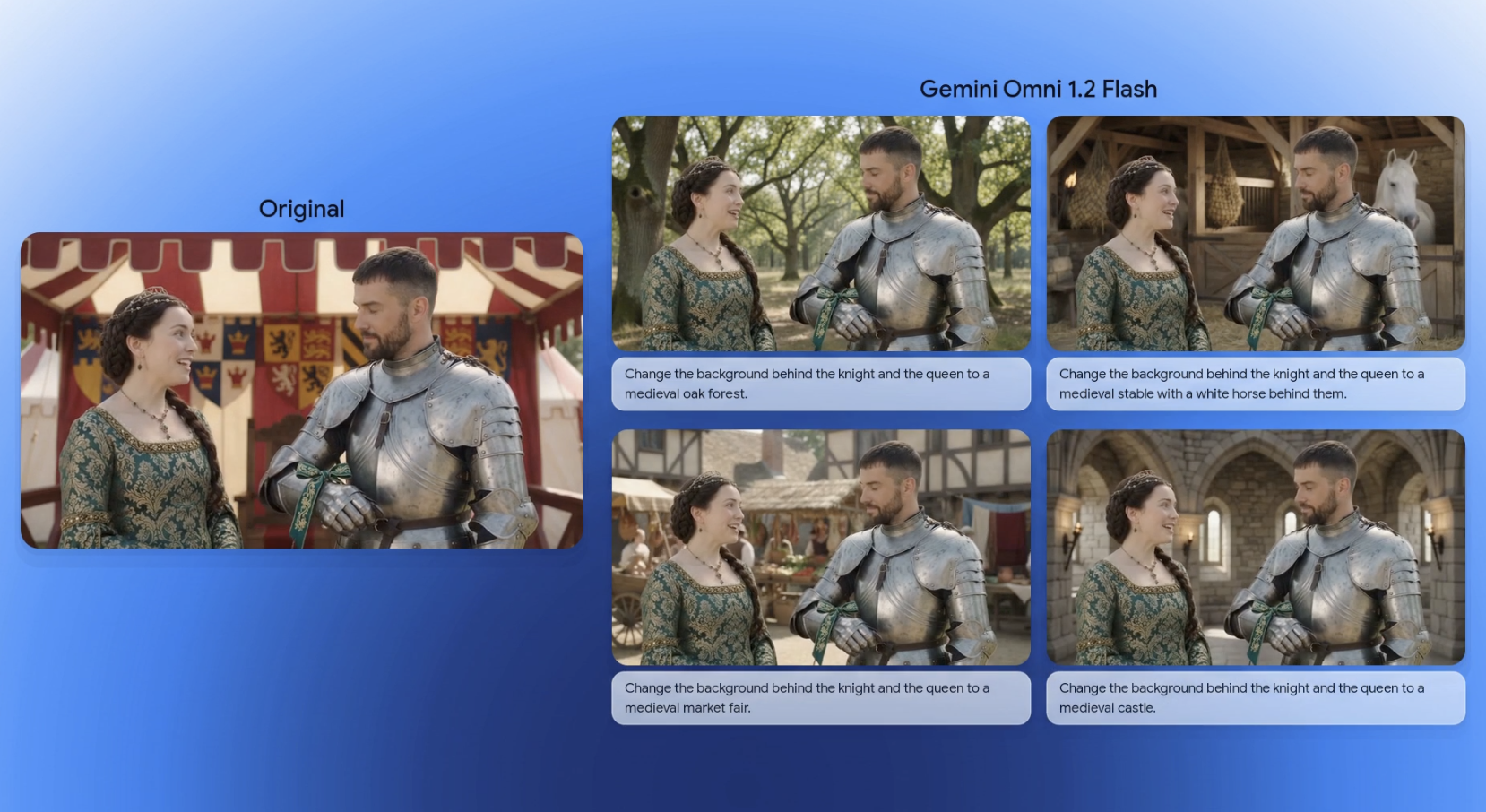
Multi-turn conversational editing works across full 15-second clips. You can swap a product or background, change lighting or weather, or switch aspect ratio without regenerating the clip. For the earlier model’s editing, see Gemini Omni Flash: Conversational AI Video Editing.
Google suggests drafting at 360p or 720p, fixing details with follow-up edits and upscaling only the best result to 1080p or 4K. For the same idea on another model, see How to Use Seedance 2.5 Draft Mode to Cut Costs.
Dialogue gets more natural speech, clearer lip-sync and distinct multi-speaker conditioning, per Google. In one demo, four voice references are routed to the right characters in a 15-second scene.
Where It Rolls Out
Omni 1.2 Flash is generally available through the Gemini API and Gemini for business, including the Google Cloud console with Provisioned Throughput. Consumer surfaces are rolling out.
Flow supports scene direction and multi-turn edits. Google Vids offers 15-second clips at no additional cost with a Google account or Workspace subscription, as covered in Google Vids Makes Gemini Omni Video Generation Free.
The Gemini app is rolling out 15-second videos to Google AI Ultra subscribers, and Google Ads supports video campaigns. Adobe’s Matt Chotin said in Google’s post that Firefly is adding Omni Flash 1.2.
Competitive Context
Rivals are going longer. Seedance 2.5 API Is Live: 30-Second Takes, 3D Camera Control covers ByteDance’s 30-second takes. Is Kling 4.0 the Seedance Killer? Where It Pulls Ahead covers Kling’s longer clips.
On price, Voyager’s comparison table lists Seedance 2.5 at 720p at $0.2304 per second, against Omni’s $0.07. See Voyager vs Higgsfield: Seedance 2.5 Pricing Checked. Those are different models and clip lengths, so the gap is a rough guide to cost and not to quality.
The Signal in the Noise
The jump cut claim is the one to test. Google’s wording is fewer jump cuts, not none, and the zero-cut examples are its own demos.
Google lists fast sports action, rapid script changes and complex physics as areas still in development. The $0.07 rate covers 720p, and StartupHub flags whether the 30% saving holds once upscales and throughput are counted.
Consistency and lip-sync gains come from Google and its partners. No independent tests of 1.2 had surfaced when this was written.
Every clip carries a SynthID watermark. For how to read provenance marks, see What Are SynthID and C2PA? How to Spot AI-Generated Video.
Specs & Pricing
- Duration: 3 to 15 seconds in one-second steps (3 to 10 on Omni 1.1 Flash)
- 720p price: $0.07 per second, so a 15-second clip is $1.05
- Change from 1.1 Flash: 30% lower, per Google
- Drafting and finishing: Drafts at 360p or 720p, with 1080p or 4K upscales for final shots
- Inputs: Character, product or style images, motion clips up to three seconds, and audio cues
- Editing: Multi-turn, across full 15-second clips
- Watermark: SynthID on every clip
- Developers: Gemini API and Google AI Studio, with the model ID gemini-omni-1.2-flash in AI Studio’s link, plus the Google Cloud console and Provisioned Throughput
- Apps: Flow, Google Vids, Google Ads, and the Gemini app for AI Ultra subscribers
Is a 15-second clip with no jump cuts enough to build a scene around, or do you still plan around stitching?