Figma Motion Is Here — and Its AI Agent Builds Animation Keyframes, Not Clips
Figma just added a real animation timeline to its canvas, plus an AI agent that builds editable keyframes — not finished clips — from a prompt. Here's what it means for motion design and AI-assisted editing tools.

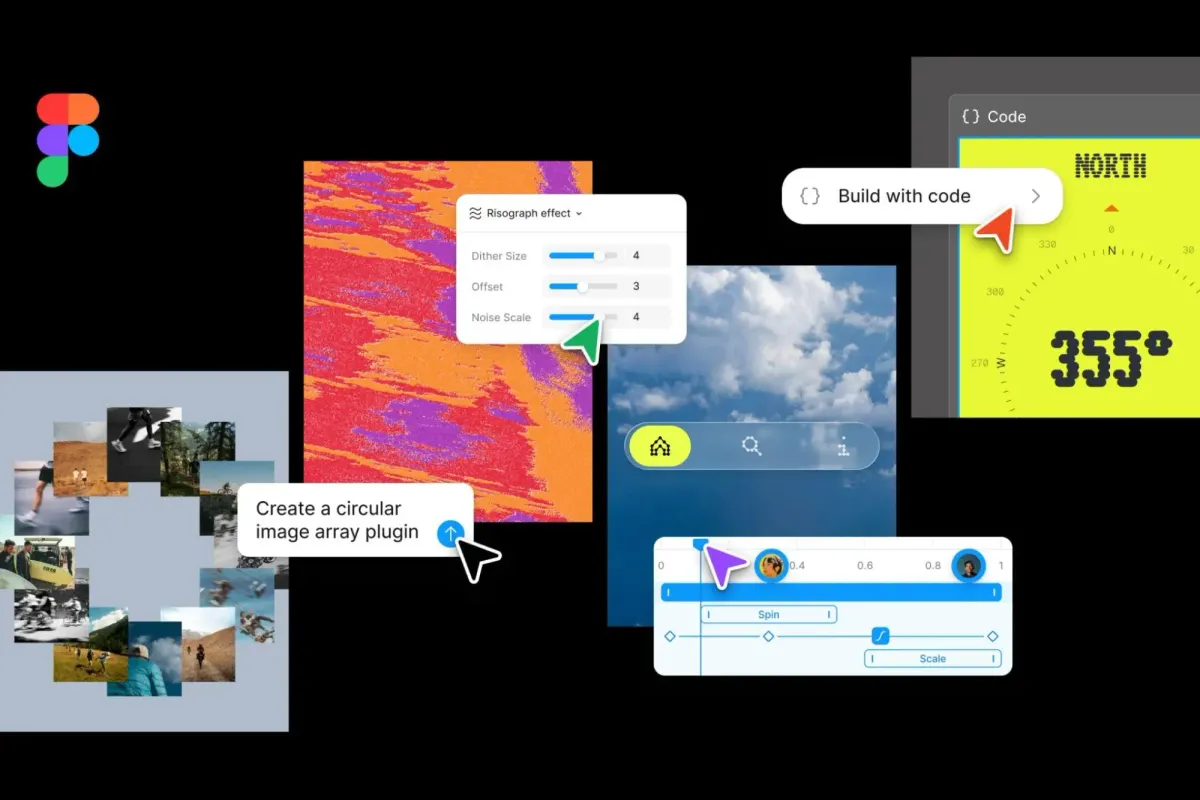
Figma just shipped Motion, a new mode that brings a full animation timeline directly onto the design canvas — and it's worth a look even if you've never opened Figma, because the underlying idea (and the AI layer built on top of it) says something bigger about where creative tooling is headed.
What's actually new
Motion now sits alongside Figma's existing Design, Draw, and Dev modes. Switch any frame into Motion mode and a timeline appears next to your design, letting you drag layers to adjust timing, scrub to preview any moment, and keyframe position, scale, rotation, and opacity independently. Auto keyframing records every change you make while the playhead is moving, and the whole thing supports time-based comments, so a team can point to a specific moment in an animation the same way they'd comment on a static frame.
There are preset animation styles (fade, move, scale) for quick starts, and they can be stacked or sequenced on the timeline. Animations also now live with components and design systems — once you build motion into a button or card component, that animation travels with it across every screen, the same way color or typography would.
The part worth paying attention to if you work in video or motion design
This is where it connects to filmmaking and editing more directly than the UI-design framing suggests. A timeline with keyframes, scrubbing, layer-based animation, and exportable motion — that's the same conceptual toolkit editors and motion designers have used in After Effects or Premiere for years, just rebuilt natively into a collaborative design canvas. Figma's own customers describe it in those terms: one motion designer at Atlassian called it "the last big piece in the interactive world" for bringing keyframe-based animation directly into a system used by an entire team, not just a specialist with after-the-fact handoff.
Finished animations export directly as MP4, GIF, SVG, or WEBM from the file — meaning a motion concept built in Figma can become a deliverable without ever opening a dedicated video tool, for anyone who needs a quick animated asset rather than full editorial control.
The AI-and-creative-tools angle
The more interesting part for anyone tracking how AI is reshaping creative workflows: Figma built an AI agent directly into Motion. You can describe what you want, and the agent builds real, editable keyframes on the timeline — grounded in your actual design components, not a generic animation template. One Atlassian designer described prompting the agent mid-task for feedback on what was and wasn't working in an animated banner, essentially using it as a real-time animation coach rather than just a generator.
That's a meaningfully different AI pattern than "type a prompt, get a finished video clip." It's AI lowering the skill floor for a technically demanding craft (keyframing, easing curves, timing) while keeping a human fully in the editorial loop — closer to how Claude-based editing tools have been showing up in post-production workflows than to a one-shot generative video model. Worth watching whether this pattern — AI as a real-time collaborator inside a precision timeline, rather than a black-box generator — starts showing up in dedicated video editing software too.
Where it's available now
Motion is in open beta. Starter users get limited exports; full-seat users on any plan get motion primitives and export; full design-system integration and the AI agent for motion are reserved for paid plans.
Key Specs:
- New mode: Motion (joins Design, Draw, Dev modes)
- Core features: Timeline, keyframes (position, scale, rotation, opacity), auto keyframing, time-based comments
- Animation styles: Preset fade/move/scale, stackable and sequenceable
- AI integration: Figma agent builds keyframes from text prompts, grounded in actual components
- Export formats: MP4, GIF, SVG, WEBM
- Dev handoff: Full timeline inspectable in Dev Mode; exports as CSS, JSON, or React/motion.dev code
- Availability: Open beta, tiered by plan (Starter, full seat, paid plans for AI agent + full design-system integration)



