Someone Rebuilt Premiere, Photoshop, and Lightroom in Rust With AI. They’re Free, and Very Early
ArtCraft released free, open-source Rust rebuilds of Premiere, Photoshop, Lightroom, and After Effects, built with Claude Opus 5.5. Here’s what FilmCraft can do so far.


A small AI company called ArtCraft has released free, open-source rebuilds of Adobe’s core creative apps, including Premiere Pro, Photoshop, Lightroom, and After Effects. Every app is written from scratch in Rust and released under MIT and Apache 2.0 licenses.
Founder Brandon Thomas says he built them with Claude Opus 5.5, and the project describes each one as a clean-room reimplementation that uses no Adobe code. The repos have picked up tens of thousands of GitHub stars since launching in early October, with PhotoCraft alone passing 30,000.
They’re also very early. Most of the apps are still listed as in development, and the project’s own readiness estimates top out around 60 to 70 percent.
Seven Apps, One for Each Adobe Staple
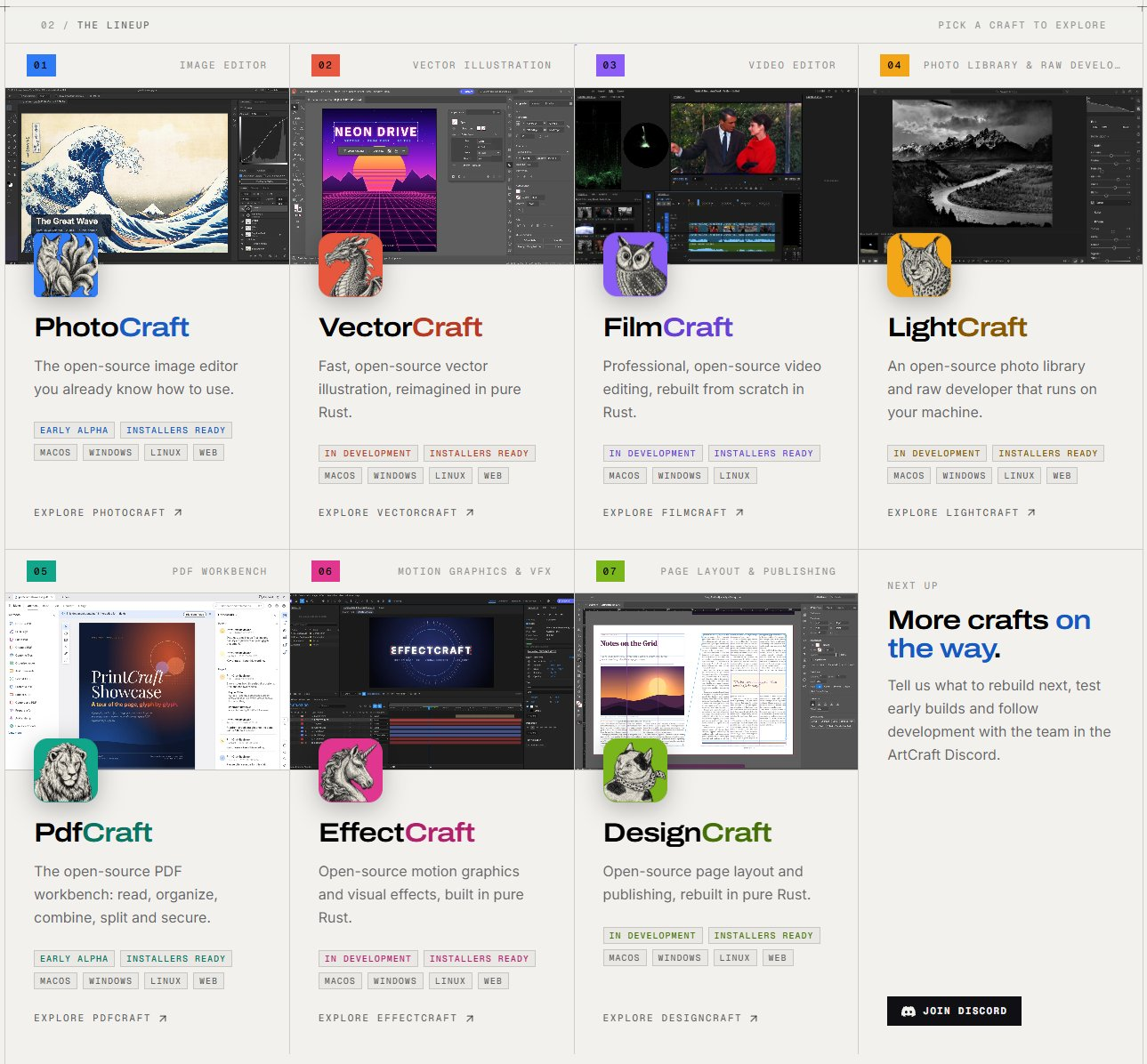
ArtCraft calls the collection Crafting Apps. Each one targets a specific Adobe product:
- FilmCraft: Premiere Pro
- PhotoCraft: Photoshop
- LightCraft: Lightroom
- EffectCraft: After Effects
- VectorCraft: Illustrator
- DesignCraft: InDesign
- PrintCraft: Acrobat
ArtCraft’s GitHub account also has early versions of apps modeled on Pro Tools, PowerPoint, Excel, and AutoCAD. Members of the team told Hacker News that more Office and CAD-style tools are planned.
The Crafting Apps don’t generate images or video themselves. Instead, they’re built so AI agents can operate them, with a command line, a JSON control channel, and an MCP server alongside the normal interface.
What FilmCraft Can Do Today
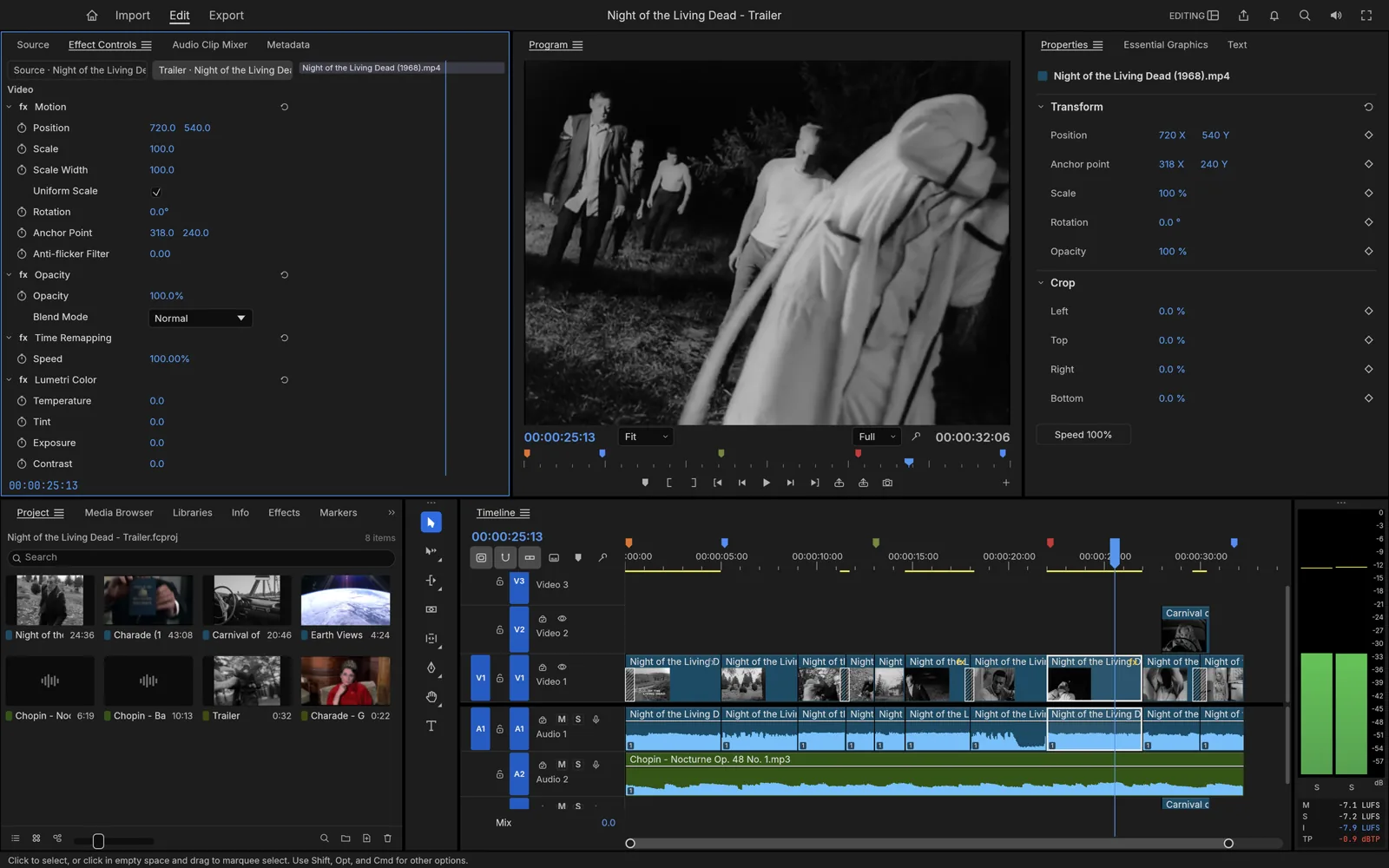
FilmCraft is the app filmmakers will care about most. It’s a nonlinear editor with a multi-track timeline, trim tools, a Lumetri-style color panel with scopes, keyframed effects, audio mixing with loudness meters, and titles and captions.
It runs natively on macOS, Windows, and Linux, with a browser version through WebAssembly. It supports FCPXML, EDL, AAF, OMF, and OpenTimelineIO, so timelines can move between FilmCraft and other NLEs.
The project writes its own codecs, including H.264 encode and decode, HEVC and AV1 decode, ProRes, and AAC. By its own count, FilmCraft covers about 87% of Premiere’s feature checklist but is only around 50 to 60% ready for real work.
The gaps that matter for professional use are listed up front. There’s no plugin hosting (VST3, Audio Units, or OpenFX), no HEVC or AV1 export, and hardware decoding only on macOS. Windows and Linux have also had less testing than macOS.
LightCraft, EffectCraft, and PhotoCraft
LightCraft is the most developed of the group. It offers non-destructive raw editing on a 32-bit float pipeline, color grading wheels, an 8-band color mixer, brush and gradient masks, and a library with ratings, flags, and albums.
It supports raw files from Canon, Sony, Nikon, Fujifilm, Panasonic, and others. It works fully offline, with no account, cloud, or telemetry. The project estimates it’s 60 to 70% ready for day-to-day use, and camera color calibration is still missing for many bodies.
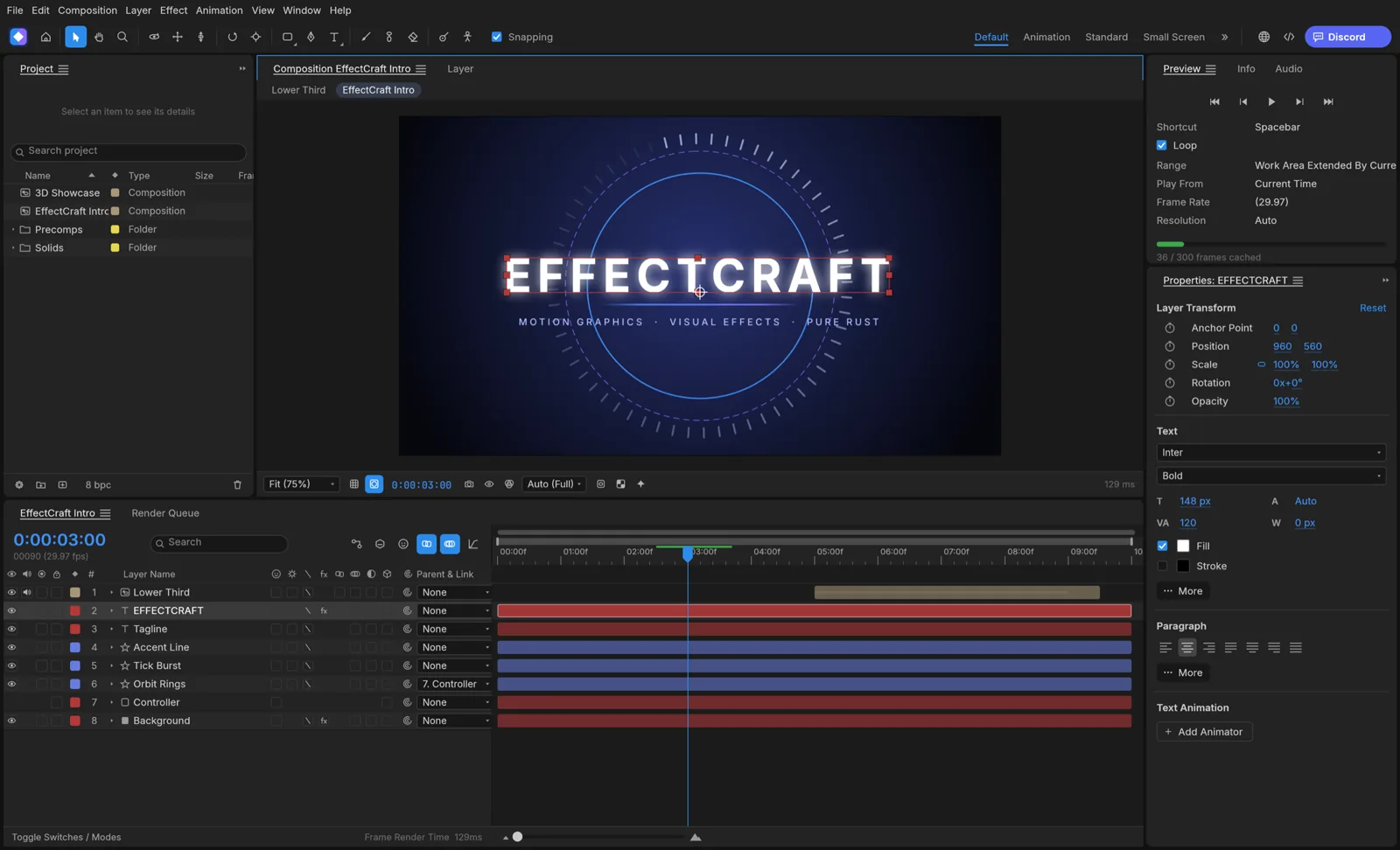
EffectCraft’s first commit landed October 1. It already lists 306 effects, JavaScript expressions, 3D cameras and lights, and a render queue that outputs H.264, ProRes, HEVC, and AV1.
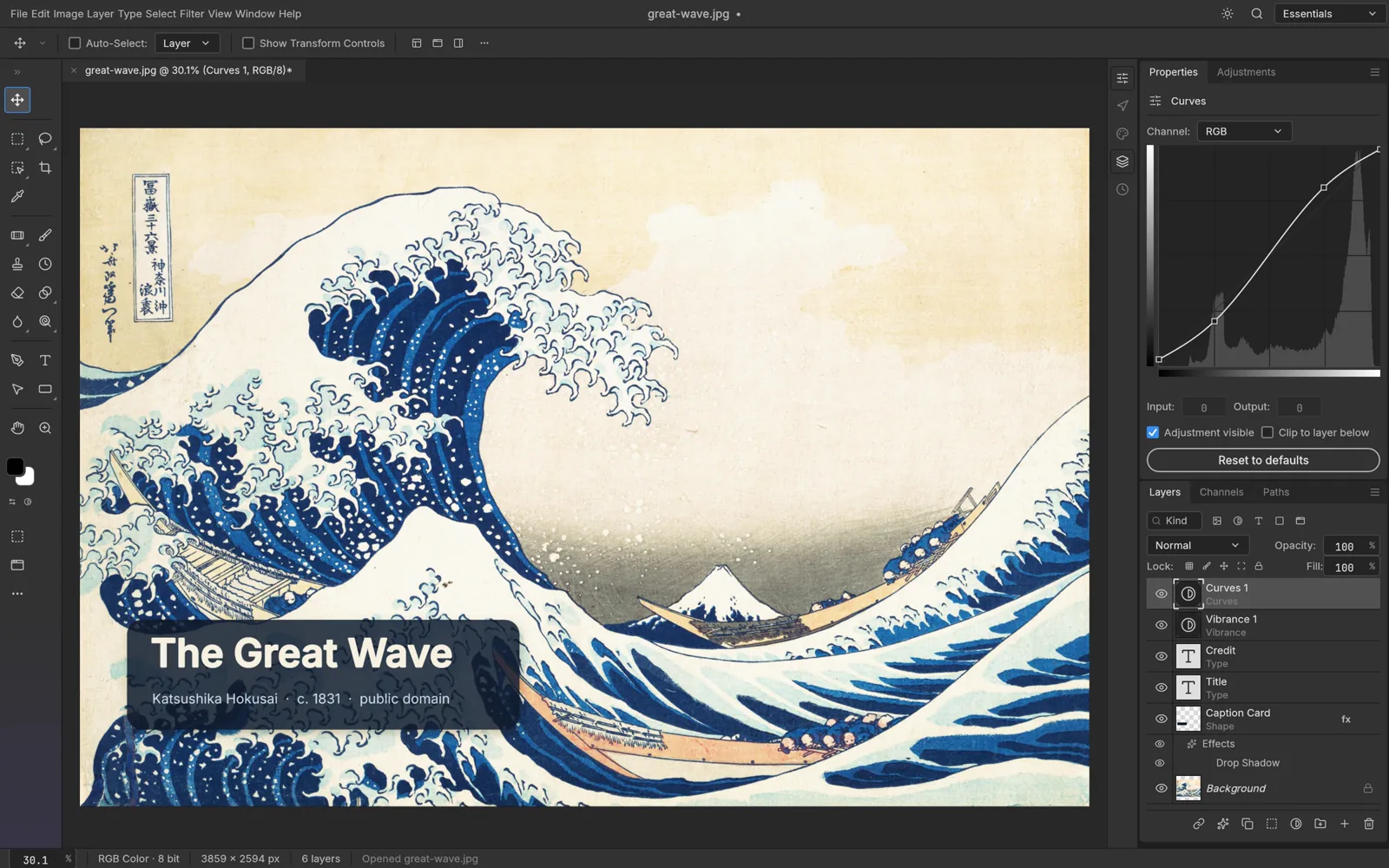
EffectCraft can’t open After Effects .aep files, and the project says it isn’t ready for client work. PhotoCraft reads and writes PSD and PSB files, and ArtCraft says it kept 134 of 135 test files intact through a load-and-save round trip.
How It Was Built
Thomas has about 15 years of programming experience, including roughly a decade in Rust, and was previously CEO of Storyteller.ai. He says Claude Opus 5.5 handled the coding, and each repo includes CLAUDE.md and AGENTS.md files that explain how AI agents work on the codebase.
He has said his frustration with Adobe’s subscription pricing and cancellation fees was part of the motivation. He first said the apps would reach full parity within a month, then told Hacker News that getting to 99% would take months, according to TechSpot.
ArtCraft plans to fund development through its separate business, which sells credits for AI image and video models. Adobe has not publicly responded to the project.
Competitive Context
Free alternatives to Adobe aren’t new. DaVinci Resolve’s free version remains the default free NLE for many editors, and Resolve Studio is a one-time $295 purchase. Kdenlive and Shotcut have been open-source options for years.
On the photo side, darktable and RawTherapee already cover raw development, and GIMP and Krita handle image editing. Canva made the Affinity suite free in late 2025, and Blender covers a lot of motion and VFX work.
Adobe charges $22.99 per month for Premiere as a single app, billed annually. Creative Cloud Pro, which includes the full suite, lists at $69.99 per month on an annual plan.
ArtCraft’s apps stand out in two ways. They copy Adobe’s interfaces and workflows closely, and every app is built to be controlled by AI agents from day one.
The Signal in the Noise
By the project’s own numbers, FilmCraft isn’t a Premiere replacement for paid work yet. The missing plugin support and HEVC export alone rule it out for most client workflows today.
The pace is the part to watch. EffectCraft went from first commit to 306 effects in under two weeks, and all of the repos are taking pull requests from hundreds of contributors.
The agent control is also worth noting. Agent-driven video editors are arriving fast, and a free NLE that an AI can operate through MCP fits directly into that trend.
Specs & Pricing
- Price: Free
- License: MIT or Apache 2.0
- Language: Rust
- Platforms: macOS, Windows, Linux; browser builds for FilmCraft, LightCraft, and EffectCraft
- FilmCraft interchange: FCPXML, EDL, AAF, OMF, OpenTimelineIO
- Adobe comparison: Premiere $22.99/month; Creative Cloud Pro $69.99/month (annual plans)
Would you try an AI-built, open-source Premiere alternative once it matures, or does your editing workflow stay with Premiere or Resolve no matter what? Share what would get you to switch in the comments.