Krotos' Video to Sound Plugin Brings Automated, Human-Recorded Sound Design to Premiere Pro
Krotos' new Video to Sound plugin automates sound design directly inside Premiere Pro — using real recorded sound effects, not generative AI. Here's how the workflow works.

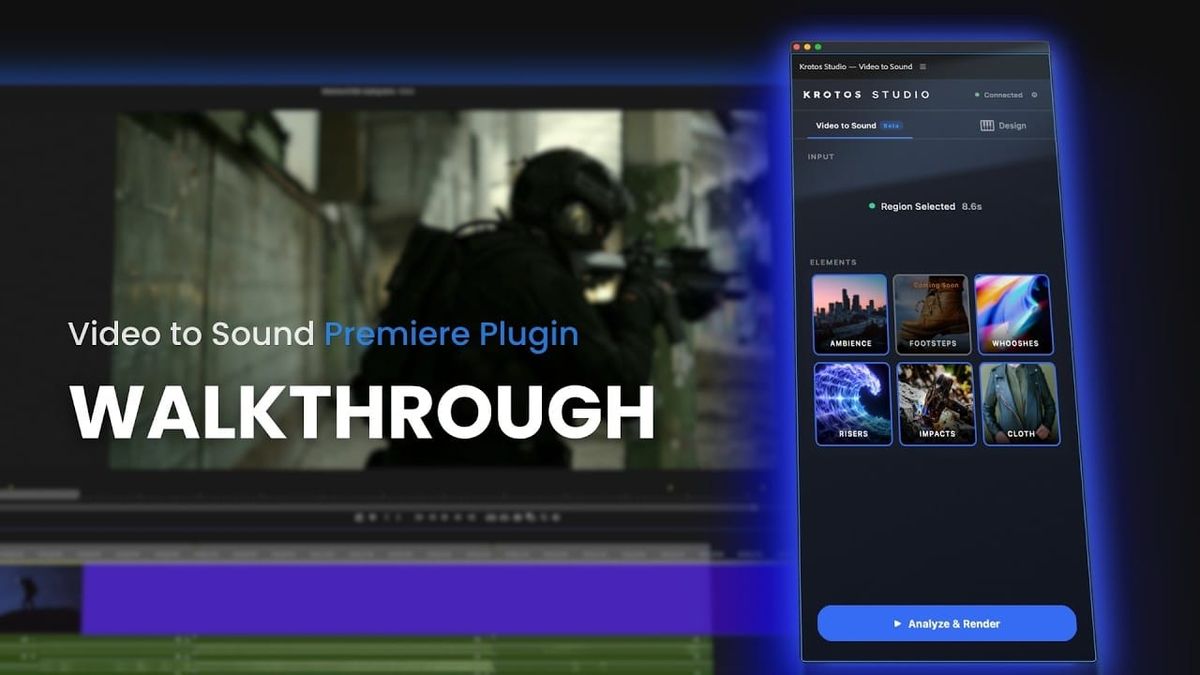
Sound design has a workflow problem that's stayed mostly unsolved even as everything else in post gets faster: exporting a cut, hunting through a sound library, finding something that matches the action, and dragging it back in — over and over, for every whoosh and impact in a scene. Krotos' new Video to Sound plugin for Adobe Premiere Pro is built specifically to kill that loop.
How it actually works
The plugin installs directly into Premiere through Window > Extensions, so there's no leaving the timeline to do a first sound pass. The workflow is simple by design: select a region using in/out points, choose which sound categories you want — Ambiences, Whooshes, Transitions, Risers, Impacts, and Cloth effects — then let the plugin analyze the footage and automatically drop synced sounds onto the timeline.
The placements aren't locked in once they land. You can change levels, delete a placed sound, or swap it for an alternative without losing sync to the picture — meaning a first pass isn't a final commitment, just a fast starting point to refine from. Simple and Advanced modes give you a choice between quick automated results and deeper manual control.
The part worth paying attention to: it's not generative AI
Krotos is explicit about this distinction, and it's the actual hook of the product. Machine learning is used to analyze footage and figure out what sounds the scene calls for, but every sound that actually lands on your timeline comes from Krotos' own library of professionally recorded effects — not AI-generated audio. As the company puts it in its own walkthrough: "No generative AI, just real sound made by real people — and that is your first sound pass, and you never even left Premiere."
That's a deliberate positioning against the wave of generative-audio tools currently flooding the post-production space. For editors and sound designers who've been wary of AI-generated effects sounding slightly off, or who have concerns about where generative training data comes from, this is a genuinely different value proposition: automation of the tedious part (finding and syncing) without replacing the underlying craft (actually recording real sound).
Pricing and access
Video to Sound is included with the Krotos Studio, Pro, and Max subscription plans, and it integrates with Krotos Studio Standalone if you want to do deeper custom sound design beyond what the Premiere panel offers. The Premiere extension installs through Adobe Marketplace, and usage is consumption-based depending on your specific Krotos plan.
Key Specs:
- Platform: Adobe Premiere Pro extension (Window > Extensions)
- Sound categories: Ambiences, Whooshes, Transitions, Risers, Impacts, Cloth
- Sound source: Krotos' royalty-free professionally recorded library (not generative AI)
- Workflow: Select region → choose elements → analyze → render
- Editing: Swap, delete, or adjust levels without losing sync
- Modes: Simple and Advanced
- Integration: Krotos Studio Standalone for extended sound design
- Access: Included with Krotos Studio, Pro, and Max plans; usage is consumption-based



