This New Video Editor Puts AI Generation Inside the Timeline, Not Beside It
Moto is a new video editor in private beta that puts AI generation — Seedance, Veo, Kling, Nano Banana — inside the timeline rather than beside it. Here's what makes the architecture different and why it matters.

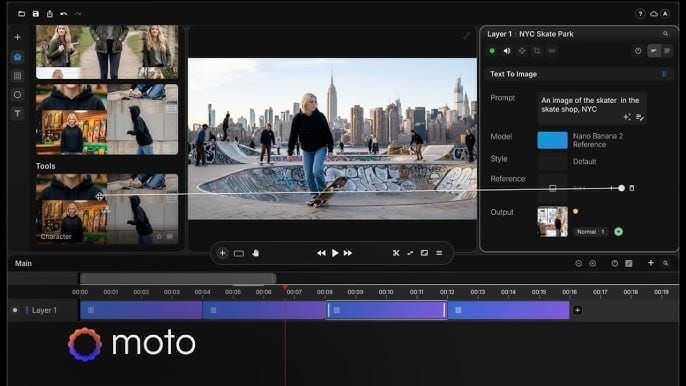
Every AI video workflow right now has the same problem. You generate a shot in Runway, download it, import it into Premiere or DaVinci, cut it together, realize something needs to change, go back to Runway, regenerate, download again, reimport, and update the cut. Repeat for every change. The generation tools and the editing tools are separate destinations, and the gap between them is where projects get messy.
Moto is a new video editor built specifically to close that gap. The tool is currently in private beta, and the core thesis is simple: generation should happen inside the timeline, not adjacent to it.
What Moto actually is
Moto is a desktop timeline editor — not a web app generator, not a prompt-and-preview interface — with AI generation built directly into the project. When you generate a shot, it arrives as a clip in your timeline. When you generate motion graphics, they land as a layer in your edit. When you regenerate something, the rest of your cut stays in place. You're refining, not rebuilding.
The founder, Aharon Shiker, put it plainly in his LinkedIn announcement: "AI can generate beautiful shots. But turning them into a finished video still means jumping between many tools — and rebuilding parts of the project with every change."
That's the problem Moto is built to solve.
The five specific tools inside the timeline
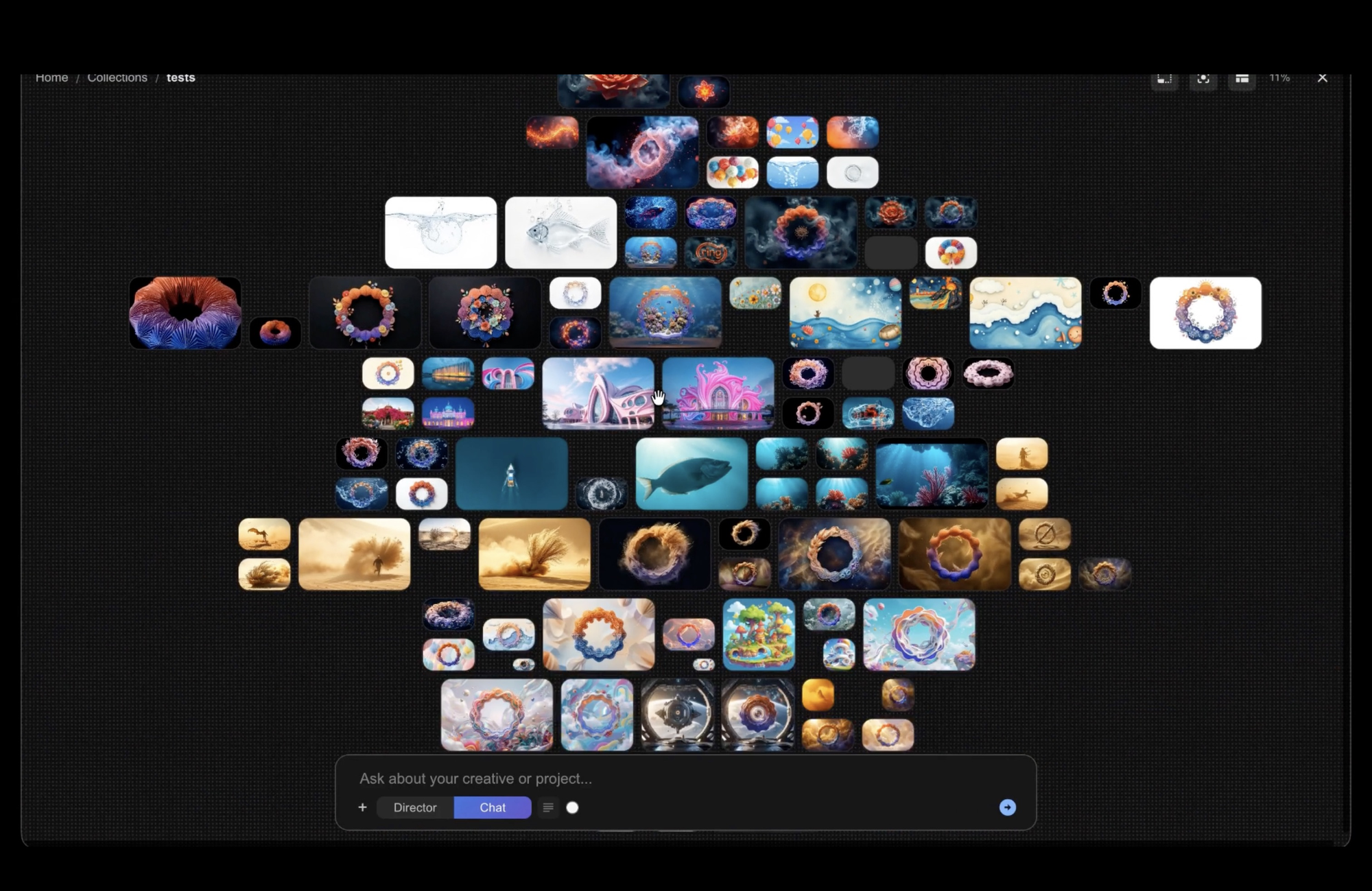
Generation — images, video clips, and graphics generate as clips and layers in your edit. Effects stack on each clip and remain independently editable. The models available inside Moto include Seedance 2.0, Veo 3.1, Kling, and Nano Banana — accessed from within the same project rather than requiring separate accounts or platform switches.
Motion AI — create motion graphics directly from a prompt: titles, lower thirds, transitions, kinetic type. The demo on Moto's site shows a reference image converted to editable motion graphics in under 30 seconds — a task Moto describes as typically taking a professional over half an hour manually. The output lands in the timeline as a clip you can trim, layer, and refine.
Assistant — a project-aware AI assistant that understands the context of your timeline, sources, and media rather than functioning as a disconnected chat interface. Use it to translate titles, rewrite text on screen, or prepare generation prompts based on what's already in the cut.
Sources — reusable visual references that keep generation consistent across scenes and projects. Build a character, a location, or a product look once and reference it across multiple generations without rebuilding the source each time.
Producer — start from a brief, script, or reference images and get a structured first cut: scenes, shots, timing, and direction to work from. Moto frames this explicitly as a starting point rather than a locked result.
What "a real editor underneath" actually means
This is the part worth paying attention to. Moto isn't a generator with a preview window. It's a timeline editor with layers, clips, keyframes, effects, audio, and a render queue — that also has AI generation built into the same project. If you've used a professional video editor, the interface should feel familiar. The AI tools are integrated into that environment, not bolted on top of it.
That distinction matters because the alternative — wrapping a generator in a basic cut interface — produces a tool that works for simple projects and falls apart as complexity grows. Moto's bet is that a real editing environment is the prerequisite for AI generation to be useful in production workflows, not an afterthought.
Access and pricing
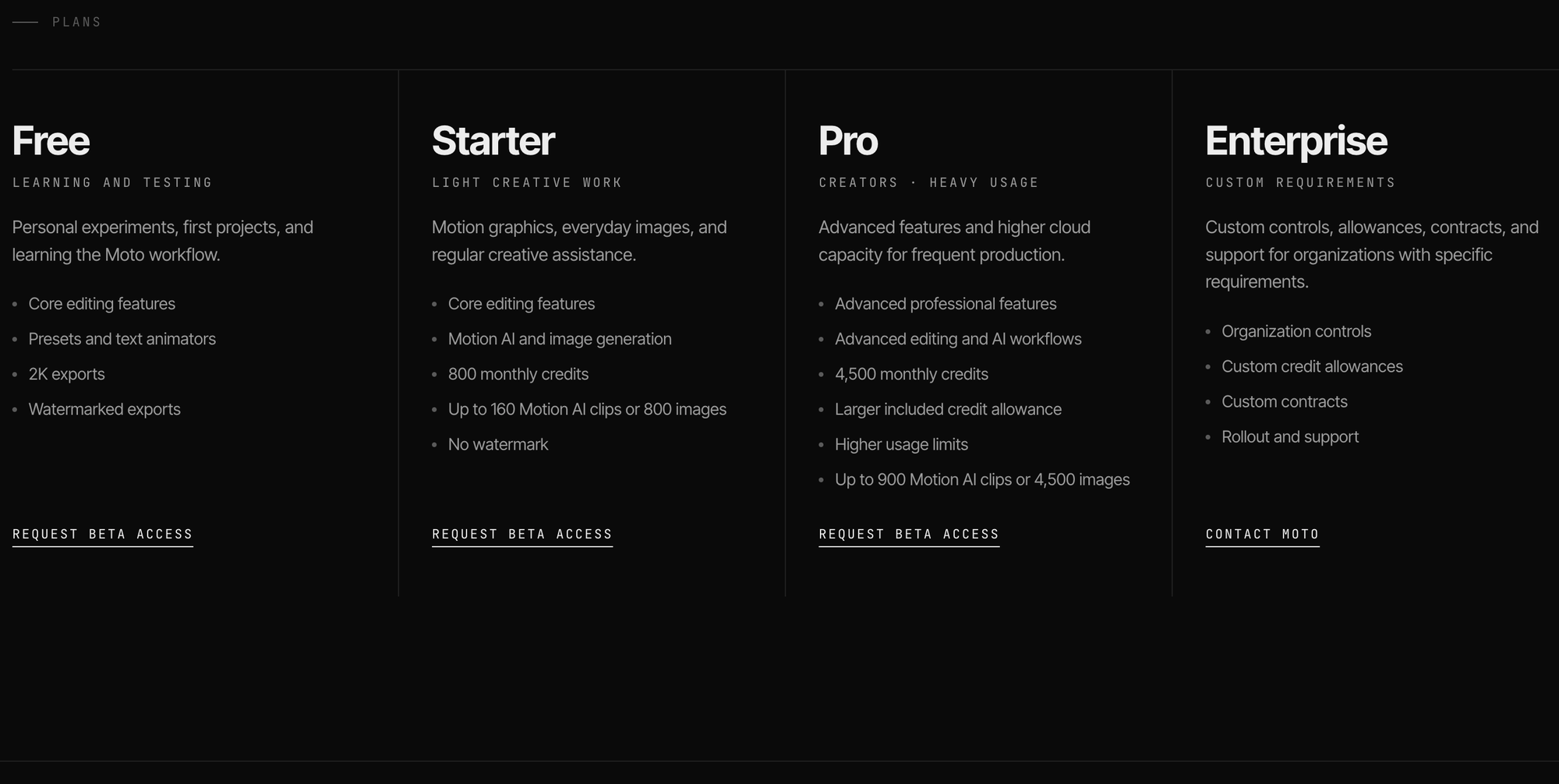
Moto is in private beta, opening access in waves. The beta request form is at usemoto.app — you provide your email, role, platform (macOS or Windows), and what you're planning to make. Approved users get access to the desktop editor and trial AI credits.
The core editor is free, with Moto attribution on free exports. Paid plans add watermark-free export, included AI credits, and professional features — pricing hasn't been announced yet.
One practical note: Moto is not currently available in the UK or EEA. If you're outside the US, check the site for current availability before requesting access.
The Signal in the Noise
The AI video space in mid-2026 is crowded with generation tools and increasingly thin on editing tools. Runway is the closest competitor on the integration front, but its multi-model dashboard is still primarily a generation interface with editing layers added on.
Moto's architecture — building the timeline first and putting generation inside it — is the cleaner design decision for anyone trying to make finished content rather than isolated clips. Whether it executes that vision at the quality level its demo suggests is the question that private beta testing will answer.



