Remoto's Playback 1.9 Adds Windows Support and Remote Streaming From Secure Workstations
Remoto's Playback 1.9 adds Capture Agent for secure remote streaming, Windows support, and 16-channel audio. Here's what's new for remote review workflows.

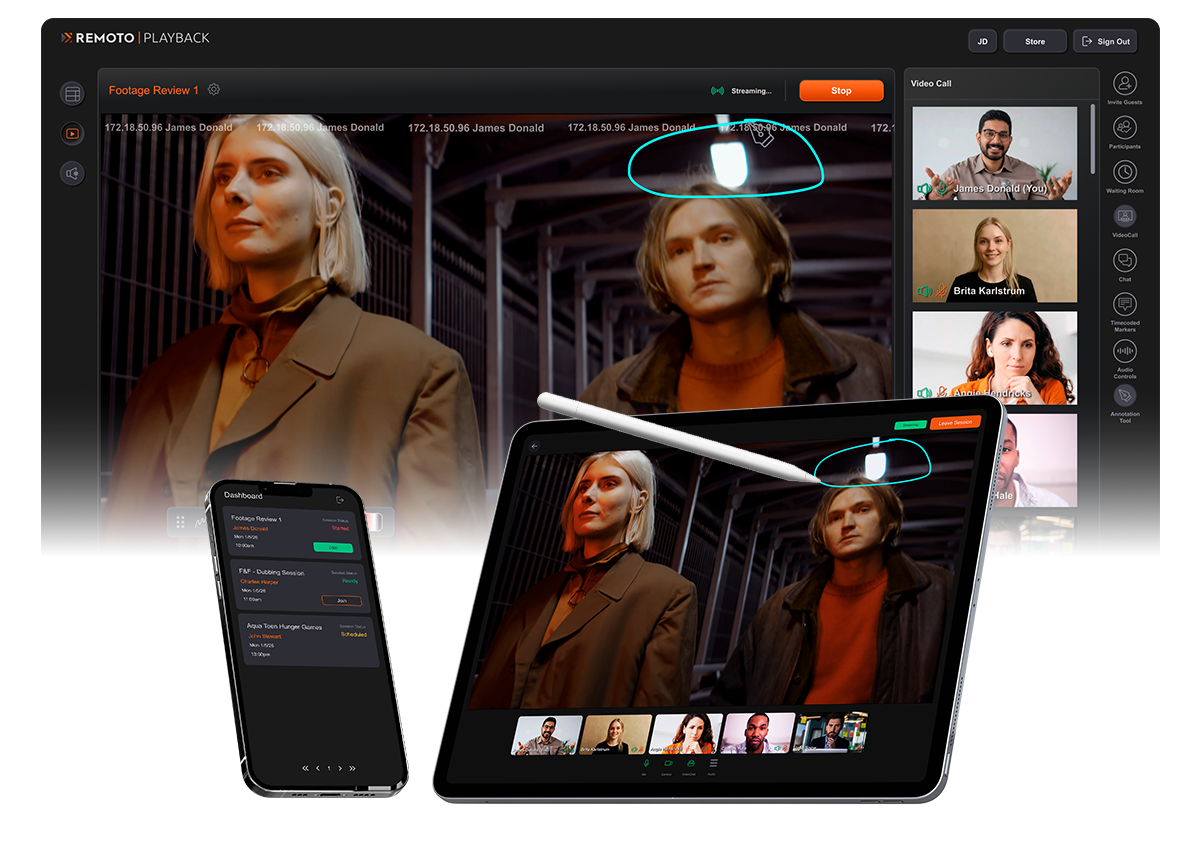
Remote review has a trust problem that's hard to solve cleanly: how do you let a client or director watch footage live from a secure studio workstation without giving them — or anyone outside the building — actual access to that machine? Remoto's new Playback 1.9 update is built around answering exactly that, alongside a meaningful platform expansion.
Capture Agent: streaming without handing over access
The headline feature is Capture Agent, a macOS system tray application that lets a host stream from a remote machine while controlling the review session from a completely separate local computer. The practical workflow: authorized machine room technicians or rental houses can pre-install Capture Agent on studio workstations before editorial systems even get deployed. When it's time for a review session, the organizer selects the target Agent and authenticates through Playback, getting full stream control without ever needing direct access to the workstation itself.
For productions working with sensitive, unreleased footage — which is most of them — that's a real solve for a workflow that's traditionally meant either flying people in or accepting real security risk to enable remote review.
Windows support finally arrives
Remoto holds TPN Gold Shield status from the Motion Picture Association, which matters context-wise since this update also extends platform support to Windows PCs, joining the existing macOS, iOS, and Apple TV native apps. That's a meaningful expansion for any team running a mixed-OS environment, which is most post houses in practice.
Powering the new cross-platform reach is a newly built Remoto Streaming Service, delivering SRT streams to native app users and WebRTC streams to anyone joining via browser. Multichannel audio is supported up to 16 channels via the Opus codec, with discrete routing, local decoding, and stereo fold-down options — though browser users cap out at 7.1, so any session mixing audio above that needs every participant on a native app rather than a browser tab.
Smaller but genuinely useful workflow additions
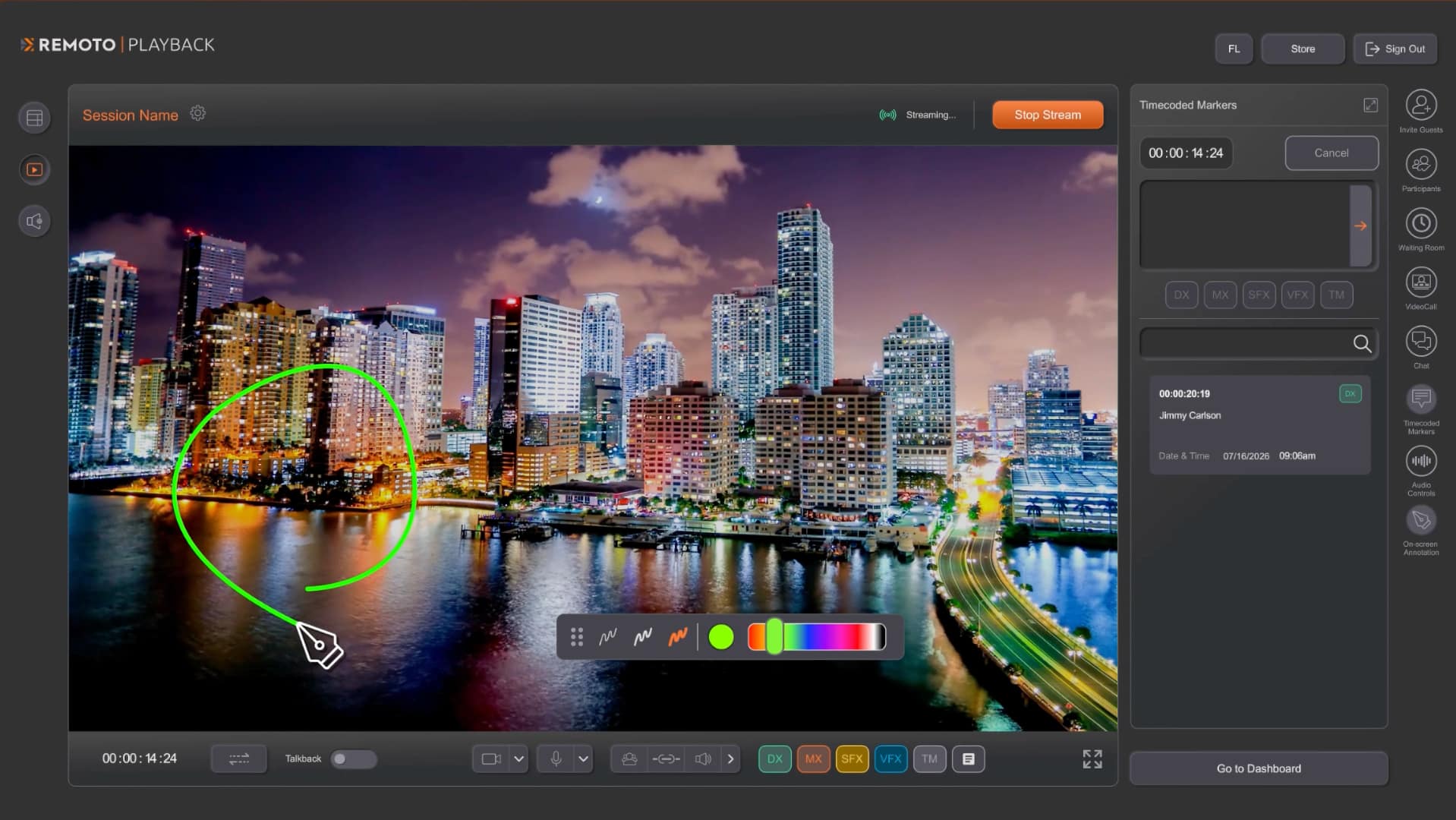
A new collaborative sharing feature lets any participant share additional project content alongside the main stream — useful for pulling up visual references or research material during early creative development without breaking the main review flow. A new "Reuse" button lets organizers clone settings and guest lists from any previous session, cutting down on repetitive setup for recurring review groups. The User Profile area has also been redesigned for faster access to security settings and team account management.
What's coming next
Remoto says enterprise security capabilities and expanded HDR workflow support are both planned before the end of summer 2026.
Pricing and availability
Playback is available through single on-demand sessions, pre-paid time bundles, or usage-based billing for concurrent multi-host sessions. Individual sessions start at $3, with bundles starting at $55. Fixed-price unlimited room plans are expected in July 2026.
Key Specs:
- New feature: Capture Agent (macOS system tray app for secure remote streaming)
- New platform support: Windows (joins macOS, iOS, Apple TV)
- Streaming infrastructure: Remoto Streaming Service (SRT for native apps, WebRTC for browser)
- Audio: Up to 16 channels via Opus codec; browser users capped at 7.1
- New workflow tools: Session content sharing, "Reuse" session cloning, redesigned User Profile
- Security certification: TPN Gold Shield (Motion Picture Association)
- Pricing: Sessions from $3, bundles from $55; unlimited room plans expected July 2026