This Free Script Breakdown App Exports AI Prompt Packs for Runway, Kling, and Veo — No API Keys Required
ScriptBreak is a free, open-source script breakdown app that exports pre-formatted AI prompt packs for Runway, Kling, Veo, and every other major AI video tool — with no API keys, no accounts, and no cloud. Here's what it does and why the architecture matters.

Sam Wasserman — writer, director, and the developer behind an increasingly useful suite of free filmmaking tools — just released ScriptBreak, a free, open-source script breakdown application that does something no other breakdown tool does: export pre-formatted AI prompt packs specifically designed for Runway, Kling, Veo, Seedance, and every other major AI video and image generator.
Import a script. Get a full breakdown. Export prompt packs that work in any AI tool you're already using. No API keys. No accounts. No cloud. The entire app is one HTML file.
What ScriptBreak actually does
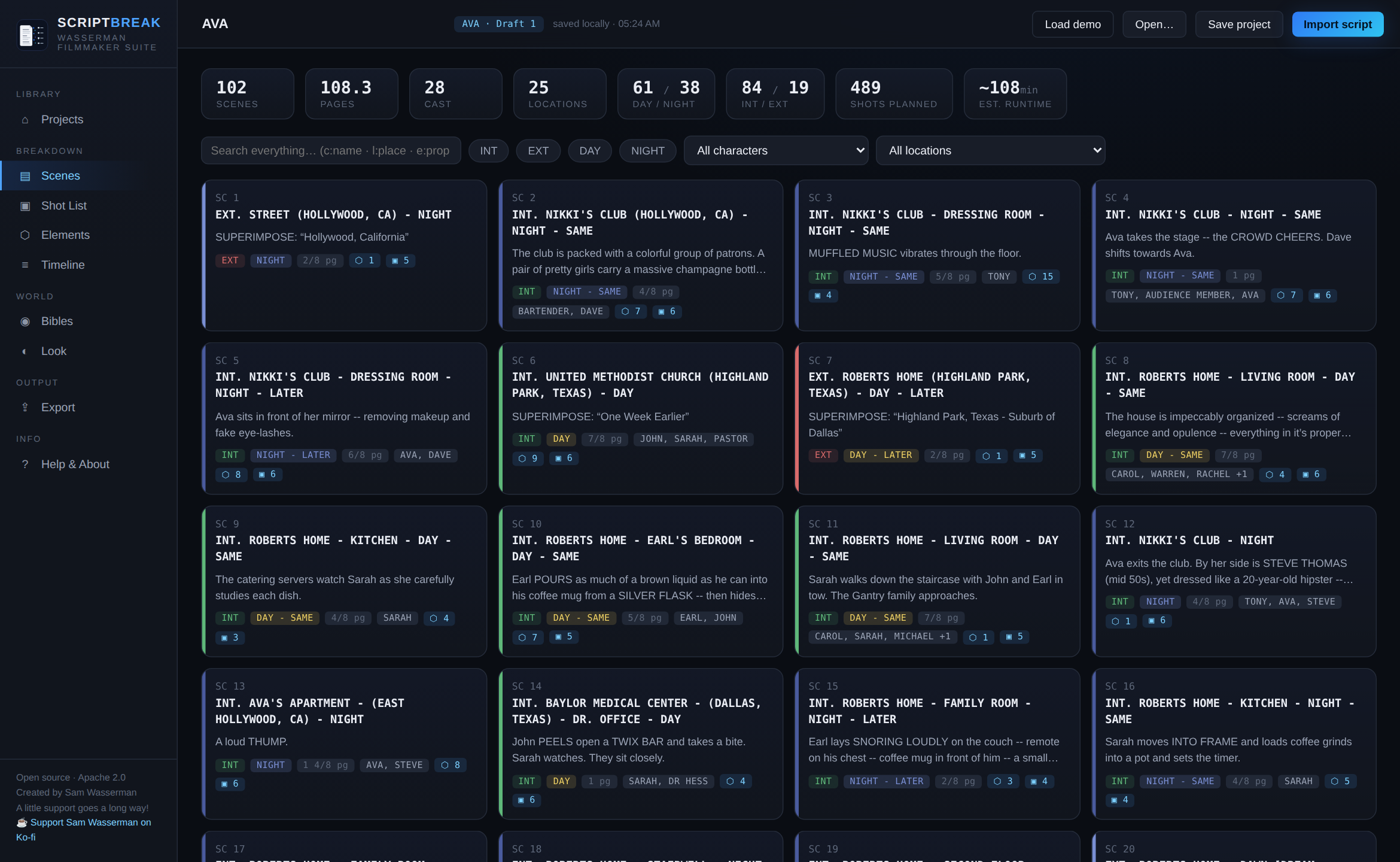
Import a screenplay in any of the standard formats — Fountain, Final Draft (.fdx), PDF, or plain text — and ScriptBreak parses it automatically into a full production breakdown:
- Scene breakdown — every scene with sluglines, page counts, int/ext, day/night, and cast present
- Element tagging — props, wardrobe, vehicles, VFX, and background automatically tagged from the script, plus any CAPS the writer used in action lines
- Character bibles — seeded from actual intro descriptions in the script, not manually entered
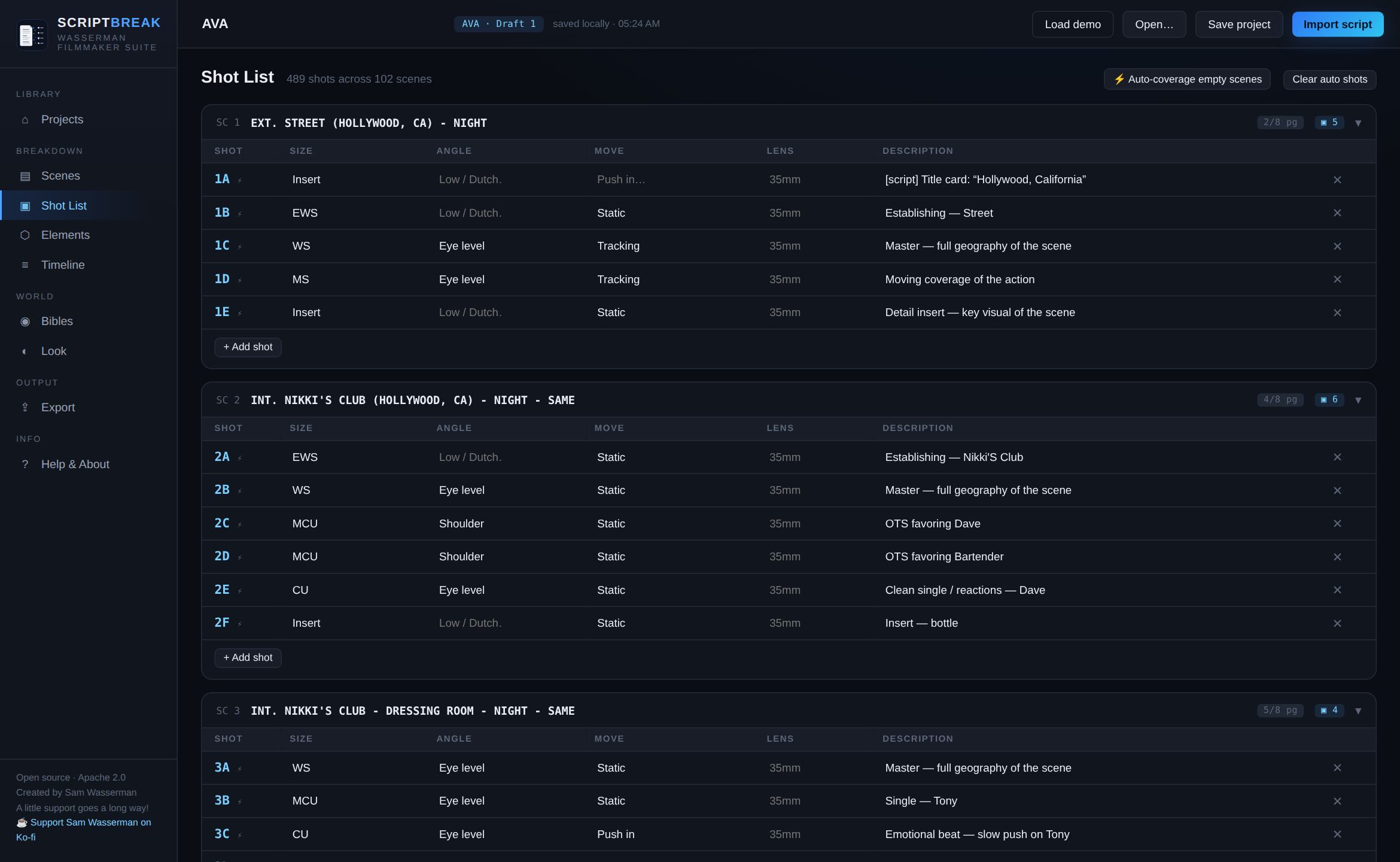
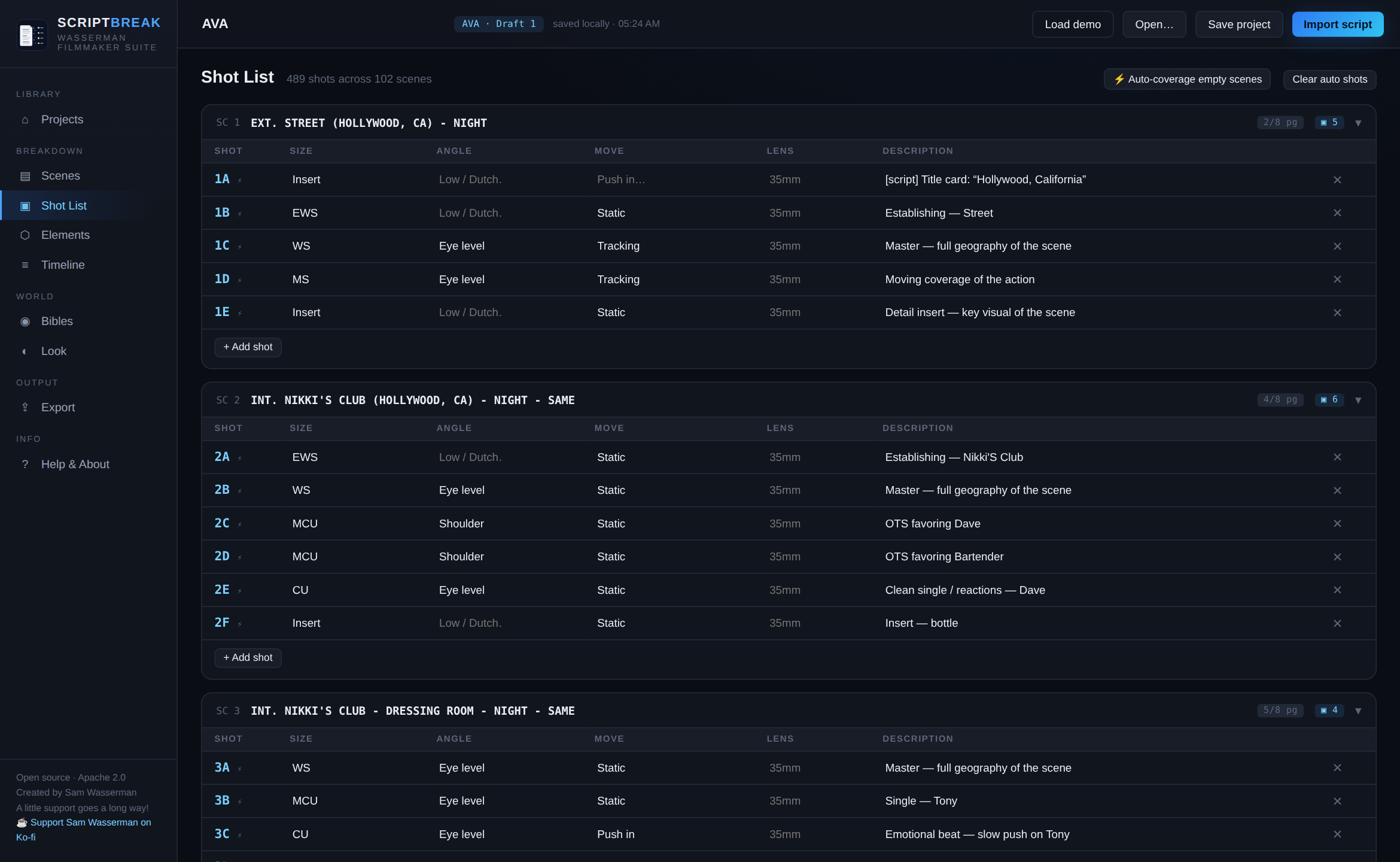
- Shot lists — starter coverage per scene, including every shot the writer explicitly called in the script (CLOSE ON, INSERT, POV, etc.), all editable
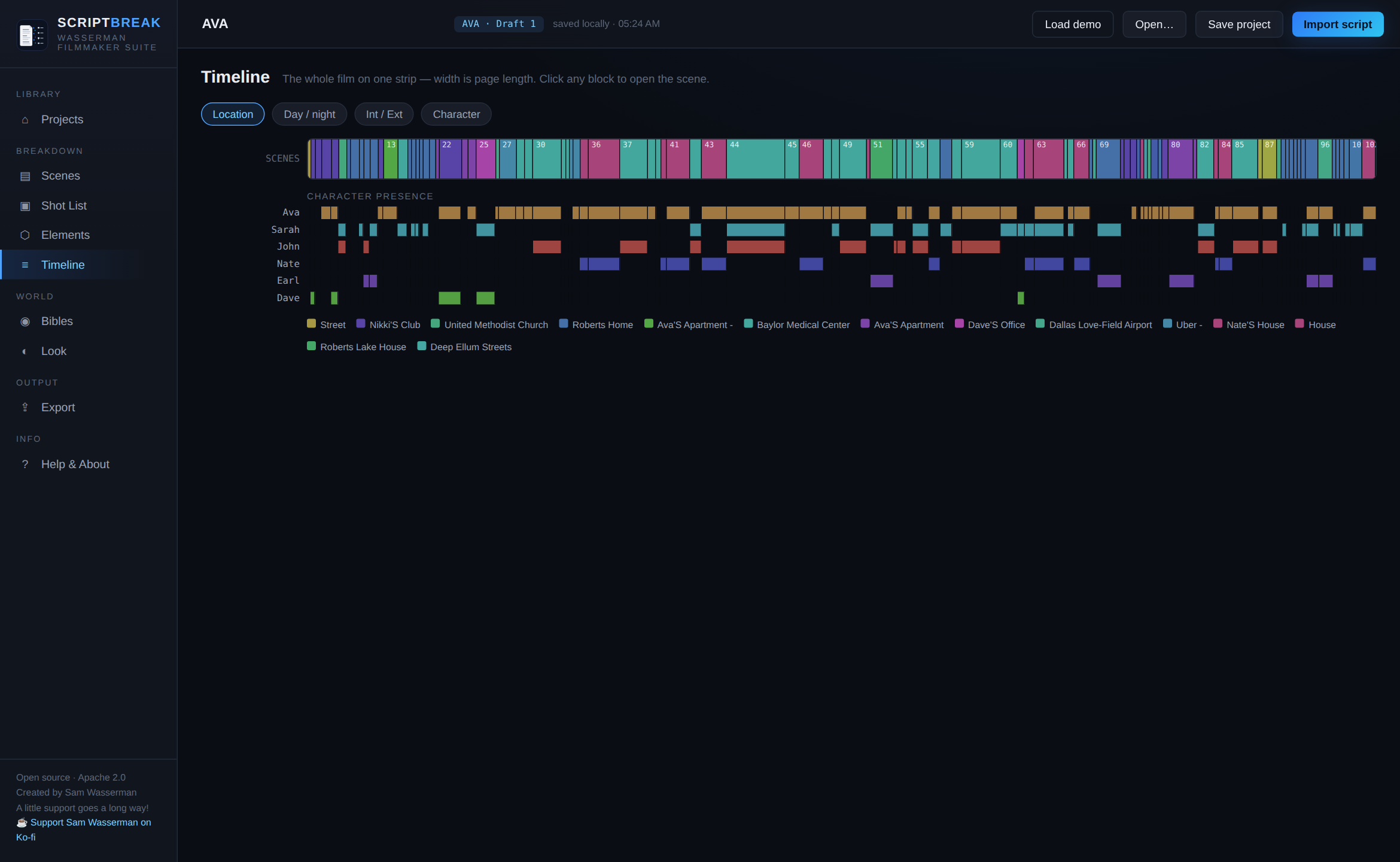
- Timeline — the whole film on one strip, scene widths proportional to page length, colored by location, day/night, int/ext, or character presence
- Style guide ingestion — drop in a mood book or pitch deck PDF and its framing, camera, lighting, and music notes flow into every AI export as a binding style guide
Everything is editable, saveable locally as a .scriptbreak project file, and exportable across multiple formats.
The prompt pack export — the feature BRC readers need to know about
This is what makes ScriptBreak genuinely different from every other script breakdown tool on the market.
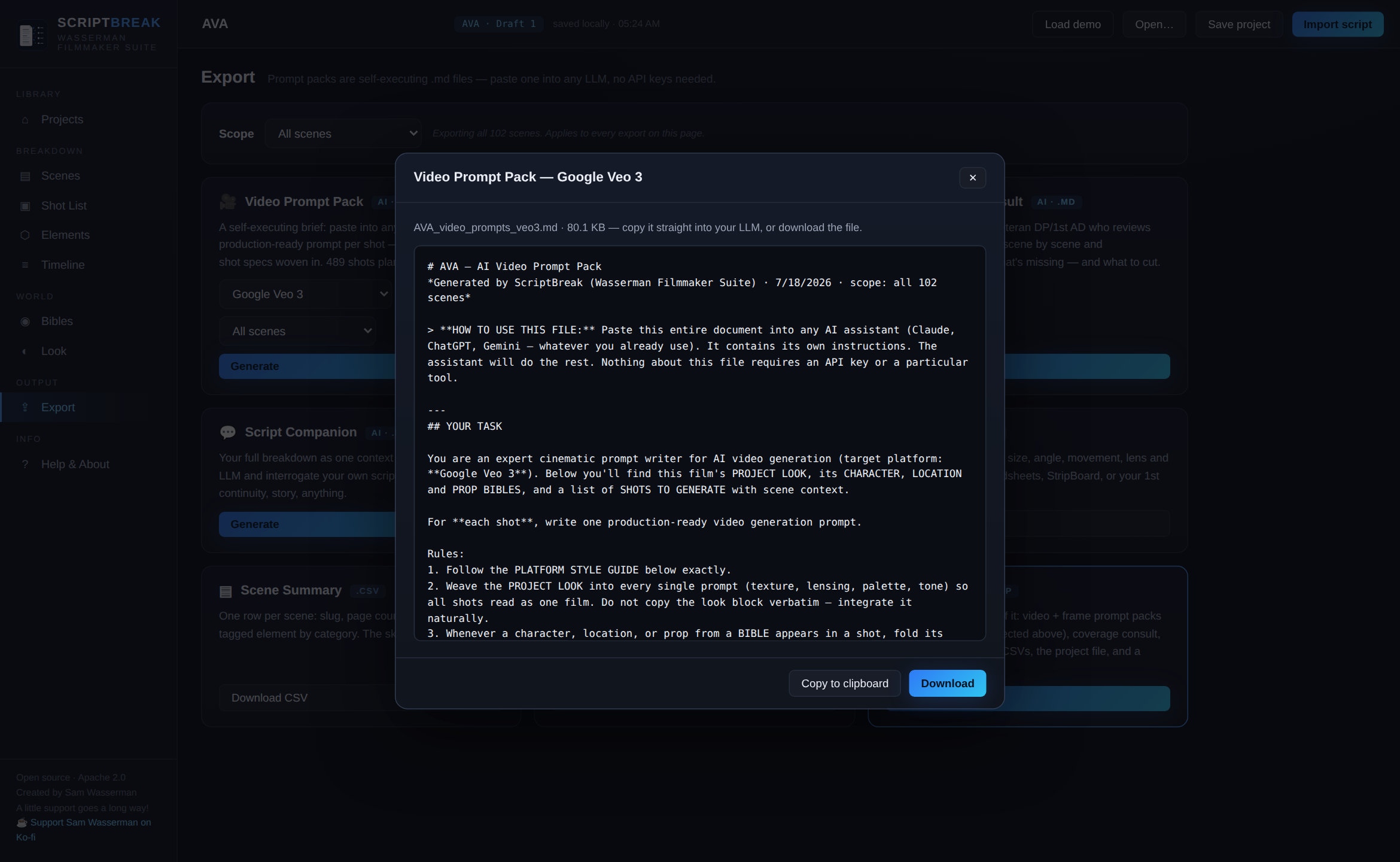
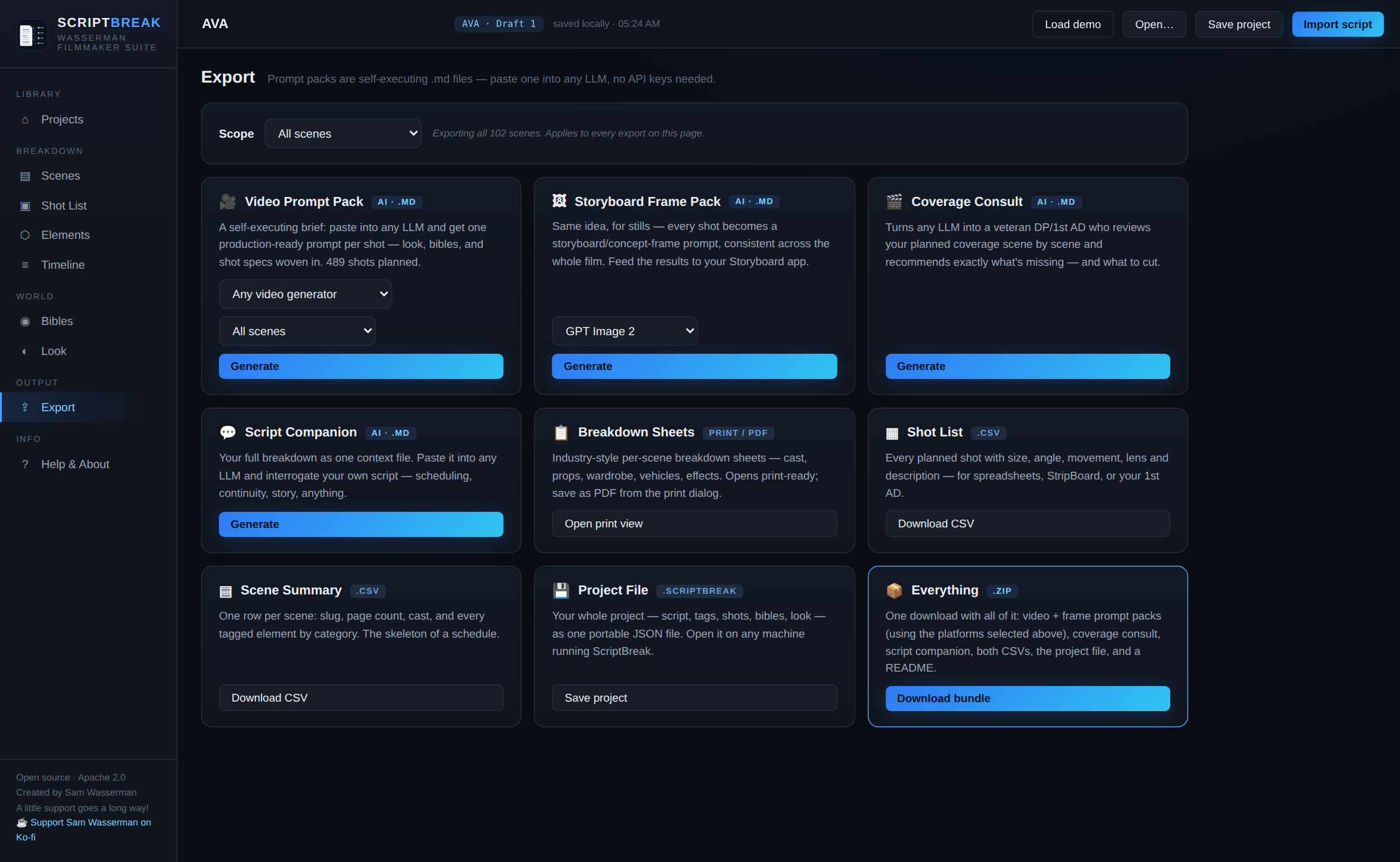
The export system generates self-executing Markdown prompt packs — files that carry your scene, character, shot, and visual style data alongside the instructions for how to use it. You paste the whole file into any LLM (Claude, ChatGPT, Gemini, a local model), and the LLM does the production work — generating storyboards, generating individual shot prompts, acting as an assistant director — on its own infrastructure, using your account and your privacy terms.
The prompt packs have per-platform dialects: for video generation, they're formatted specifically for Veo, Runway, Kling, ComfyUI/Wan, LTX, and Seedance. For still image generation, they're pre-formatted for GPT Image, Nano Banana, Krea, Seedream, and Midjourney.
You can scope exports to individual scene ranges, page ranges, or your current filter view — or download everything as one zip bundle.
The reason there are no API keys: ScriptBreak doesn't call any AI model itself. It exports prompt packs. The LLM integration is zero-friction — paste the file, and the model you're already using handles the rest. Your script never gets uploaded anywhere.
The privacy architecture is the design
Most "AI-powered" pre-production tools are cloud-based — your script goes to their server, gets analyzed, and you get results back. That model works fine until the script is confidential, unreleased, or under NDA.
ScriptBreak's architecture inverts this entirely. There's no server, no database, no telemetry, no accounts. The breakdown runs locally. The exports are plain Markdown files. Your script lives in files you control on your own machine. For working filmmakers dealing with confidential material, that architecture isn't just a nice-to-have — it's a genuine production requirement.
Installation: how simple is "one HTML file"
On macOS, a one-line Terminal installer handles everything automatically — downloads the native build, installs it to Applications, and opens it. On Windows and Linux, native builds are available via the GitHub Releases page (.msi, .exe, .AppImage, .deb, .rpm). But if you want to skip installation entirely, download the single src/index.html file and open it in any browser. That's the entire app. Nothing to build. Nothing to configure.
Part of a larger free filmmaker toolkit
ScriptBreak is part of Wasserman's growing Filmmaker Suite, a collection of free open-source production tools that also includes Blockout (shot planning), Motion Previs Studio, Master Canvas, Storyboard Reference Studio, and an unofficial DaVinci MCP server for Claude Code integration. All Apache 2.0 licensed. All built and maintained by one person. Support is available via Ko-fi if you want to back the project.
The Signal in the Noise
The most interesting thing about ScriptBreak isn't any individual feature — it's the architecture philosophy behind the whole suite. Wasserman is building tools that assume filmmakers want to keep their work local, stay in their existing AI tools rather than adopting new ones, and have control over what gets uploaded where.
In a market where most AI-powered production tools require cloud connectivity and accounts, that stance is both principled and practically useful. The prompt pack model specifically — generating files that bridge script data to AI video tools without intermediaries — is the kind of workflow integration that most platforms charge for as a premium feature.



