What Is HTML-to-Video, and Why Are AI Agents Using It?
HTML-to-video builds a video as a web page and renders it to MP4. Here is how it works, why AI agents use it, and what HeyGen's HyperFrames Studio adds.

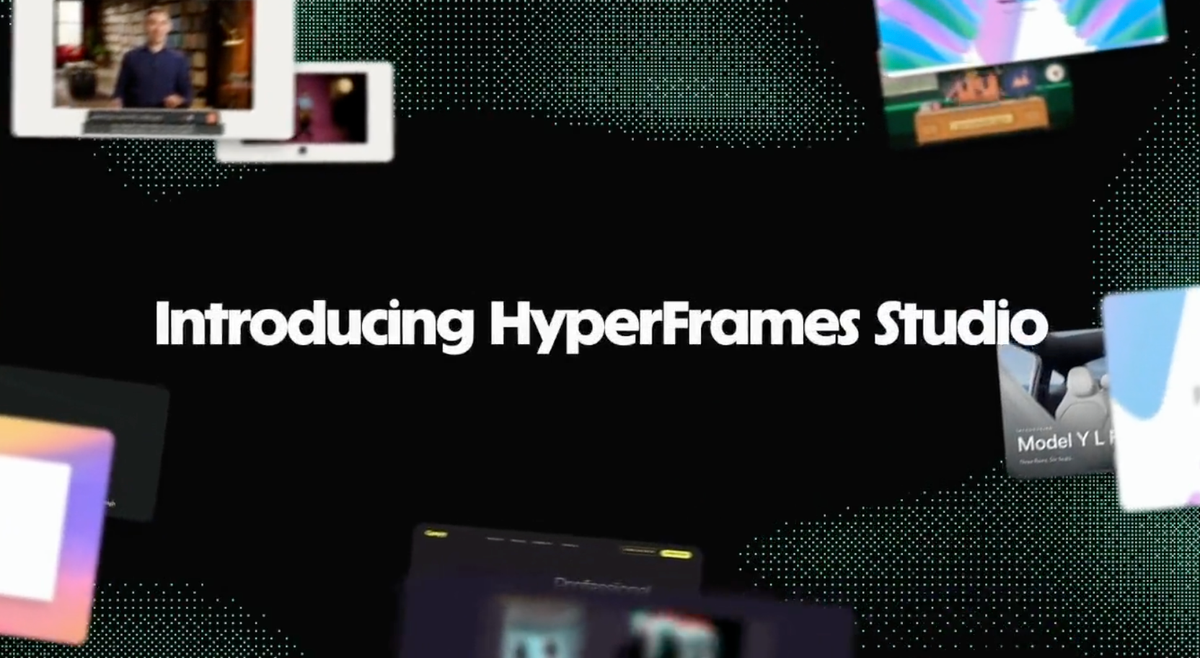
HTML-to-video means building a video as a web page and rendering that page into an MP4. Instead of dragging clips on a timeline, you describe each scene with HTML, CSS, and JavaScript.
AI coding agents are using it because they already write web code. HeyGen's open-source HyperFrames framework and its new Studio app, announced October 5, are one example.
How HTML-to-Video Works
Introducing HyperFrames Studio
— HyperFrames (@HyperFrames_) October 5, 2026
a video editor built for agents, from scratch
Describe it, your agent builds, then you both work on the same timeline
Draw or comment on a frame, and it makes the edit
100s of inspirations & templates
Download ↓ pic.twitter.com/sGzfWQraI2
A HyperFrames video is an HTML file with data attributes for timing and tracks. Clips, titles, and audio each get a start time, a duration, and a track number. Animation comes from libraries such as GSAP, plus CSS, Lottie, Three.js, Anime.js, and the Web Animations API.
The renderer opens the page in headless Chrome and seeks to each frame. FFmpeg then encodes those frames into a video. HeyGen says the same input produces the same video.
That frame-by-frame approach matters for reliability. HyperFrames asks the project for each exact frame instead of relying on live playback. A slow machine therefore does not drop moments from the finished video.
You can preview the page in a browser with no build step. The command-line version needs Node.js 22 or newer and FFmpeg.
Why AI Agents Use It
AI coding agents already write HTML, CSS, and JavaScript well. Traditional editors rely on interfaces built for people, with timelines, panels, and menus. HyperFrames' creator has argued that agents should use web code instead, per RuntimeWire.
The output stays editable. The agent builds a project folder, not a flattened export, and people, agents, and other tools can work on the same files. HeyGen says the deterministic output suits automated pipelines and regression tests.
HyperFrames ships 21 skills that teach agents the production loop. The loop is to plan the video, write valid HTML, wire seekable animations, add media, lint, preview, and render. The skills work with Claude Code, Codex, Cursor, and Gemini CLI, among others.
What You Can Make With It
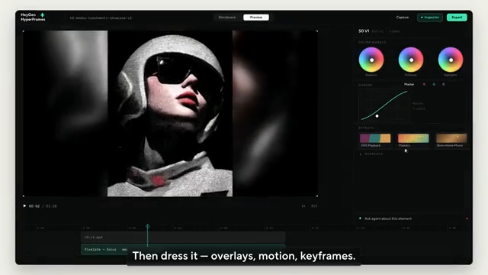
HyperFrames lists launch videos, PR walkthroughs, data charts, kinetic-caption social clips, and docs-to-video explainers. Its workflows include website-to-video, captions on existing talking-head footage, and beat-synced music videos. Short motion graphics under about 10 seconds have their own workflow.
The product-launch workflow handles up to about three minutes, with 30 to 90 seconds as its sweet spot. HyperFrames' own showcase also includes footage graded with LUTs, curves, and scopes inside Studio.
What Studio Adds
HyperFrames Studio, announced October 5, puts an editor on top of that workflow. You describe a video, an agent on your computer builds it, and you revise by typing, pointing, drawing, or commenting on a frame. The app runs on Mac and Linux and needs a HeyGen sign-in.
The project stays editable as code. HyperFrames said in replies that you bring your own agent, and the announcement promotes hundreds of templates. RuntimeWire notes the announcement gave no benchmarks, and HyperFrames declined to give an average editing time.
Competitive Context
HyperFrames is inspired by Remotion, which also renders video with headless Chrome and FFmpeg. The difference is authoring. Remotion uses React components, and HyperFrames uses plain HTML.
Licensing differs too. HyperFrames is Apache 2.0, while Remotion uses a source-available license. HeyGen's own comparison table calls Remotion's Lambda renderer mature.
Agent-driven editors are also showing up elsewhere. fal Agent can sequence and edit video, and Kling 4.0's new creation page adds a timeline with Canvas and Agent. Those tools center on AI-generated footage. HyperFrames composes video from code, though it can also pull in generated media.
The Signal in the Noise
HTML-to-video fits structured, repeatable video: launch clips, explainers, captions, charts, and social variations. HeyGen's showcase includes one shoot rendered as several vertical cuts. The format suits work where text, layout, and timing matter more than live-action footage.
It is not a replacement for a narrative edit. RuntimeWire calls it a code-oriented tool with a visual editor, aimed at launch videos and short social clips. HyperFrames says Studio is built around a first cut followed by rounds of notes.
The core is free and open source. According to RuntimeWire, local rendering uses no HeyGen credits, but your coding agent and any hosted services may charge separately. HeyGen has not spelled out a separate Studio price.
For filmmakers, the practical use is the layer around the film: titles, lower-thirds, captions, data graphics, and social cutdowns. Treat it as a motion-graphics and packaging tool you direct with prompts.
Would you let an agent build your titles, captions, and social cutdowns, or do you want a timeline under your own hands?
Specs & Pricing
- Price: free. The framework has no per-render fees, and local rendering uses no HeyGen credits.
- Studio price: not stated. Your coding agent and any hosted services may charge separately, and exact pricing is available on HeyGen's website.
- License: Apache 2.0
- Platforms: Studio runs on Mac and Linux and requires a HeyGen sign-in
- Requirements (command-line version): Node.js 22 or newer and FFmpeg
- Output: MP4
- Rendering: local, Docker, or AWS Lambda
- Works with: Claude Code, Codex, Cursor, Gemini CLI, and IBM Bob, among other agents that support skills