Adobe's Project Indigo Is Testing What Happens When AI Editing Moves From Post to Production
Adobe's Project Indigo just added a generative AI editing layer — usable while you're still standing in front of the scene. Here's what it does, what's running under the hood, and why the filmmaker implications go beyond photography.

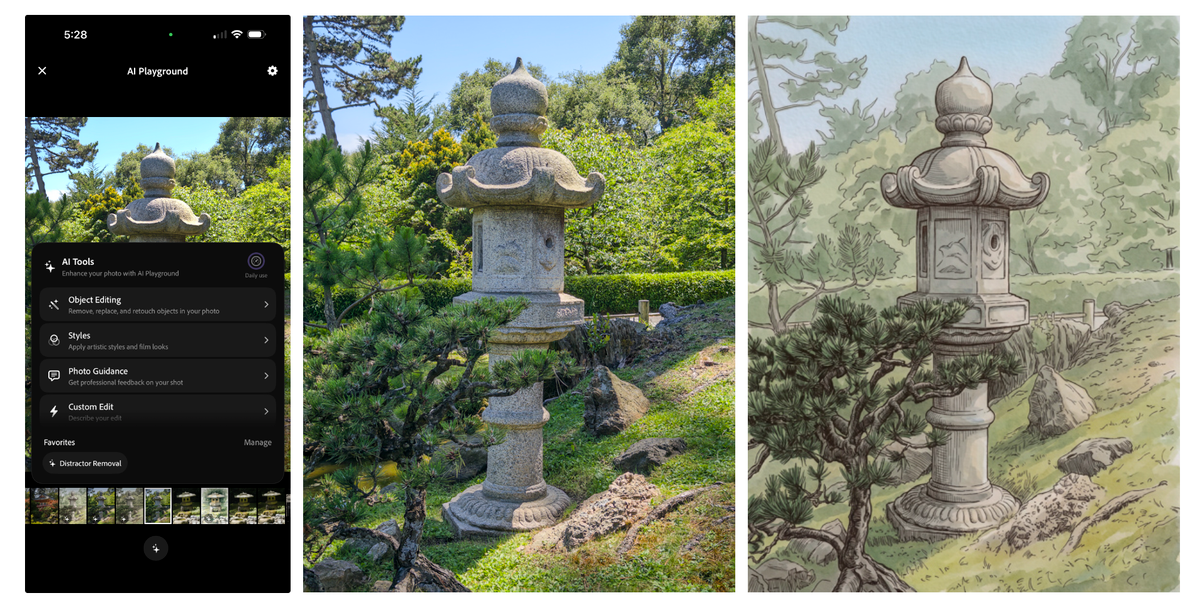
Every AI editing tool available today assumes the same workflow: shoot first, edit later. You capture the image or the footage, bring it into Lightroom or Premiere or Photoshop, and then apply AI tools to fix, enhance, or transform what you got. Adobe's Project Indigo just started testing something different — generative AI editing built directly into the camera app, usable while you're still standing in front of the scene.
That's a small change in where the button lives. It's a potentially large change in what photography and filmmaking mean.
What Project Indigo's AI Playground actually is
Project Indigo launched a year ago as an experimental iPhone camera app from Adobe's Nextcam research team, led by Marc Levoy — the engineer behind Google Pixel's computational photography pipeline before he joined Adobe. The app's original value proposition was straightforward: best-in-class computational photography (stacking up to 32 frames per shot, advanced noise reduction, natural-looking HDR output) with professional manual controls and simultaneous JPEG and DNG RAW output.
Today, in version 1.1, Adobe is shipping an AI Playground inside that app — a generative AI editing layer that operates on photos while you're still in the camera's filmstrip view. Levoy describes the core thesis in his research blog post: "Our goal is to explore how generative AI can assist mobile photographers at the point of capture."
The AI Playground contains four sections:
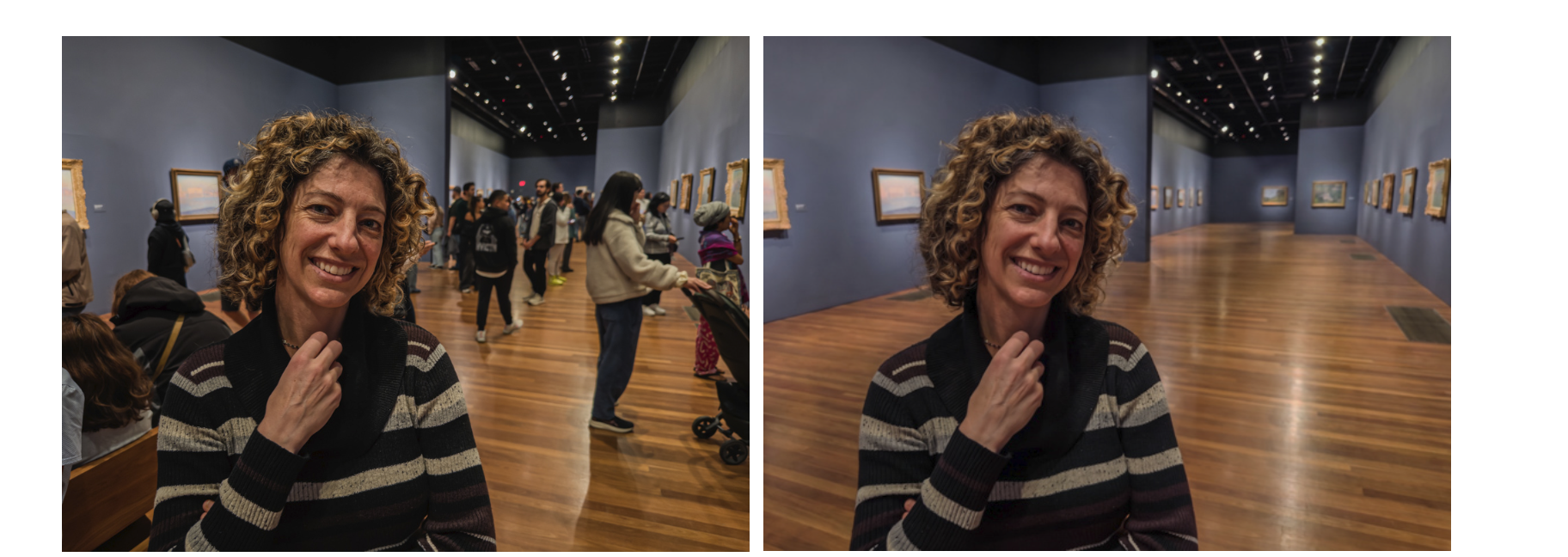
Object Editing — buttons for removing categories of distractors (background people, vehicles, clutter, signs) and for adding simulated shallow depth of field to defocus backgrounds. You can also type custom categories to remove anything the preset buttons don't cover.
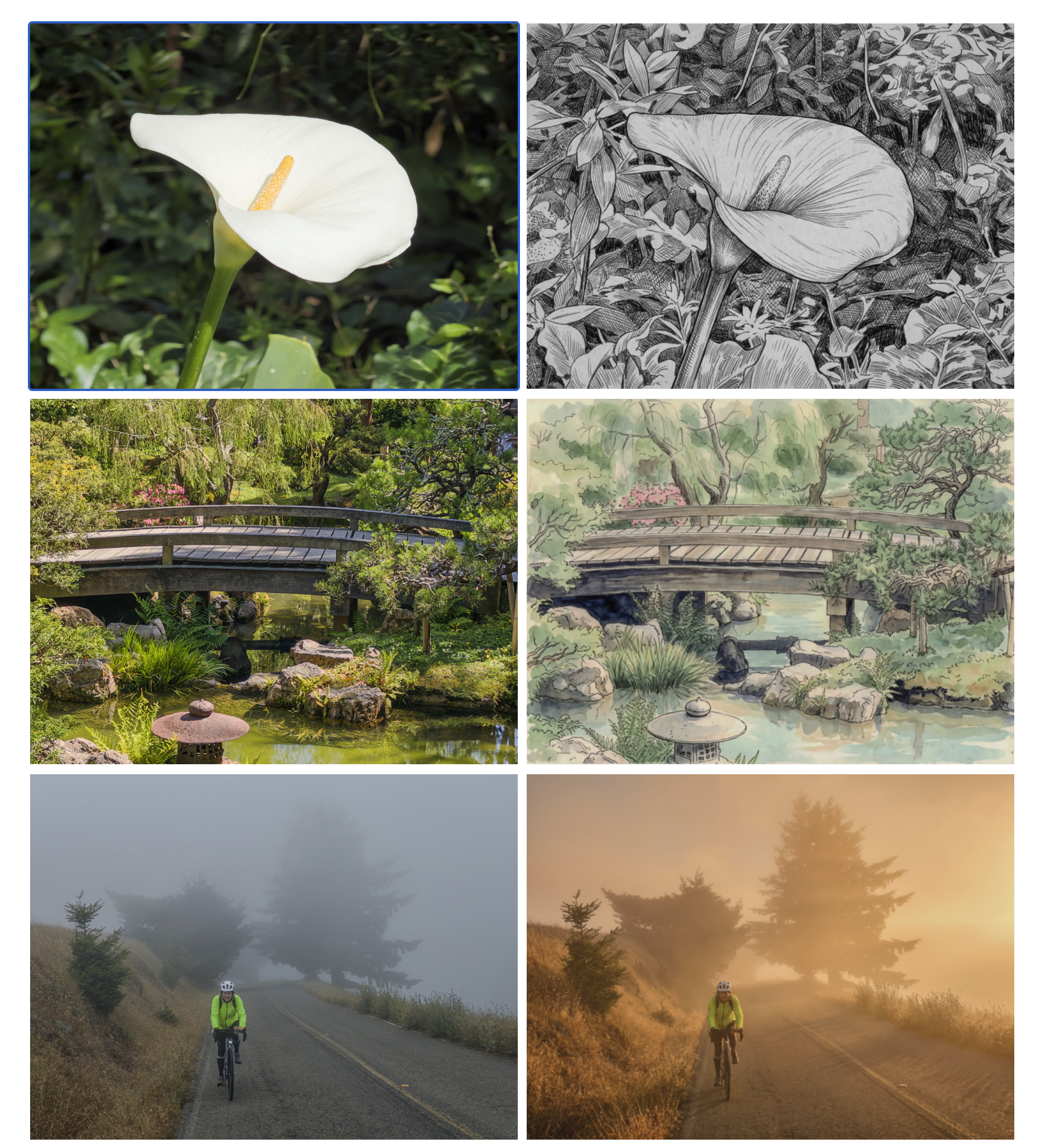
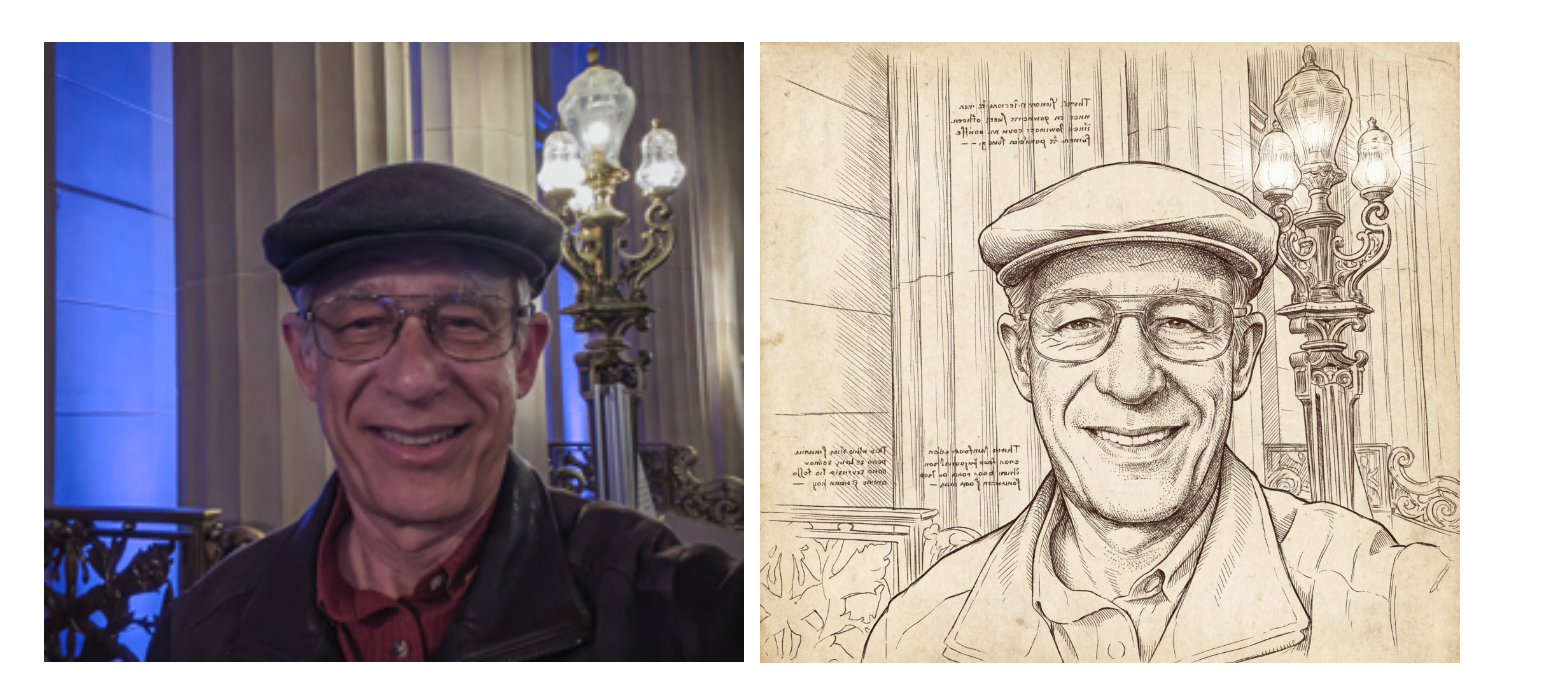
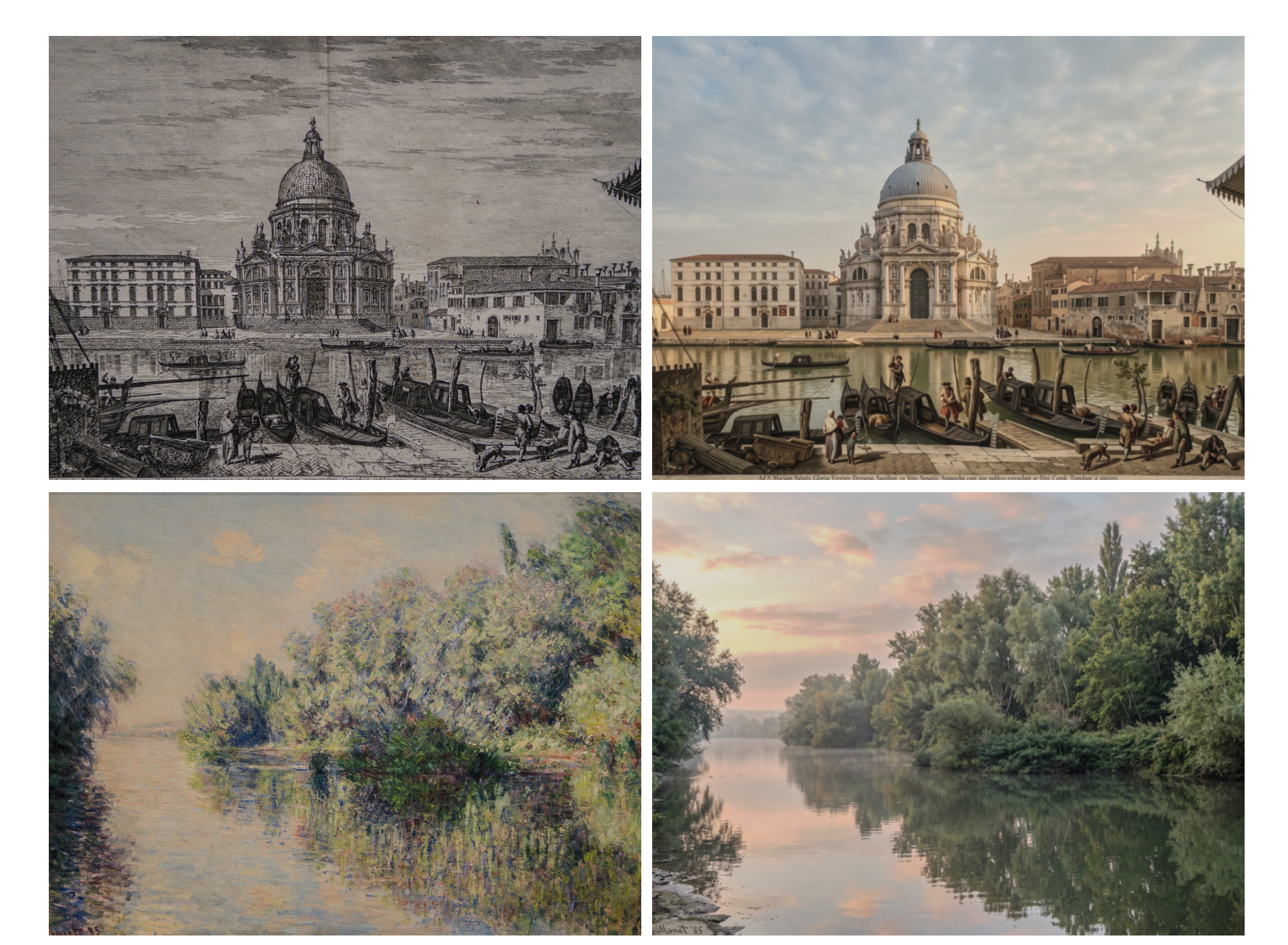
Styles — buttons that re-render your photo using a variety of artistic and photographic treatments: pen and ink, ink line with color wash, golden hour lighting, and others. Each button runs an engineered prompt against the generative model rather than exposing the raw prompt text.
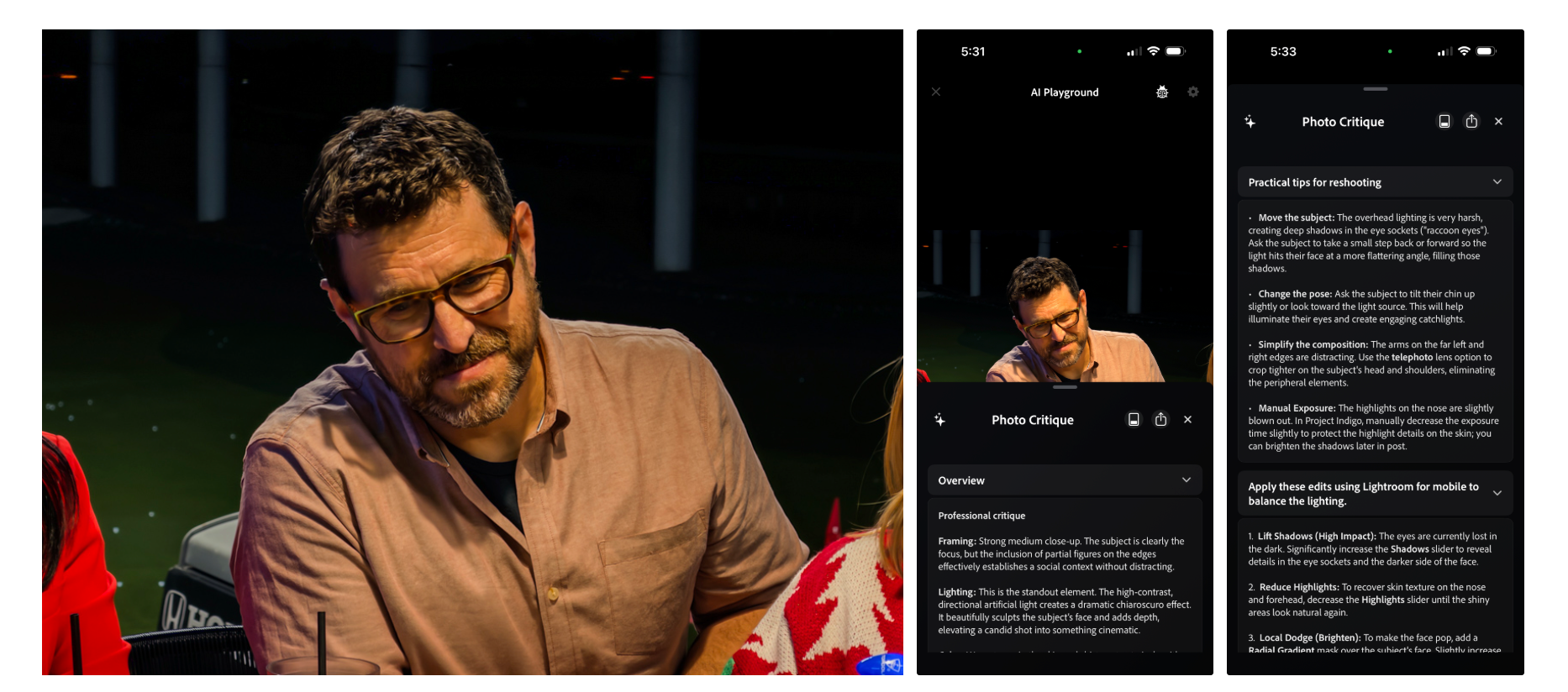
Photo Guidance — an LLM-powered critique of your photo, delivered at the press of a button, that provides both technical feedback and reshooting suggestions while you're still in the scene. The model knows what kind of camera you're using and adjusts its suggestions accordingly — it won't tell you to adjust aperture on a fixed-lens iPhone.
Custom Edit — an open text prompt that exposes the full generative editing capability without preset buttons. The blog post examples include prompts like "Remove fog" (which generated the rest of the Golden Gate Bridge), "Place the lantern on a mountain ledge, low sun from right," and "Convert this statue into a photograph of a live person."
What's running under the hood
The generative model powering the AI Playground is Google's Nano Banana — the same image generation model family we covered when Google launched Muse Image earlier this month. Adobe says it may switch models over time, or assign different models to different buttons, including its own Firefly models for specific tasks like distractor removal where Firefly's training produces cleaner results.
Since Nano Banana is cloud-based, the Playground requires internet connectivity. Output images are rendered at roughly 2K pixels — lower than full resolution but sufficient for sharing. Adobe has also built a custom ML model that post-processes Nano Banana's standard dynamic range outputs back to HDR, using the original captured photo as guidance — solving a real limitation since the base generative output would otherwise look flat compared to Indigo's native HDR images.
The filmmaker angle — and why it matters even for video
Project Indigo is currently a photography app. Video capture isn't in version 1.1, though it's on the roadmap. But the conceptual shift the AI Playground represents is at least as relevant to filmmakers as it is to photographers — arguably more so.
The entire post-production workflow in video is built on a single assumption: that problems get fixed after the shoot. Wrong white balance, unwanted reflections, bad backgrounds, distracting elements in the frame — all of these become post tasks. The AI Playground is testing whether some of those decisions can move to the point of capture instead.
For a photographer, standing in front of the scene while the AI removes a distractor or simulates shallow depth of field is useful. For a filmmaker, the equivalent would be seeing in real time what a shot looks like with unwanted background elements removed — before calling cut and moving to the next setup. That's a fundamentally different relationship with the edit timeline. It doesn't replace post — but it changes what decisions get made when.
Levoy is direct about the goal: the AI Playground is most useful "right after capturing a photo, with the plan to share the photo right away." The immediate-sharing use case is the current target. The production-preview use case is the implication worth watching.
The three honest limitations Adobe names itself
Levoy doesn't oversell the Playground, and the limitations he names are real:
Prompt control is hard. There are no sliders — if you don't like what you get, you adjust the prompt and try again. The entire imaging industry is working on inventing better controls for generative editing; Indigo is no exception.
Identity shift. Generative models change details you didn't ask them to change — facial expressions, proportions, identity-specific features. The accepted solution is reference photos; Adobe is working on automating that curation. The problem is real and visible in the blog post's own examples.
Speed and connectivity. The best models are large and cloud-dependent. Offline use isn't possible with the current implementation. Distillation into smaller on-device models is the industry's intended solution, but smaller models are currently less capable.
How the experiment works
The AI Playground is available as a free limited experiment in Project Indigo version 1.1, rolling out to a randomly selected few percent of users. If you update the app and see a splash screen, you're in. Participation requires agreeing to share anonymous button-press data — Adobe explicitly states it won't access your prompts, images, or uploads, and won't use your photos to train AI models. If the experiment proves popular, Adobe says it will eventually offer a paid version.
No sign-on required. Free to download on the App Store.
The Signal in the Noise

The AI Playground is an experiment, and Adobe is being careful to frame it that way. But the question it's asking — what happens when generative AI editing moves from the edit bay to the moment of capture — is one of the most consequential questions in the near-term future of both photography and filmmaking. Every tool we currently use to fix, enhance, or transform footage is built for post. Adobe is testing whether that assumption should hold, and Project Indigo is where that test is running.



