Why Your GoPro's '24fps' Is Actually 23.976, and How to Fix It
The GoPro Mission 1 Pro ILS labels 23.976fps as "24," 29.97 as "30," and 59.94 as "60." Here's why it matters in the edit and how to fix it.

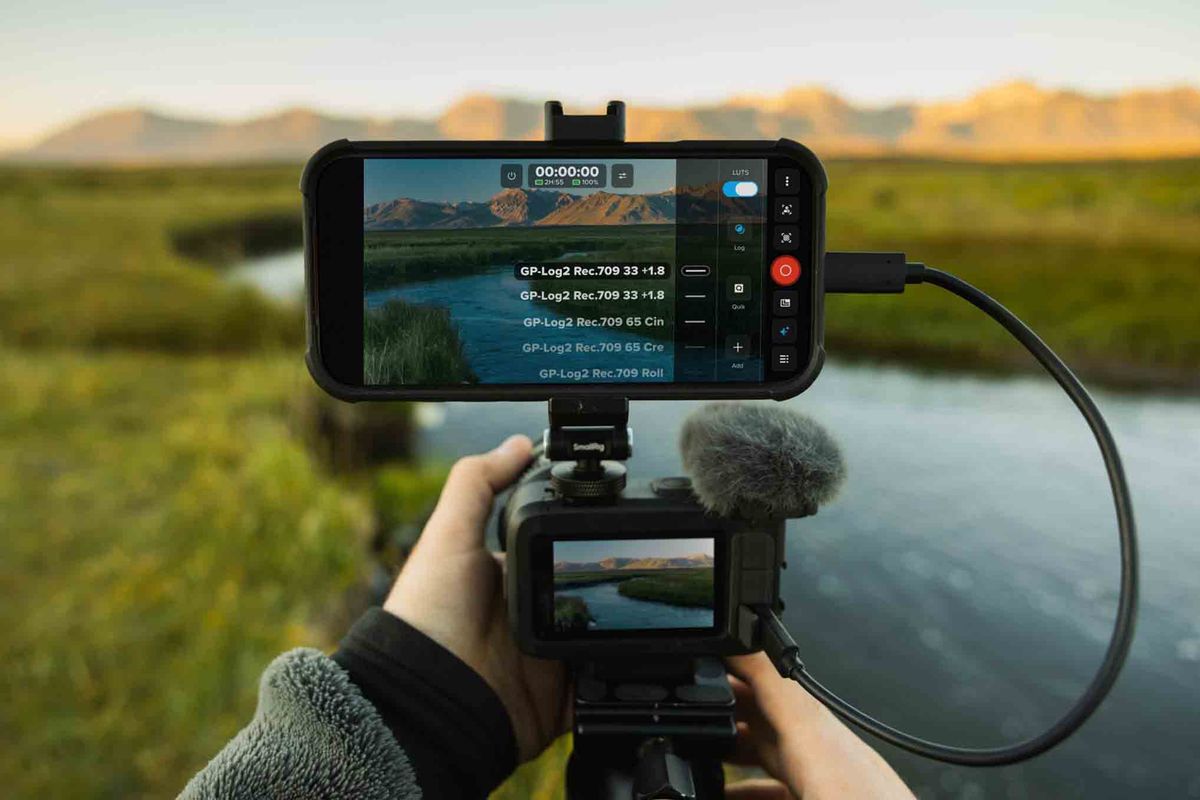
If you shoot "24fps" on GoPro's new Mission 1 Pro ILS, you're not actually getting 24 frames per second. You're getting 23.976. The same goes for "30" (really 29.97) and "60" (really 59.94).
ProVideo Coalition's Allan Tépper flagged the issue in a new article calling on GoPro to fix it. It's a small labeling detail with real consequences in the edit, especially if you're cutting ILS footage alongside other cameras. Here's what's happening, why it matters, and how to get true integer frame rates.
What the Menu Says vs. What You Get
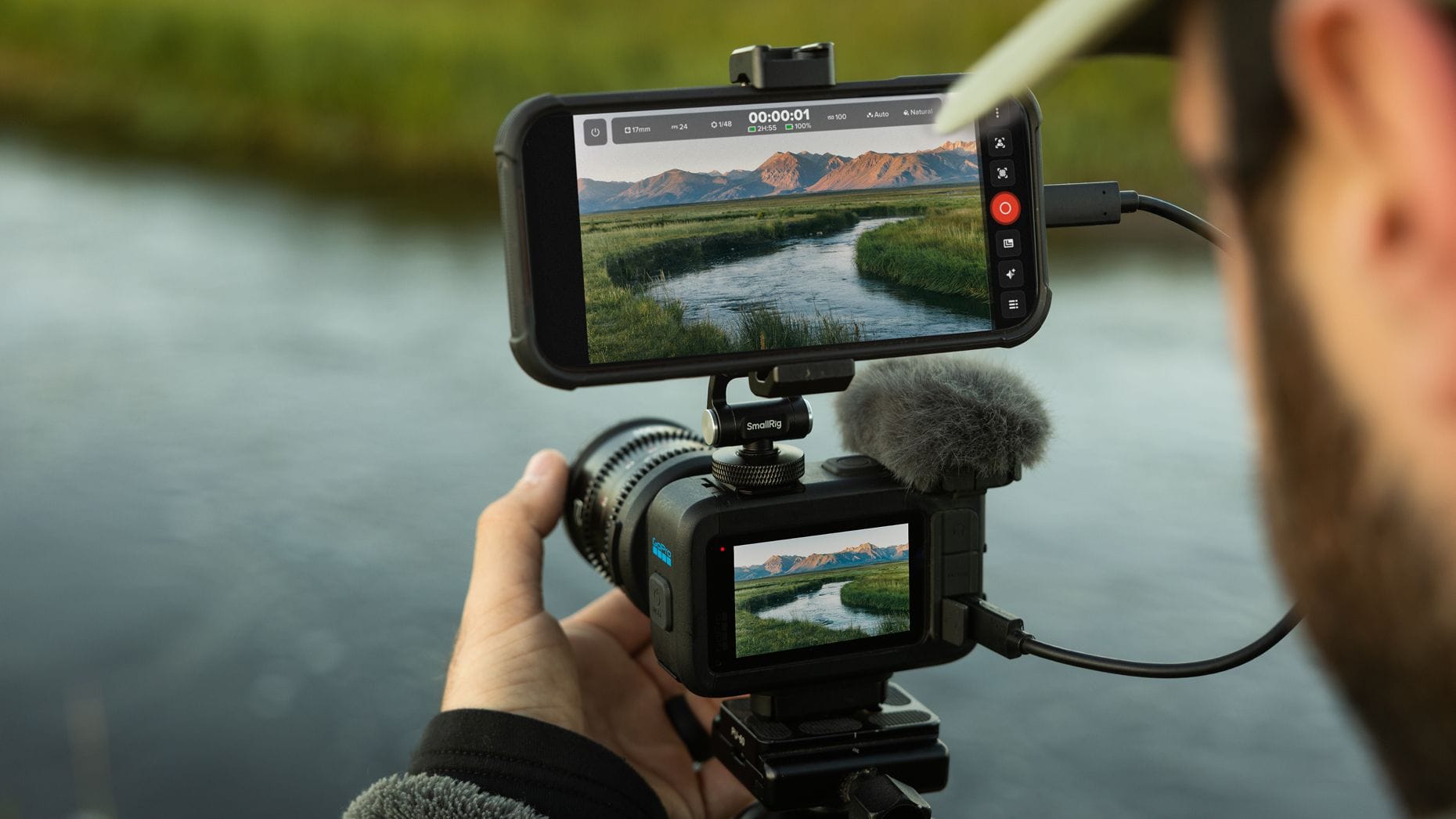
According to Tépper, the Mission 1 Pro ILS labels its NTSC-derived frame rates as whole numbers:
- "24" actually records 23.976fps
- "30" actually records 29.97fps
- "60" actually records 59.94fps
True 24.00, 30.00, and 60.00fps aren't available from the standard menus at all. PAL-region rates, 25 and 50fps, are labeled accurately, since they've never had fractional versions.
Why Two Versions of "24" Exist
The fractional rates date back to analog color television in North America. When color was added to the broadcast signal, frame rates were slowed by a tiny amount, about 0.1%, to avoid interference. That's why 29.97 exists instead of 30, and why film transferred for TV runs at 23.976 instead of 24.
Today, both versions are legitimate standards. Neither is "right" or "wrong." They just suit different deliverables and workflows. The problem is only when a camera doesn't tell you which one you're actually getting.
Why It Matters in the Edit
A 0.1% difference sounds trivial, but it adds up.
At 24fps, the gap between 23.976 and true 24 works out to about 86 frames, or roughly 3.6 seconds, per hour of footage. That can cause real problems:
- Mixed-camera projects: if your A-camera shoots true 24.00 and your GoPro is quietly shooting 23.976, clips won't match your timeline cleanly.
- Separately recorded audio: audio synced to footage at the wrong assumed rate can drift out of sync over longer takes.
- Deliverables: some broadcast, streaming, and theatrical specs require one or the other. Delivering the wrong rate because the camera menu was misleading can mean a rejected file.
The ILS is aimed at filmmakers who often pair it with larger cinema cameras, which makes accurate rates especially important.
How to Check What You Shot
You don't have to trust the menu. Your editing software will show the true frame rate:
- In DaVinci Resolve, check the clip's attributes or metadata in the Media Pool
- In Premiere Pro, check the clip's properties or the frame rate column in the Project panel
- Free tools like MediaInfo will also show the exact rate
If it reads 23.976 when you expected 24, that's the labeling issue at work.
How to Get True 24, 30, or 60fps
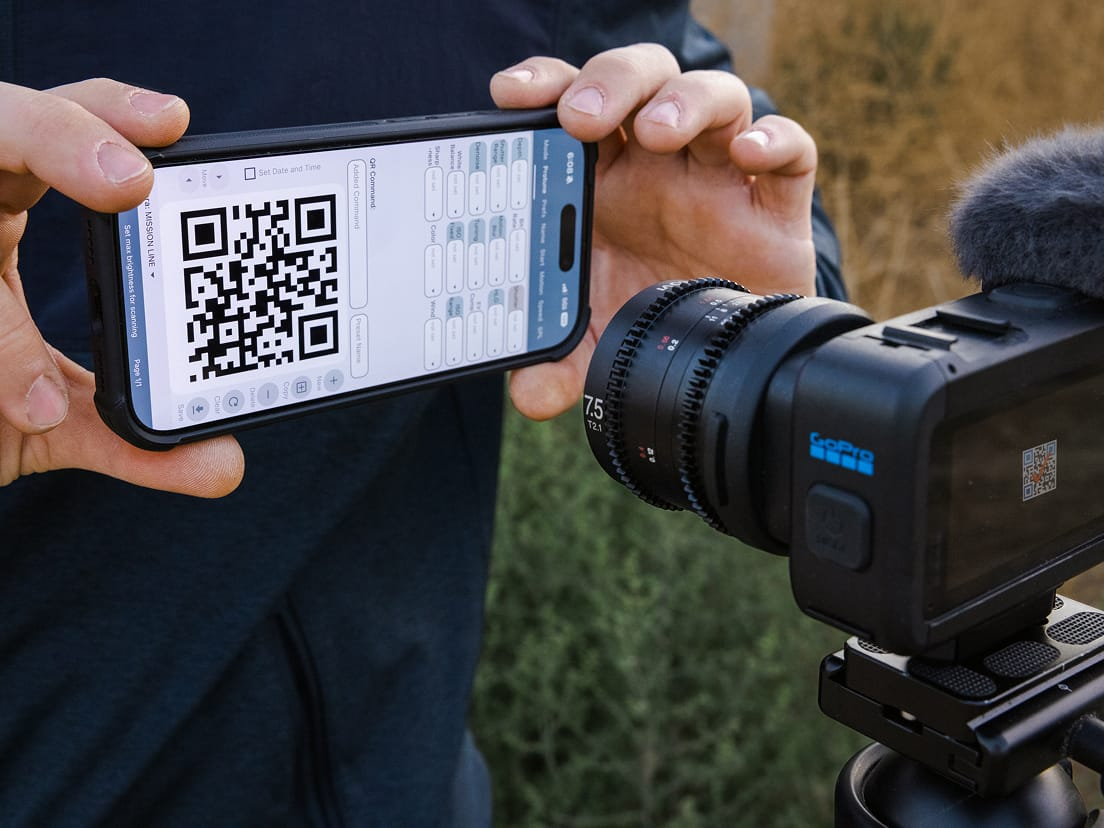
According to Tépper, the fix is GoPro Labs, GoPro's free, optional firmware add-on that unlocks experimental and advanced settings. Its options allow the ILS to record true integer rates, turning the menu's "24" into exactly 24.00, "30" into 30.00, and "60" into 60.00.
GoPro Labs is an official GoPro project, but it's positioned as experimental. It's worth testing on non-critical footage before relying on it for a paid shoot.
Which Rate Should You Use?
The simplest rule: match your other cameras and your deliverable.
- Most US streaming, broadcast, and online work typically uses 23.976 or 29.97, and many cinema cameras labeled "24" also default to 23.976
- Theatrical DCPs and some festival workflows often use true 24.00
- Europe and other PAL regions generally use 25 or 50fps
If you're unsure, check how your main camera is set and what your client or distributor requires, then set the GoPro to match.
Competitive Context
Tépper notes that many manufacturers, including Blackmagic, Canon, Panasonic, Sigma, and OBSBOT, display true frame rates in their menus to at least two decimal places. That makes GoPro's labeling stand out, particularly on a camera marketed to filmmakers.
He's calling on GoPro to relabel the rates accurately through a free firmware update, and to include true integer rates without requiring GoPro Labs. GoPro hasn't publicly responded.
The Signal in the Noise
This isn't a flaw in the footage itself. The ILS records standard, perfectly usable frame rates. The issue is transparency. When a menu hides the difference between 23.976 and 24, filmmakers can make timing mistakes they don't discover until the edit.
Until GoPro updates its labels, the fix is simple: know what "24" really means on your ILS, check your files, and use GoPro Labs if you need true integer rates.
Have you run into frame rate mismatches mixing action camera footage with your main camera?
The Details
- Camera: GoPro Mission 1 Pro ILS
- Menu "24": records 23.976fps
- Menu "30": records 29.97fps
- Menu "60": records 59.94fps
- Labeled accurately: 25 and 50fps (PAL)
- Fix for true integer rates: GoPro Labs, GoPro's free, experimental firmware add-on
- How to check: DaVinci Resolve clip attributes, Premiere Pro clip properties, or MediaInfo
- Timing difference: 23.976 vs. 24 drifts about 86 frames, roughly 3.6 seconds, per hour