Can AI Fix AI Video’s Sound? Mirelo SFX 2.0 Rebuilds Audio Without Regenerating the Clip
Mirelo SFX 2.0 removes unwanted music from AI video, keeps the dialogue, and rebuilds sound design synced to the picture. It’s live on Runway, fal, and Premiere Pro.

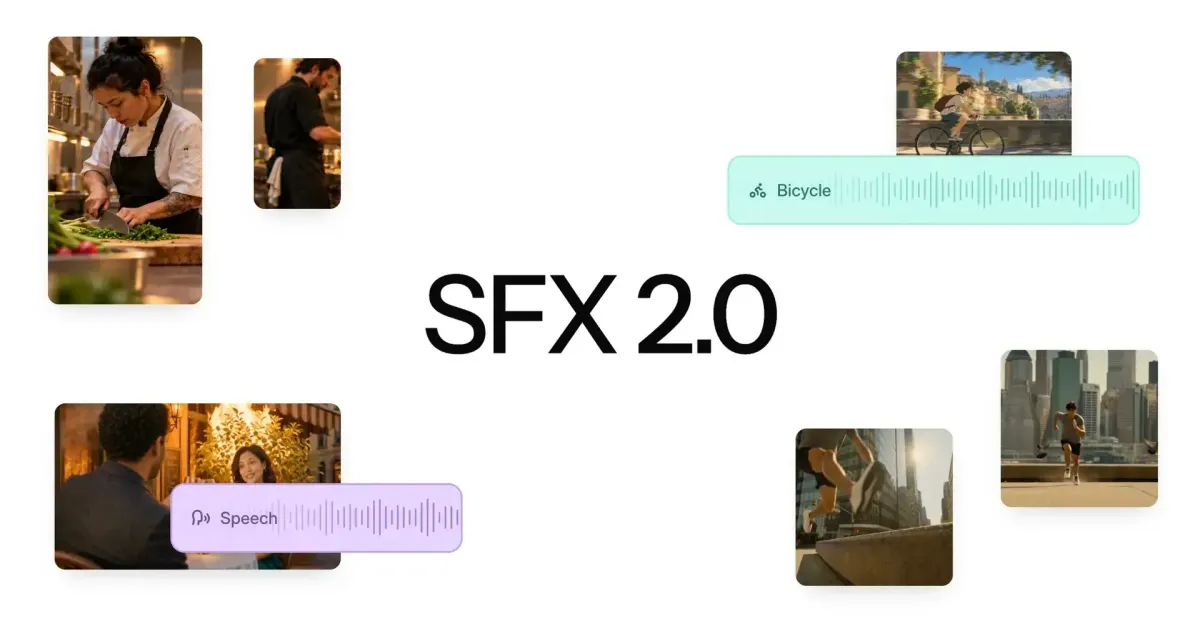
Mirelo has released SFX 2.0, a video-to-sound model built to fix one of AI video’s most common problems: audio. It removes music that video models add without being asked, keeps the dialogue, and builds new sound design synced to what’s on screen.
It’s live now through Mirelo’s own tools, a Premiere Pro plugin, and partner platforms Runway and fal.
The Problem It’s Built to Solve
AI Videos finally sound real.
— Mirelo (@MireloAI) October 14, 2026
Introducing Mirelo SFX 2.0.
It watches your video, cuts the music you never prompted, keeps the dialogue, and builds a full sound design synced to the action and consistent across any length clips.
You’ve made it look right. We’ll make it sound… pic.twitter.com/tJbrwanjMz
AI video models increasingly generate audio along with the picture, but the results are inconsistent. Music often bleeds into clips that never asked for it, and re-prompting burns credits without reliably fixing it.
Muting the clip takes the dialogue with it. Mirelo describes SFX 2.0 as a model that lets you “change a video’s audio without regenerating its original video.”
For background on how AI video models generate sound, see What Is Native Audio in AI Video?.
What SFX 2.0 Does
2. Speech preservation
— Mirelo (@MireloAI) October 14, 2026
Mirelo SFX 2.0 keeps the dialogue and rebuilds the sound around it.
When a video model gets the dialogue right but the sound around it wrong, the options used to be regenerating the clip and losing the take, or rebuilding the sound design by hand.
SFX… pic.twitter.com/KuzOLMdJpN
Removes unwanted music. SFX 2.0 strips out music the video model added and replaces it with effects and ambience that match the picture. The only music left is music you add yourself.
Keeps the dialogue. The model detects speech, preserves it, and rebuilds the effects and ambience around it, including ducking background sound under dialogue. That lets you keep a take where the performance worked but the sound didn’t.
Stays consistent across cuts. Clips generated one at a time often sound different once they’re edited together. SFX 2.0 processes a full edit in one pass, so the same car or location sounds the same from shot to shot.
Syncs to the picture. Instead of working from a text prompt, SFX 2.0 uses the video as its main input. Foley, effects, and ambience follow the action on screen and fit the setting, so a park doesn’t sound like a cathedral.
Mirelo Studio and the API accept videos up to 10 minutes long. Longer videos are available through Mirelo’s Enterprise tier.
Where to Use It
3. Consistency and long-form
— Mirelo (@MireloAI) October 14, 2026
Mirelo SFX 2.0 keeps the same thing sounding the same, from your first shot to your last.
Clips generated one at a time each sound like a separate generation, so once they are stitched together the same car sounds different from shot to shot and the… pic.twitter.com/nf1QVfbnzQ
SFX 2.0 is available in Mirelo’s Playground, Editor, API, and MCP server. Mirelo also offers an Adobe Premiere Pro plugin, with DaVinci Resolve and Roblox plugins coming soon.
On partner platforms, it’s live on Runway and on fal, where it’s offered as video-to-video, video-to-audio, and text-to-audio models. Mirelo says more platforms are coming.
Mirelo’s Listening Tests
Mirelo SFX V2.0 is now live on fal
— fal (@fal) October 14, 2026
- Generates sound effects from text prompts or video inputs
- Preserves dialogue while replacing unwanted music and sound
- Creates effects and ambience with continuity across video cuts pic.twitter.com/nsHgG8klUv
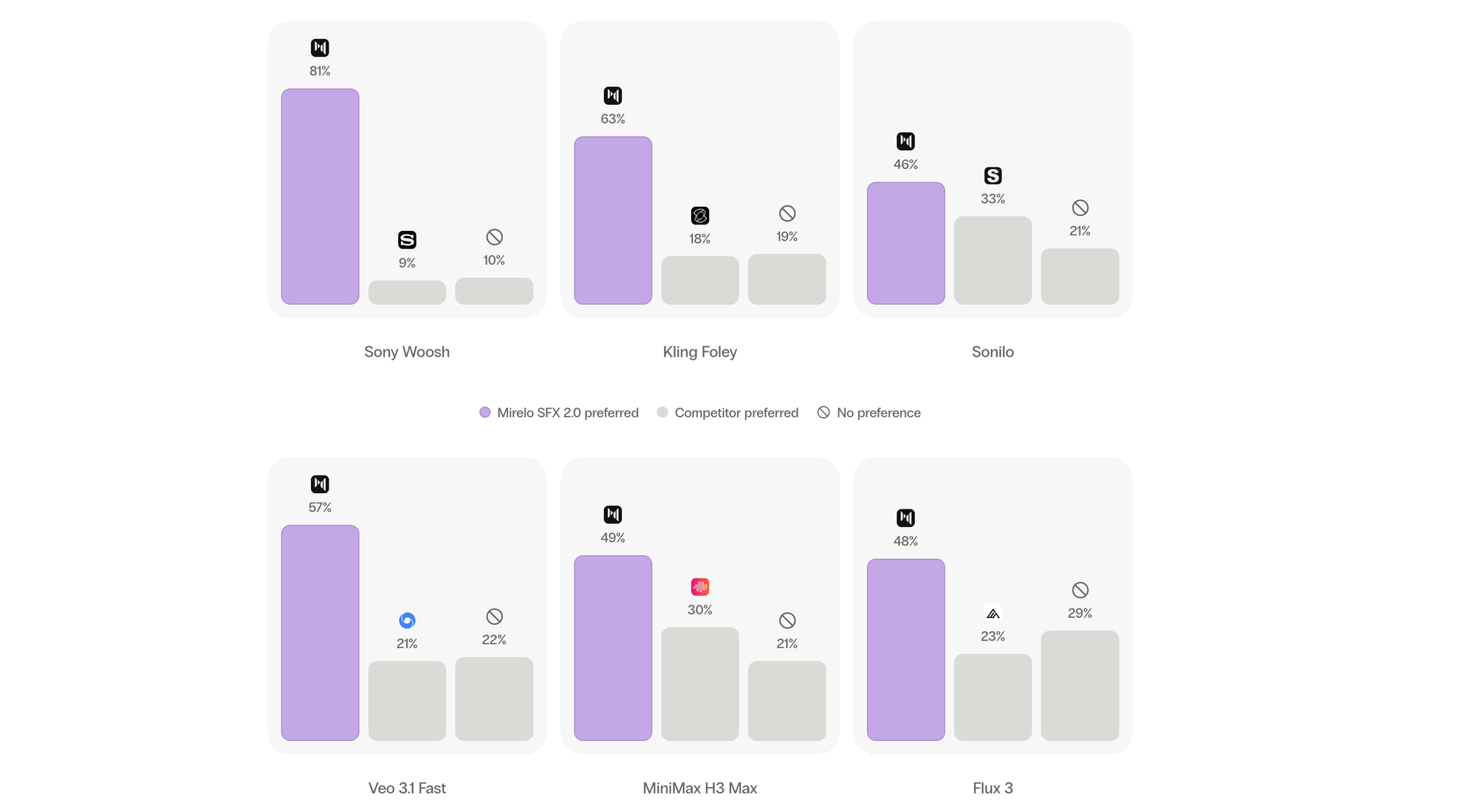
Mirelo ran blind listening tests in which 25 raters compared soundtracks on 30 videos per matchup, judging audio quality and how well the sound matched the picture.
Against other video-to-sound models, listeners preferred SFX 2.0 over Sony’s Woosh 81% to 9%, over Kling Foley 63% to 18%, and over Sonilo 46% to 33%. Ties made up the rest.
Against the native audio of AI video models, SFX 2.0 was preferred over Veo 3.1 Fast (57% to 21%), MiniMax H3 Max (49% to 30%), Flux 3 (48% to 23%), Seedance 2.5 (47% to 28%), and Kling (45% to 30%).
These are Mirelo’s own tests. Independent comparisons will show how the results hold up.
Competitive Context
Video-to-sound is a growing category. Kling Foley and Sony’s Woosh generate sound from video, and most major video models, including Veo, Seedance, Kling, and MiniMax H3, now include native audio.
Text-to-sound tools like ElevenLabs’ sound effects generator work from prompts instead of footage, so effects still have to be placed and synced by hand. SFX 2.0’s pitch is that it handles both the sound design and the cleanup of audio a video model already generated.
The Signal in the Noise
Unwanted music and inconsistent sound across cuts are some of the most common complaints about AI video, and SFX 2.0 targets both directly. Keeping dialogue while rebuilding everything around it is especially useful when a take is worth saving.
At $0.015 per second on fal, a one-minute clip costs about $0.90, which is far less than regenerating clips until the audio comes out right. The Premiere plugin also makes it easy to test inside an existing edit.
Specs & Pricing
- Model: Mirelo SFX 2.0 (video-to-sound)
- Max length: 10 minutes (Studio and API); longer through Enterprise
- Modes on fal: Video-to-video, video-to-audio, text-to-audio
- fal pricing: $0.015/second ($0.010/second through December 13)
- Available on: Mirelo Playground, Editor, API, MCP; Runway; fal; Adobe Premiere Pro plugin
- Coming soon: DaVinci Resolve and Roblox plugins, stem output
- Mirelo direct pricing: Exact pricing available on Mirelo’s website
What’s your current fix for AI video audio: regenerate, rebuild by hand, or replace it entirely? Share your workflow in the comments.