Adobe Researchers Built an Editing Tool for the Frames Between Cuts

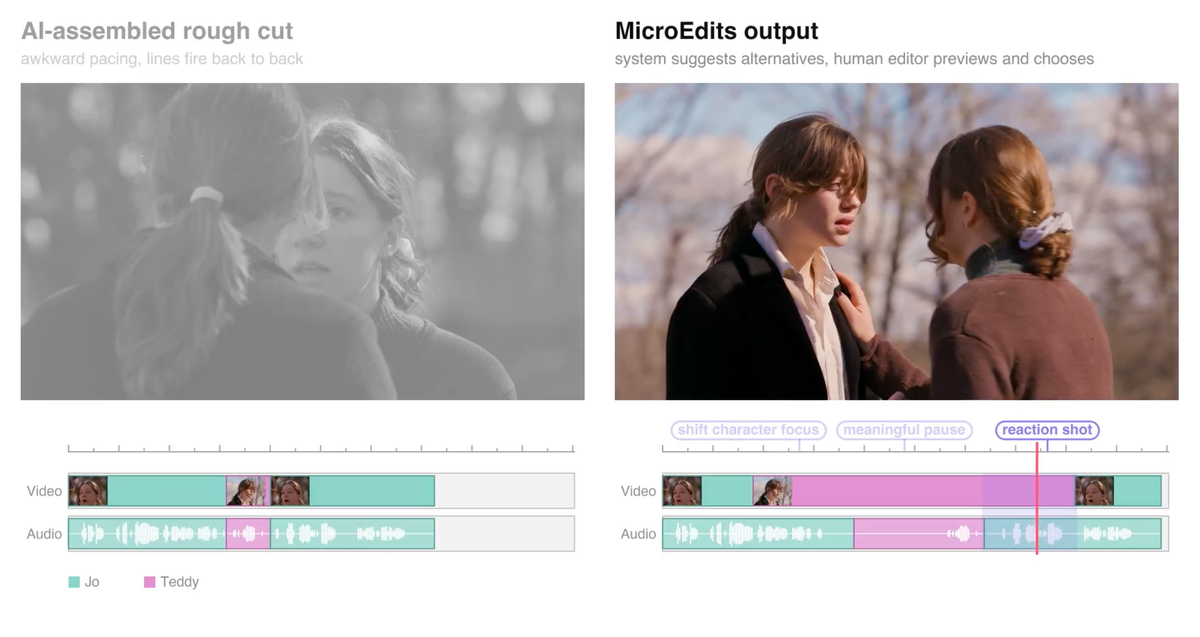
Adobe Research and Cornell University researchers have built an editing tool aimed at the frames between cuts. The project, called Micro-Edits, earned a Best Paper Honorable Mention at UIST 2026, according to Adobe Research. Adobe’s page for the paper is dated November 5.
What Micro-Edits Are
The paper separates macro edits from micro-edits. Macro edits shape the story at the content level. Micro-edits are small local adjustments that control timing and direct visual attention.
Two examples from the paper are adjusting a clip’s timing to set the length of a meaningful silence, and cutting to a shot that shows a character’s reaction at an important moment.
The authors say these edits are slow and tedious in standard editing tools. Editors have to translate a story goal into frame-by-frame adjustments.
How the Tools Work
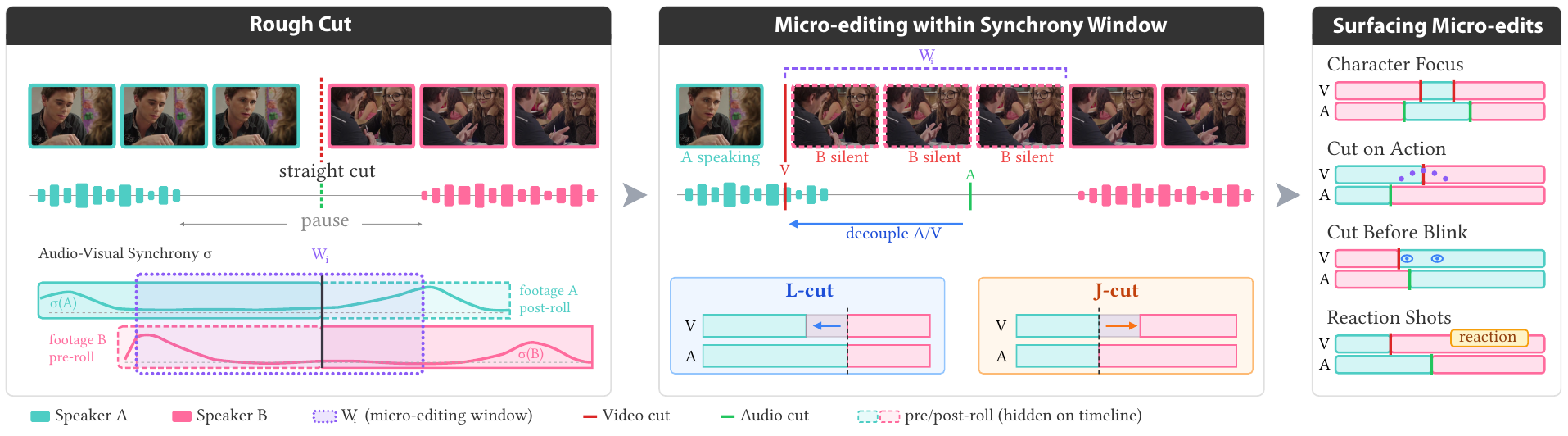
The team started with a formative study of professional editors. It then built a mathematical formalization of micro-edits and used AI and optimization to make exploring them faster, per the paper’s abstract.
The project site describes micro-edits as continuous optimization within audio-visual synchrony windows, where audio and video can be safely decoupled.
The tools start from a rough cut and cover two kinds of edit. Rhythm edits shift a cut along the timeline to trim or extend pauses and control the pacing of dialogue. Pre-roll and trim and extend hotkeys allow fine adjustments during playback.
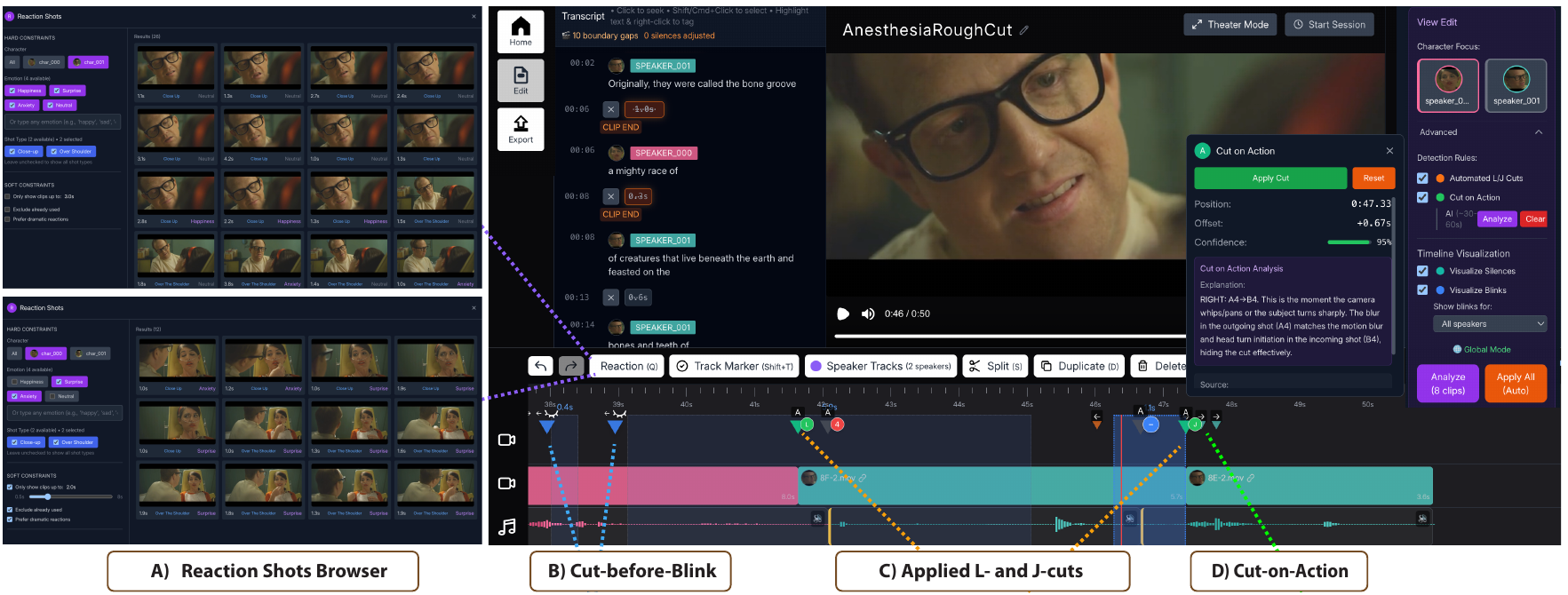
View edits redirect attention. They decouple video from audio to place L-cuts and J-cuts, with options to emphasize a selected character, cut on action or cut before a blink. Reaction shots go on an overlay track and can be browsed by character, emotion and shot type.
The editor shows a reaction shot browser, a transcript, a preview and a timeline with cut-before-blink, L-cut, J-cut and cut-on-action suggestions.
What the Examples Show
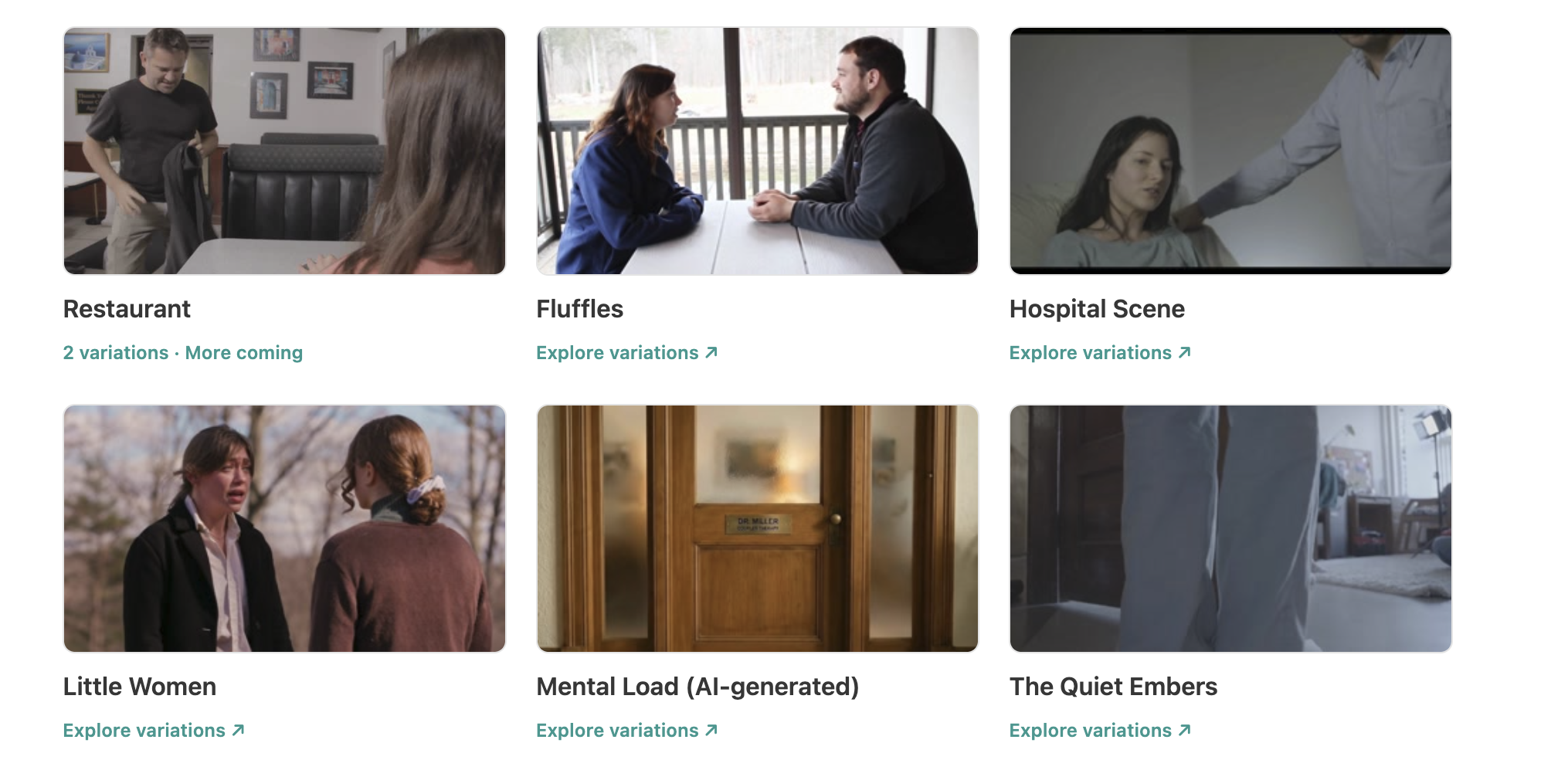
The project site’s gallery has six scenes, each shown as a rough cut next to micro-edited variations. They are Restaurant, Fluffles, Hospital Scene, Little Women, The Quiet Embers and Mental Load, which the site labels AI-generated.
The site credits CineStudy for the Hospital and Restaurant footage and EditStock for some thumbnails. Adobe says the tools were validated in multiple user studies and a wide range of video examples.
Who Built It
The authors are Mackenzie Leake and Hijung Valentina Shin of Adobe Research, and Nhan (Nathan) Tran and Abe Davis of Cornell University. The project site says Tran’s work was done during an internship at Adobe Research.
Leake’s earlier work includes ChunkyEdit, a CHI 2024 tool for grouping interview clips into thematic chunks, per Adobe Research. She also worked on a dialogue-driven scene editing system presented at SIGGRAPH 2017, according to ProVideo Coalition.
UIST runs November 2 to 5 in Detroit, per the official UIST 2026 site.
Competitive Context
Much of this year’s AI editing news is about assistants that carry out the edit. Examples are Can Claude Edit in Premiere Pro? How to Connect It, and What It Can Actually Do and Palmier Adds Headless Mode and Multi-Agent Video Editing.
Micro-Edits works at a different layer. It helps editors explore timing and shot choices inside their own workflow.
Adobe Research has explored AI-assisted editing before. Project Blink, a 2023 experiment, turned a video into a searchable transcript that included who was speaking, according to Adobe Research.
Adobe MAX runs November 10 to 12. See Adobe MAX 2026 Preview: Dates, Keynotes and What to Expect.
The Signal in the Noise
The research is recognized work, but it is not a product. The pages describe the tools as research and mention no release plans.
The value for working editors is in what it targets. Pause length, L-cuts, J-cuts and reaction shots are choices editors make by feel. The gallery’s rough-cut-versus-variations format suggests the tools offer candidates to compare, not a finished call.
Whether editors want those instincts suggested is the open question. Cut-on-action and cut-before-blink timing is part of how an editor’s style shows up on screen.
One of the six example scenes is AI-generated, so the examples mix real and synthetic footage.
Would you trust a tool to suggest your cut-on-action and cut-before-blink points, or is that timing the part of the edit you never hand off?