Kling vs Veo 3.1: Which AI Video Model Should You Actually Be Using?
Kling 3.0 wins on motion physics, volume, and multi-shot storyboarding. Veo 3.1 wins on cinematic realism, prompt adherence, and native synchronized audio. Here's exactly when to use each.

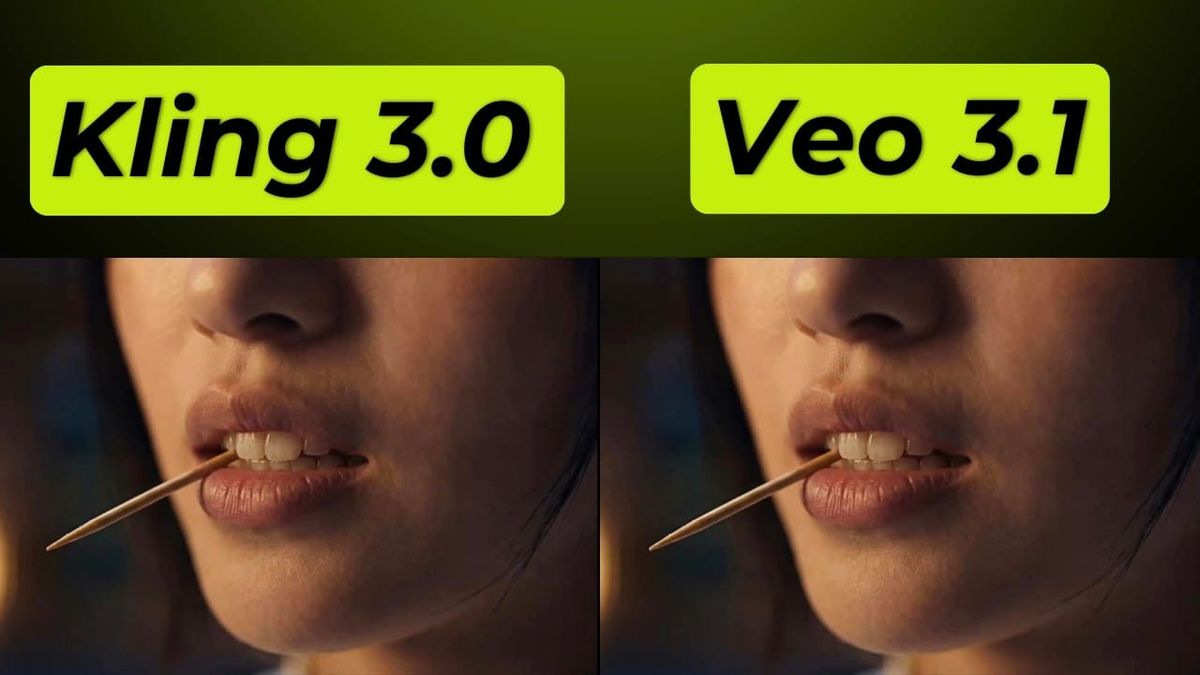
Kling 3.0 and Veo 3.1 are the two models most creators end up choosing between when they want the best AI video output available without Runway's workflow overhead. They're genuinely different tools that solve different problems — and the answer to "which one" almost always depends on what a specific shot actually needs.
Here's the honest breakdown.
The core difference in one sentence
Kling 3.0 wins on motion physics, volume, and multi-shot storyboarding. Veo 3.1 wins on cinematic realism, prompt adherence, and native synchronized audio.
That single distinction routes most decisions correctly before you get into specifics.
Where Kling 3.0 is the better choice
Motion-heavy content. Kling 3.0's physics simulation is the best available among major models. Human movement, fabric dynamics, running, fighting, objects falling, hair and water — it produces physically plausible results with fewer articulation artifacts than Veo 3.1 in dynamic scenes. Camera choreography also responds reliably: rack focus, push-in, crane moves, and tracking shots all follow prompt direction well.
Volume and budget. Kling 3.0 generates at roughly $0.84 per 10-second clip with audio on its Standard plan. Veo 3.1 via the Fast API runs $0.15/second — $1.50 for 10 seconds — and Standard quality runs $0.40/second. For high-volume content where you need dozens of clips per month, Kling's economics are significantly better. The free tier (66 credits daily, no credit card required) also gives you more ongoing experimentation room than any other major platform.
Multi-shot sequences. Kling's Director Mode and multi-shot storyboard mode chains up to six shots into a single continuous generation with character consistency and native audio throughout. Veo 3.1 doesn't have an equivalent multi-shot system — you generate individual clips and stitch them yourself.
Longer individual clips. Kling 3.0 generates clips up to 15 seconds per generation. Veo 3.1 caps at 8 seconds. For content where longer single takes matter, Kling has the advantage.
Multilingual content. Native audio in five languages with accurate lip-sync across dialects is a Kling 3.0 specific strength. If you're producing content in languages other than English, Kling outperforms Veo on multilingual dialogue generation.
Where Veo 3.1 is the better choice
Native synchronized audio for English dialogue. This is Veo 3.1's most distinctive capability — the only model that generates dialogue, ambient sound, and music in a single pass with precise lip-sync. For a shot where a character needs to speak, Veo 3.1 eliminates an entire separate audio workflow step that Kling still requires assembling outside the generation.
Cinematic realism in static and slow scenes. Veo 3.1 produces cleaner output in interior scenes, product shots, and slow-motion sequences — more consistent across repeated generations, better lighting and texture detail, and a finish that reads as closer to real photography. Where Kling 3.0 can vary significantly between runs on the same prompt, Veo 3.1 produces more predictable results.
Complex prompt adherence. Multiple independent benchmark sources place Veo 3.1 ahead of Kling on accurately executing complex, specific prompts — multiple subjects in specific positions, detailed camera movements combined with specific scene elements. Pixflow's May 2026 benchmark placed Veo 3.1 at 87% prompt adherence versus Kling 3.0 at 68% across 100+ test prompts. When a shot has non-negotiable specific elements, Veo 3.1 is less likely to improvise.
Google ecosystem integration. If you're already using Google Flow, Google Workspace, or building on the Google AI Studio API, Veo 3.1's native integration is a real workflow advantage over Kling's separate platform.
The specific cases where neither clearly wins
Dialogue in English with physical action. Veo 3.1's lip-sync is tighter but Kling 3.0 adds more emotional expressiveness in performance. Both have tradeoffs.
Product shots. Veo 3.1 handles lighting and texture more consistently; Kling 3.0 handles product motion and camera choreography better. Which matters more depends on the product and the shot.
4K output. Kling 3.0 supports native 4K. Veo 3.1's native output is 1080p, with 4K available via upscaling on some tiers. For productions where native 4K matters, Kling has a structural advantage.
The workflow most professionals land on
Use Kling 3.0 for:
- Dynamic motion shots, action sequences, anything where physical movement is the primary content
- Multi-shot sequences where you need coverage across a scene without an editor
- High-volume social content and B-roll where cost per clip matters
- Multilingual dialogue and content for non-English markets
Use Veo 3.1 for:
- Any shot where English dialogue needs to be in the generated output
- Cinematic product, fashion, or environment shots where realism and consistency matter most
- Complex prompts where specific elements need to be exactly where you describe them
- Lower-volume professional work where quality ceiling matters more than cost per clip
The access question
Kling 3.0 is available directly at klingai.com with a generous free tier, Standard from $6.99/month. It's also available via Runway's dashboard on any paid plan.
Veo 3.1 requires a Google AI subscription ($7.99–$249.99/month) or API access at $0.15–$0.40/second. It's also accessible via Runway's dashboard or third-party platforms like fal.ai.
If you're already paying for Runway, both models are available through one dashboard — the most frictionless way to run both in the same workflow.