What Is MCP? The Standard Letting Claude and ChatGPT Control Your Software
MCP is the open standard letting AI assistants like Claude and ChatGPT control apps like DaVinci Resolve. Here's what it is and how it works.

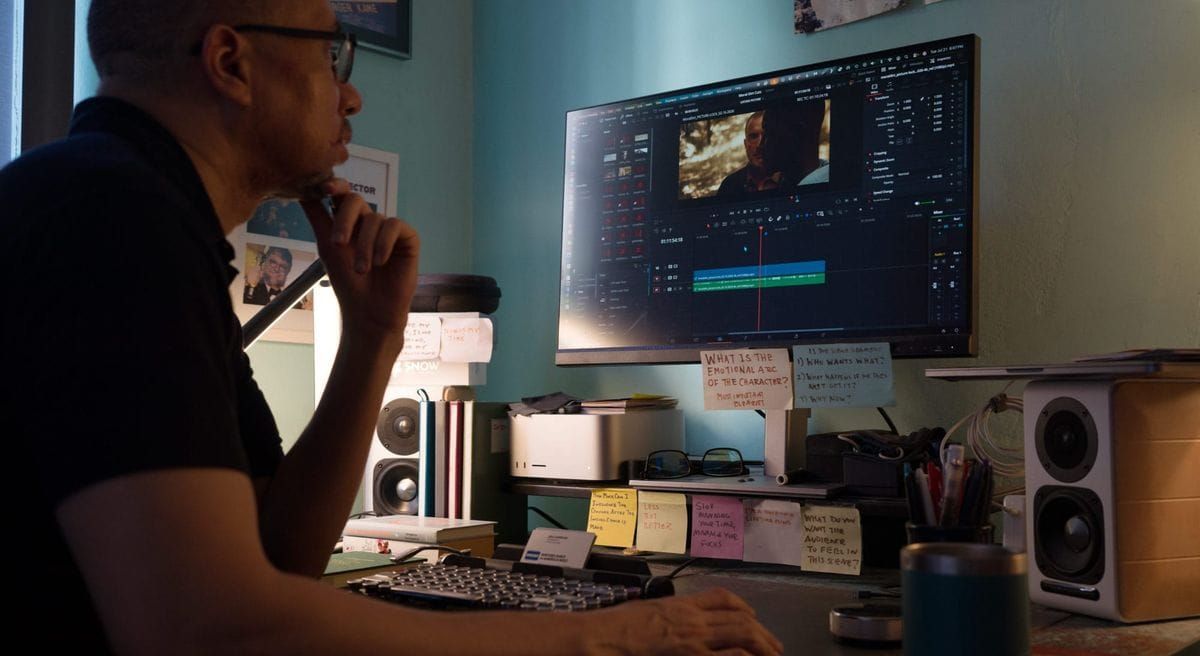
If you've read about AI assistants editing in DaVinci Resolve or connecting to creative apps, you've probably run into a three-letter acronym: MCP. It stands for Model Context Protocol, and it's quickly become the standard way AI assistants like Claude and ChatGPT connect to and control other software.
Here's what it is, how it works, and why it matters for filmmakers and editors.
What Is MCP?
MCP, or Model Context Protocol, is an open standard for connecting AI assistants to outside tools, apps, and data. Anthropic introduced it in November 2024, and it has since been adopted across the industry, including by OpenAI, Google, and Microsoft.
Anthropic describes MCP as something like a USB-C port for AI. Before USB-C, every device needed its own cable. Before MCP, every AI assistant needed its own custom integration for every app. MCP gives them one shared way to plug in.
How MCP Works
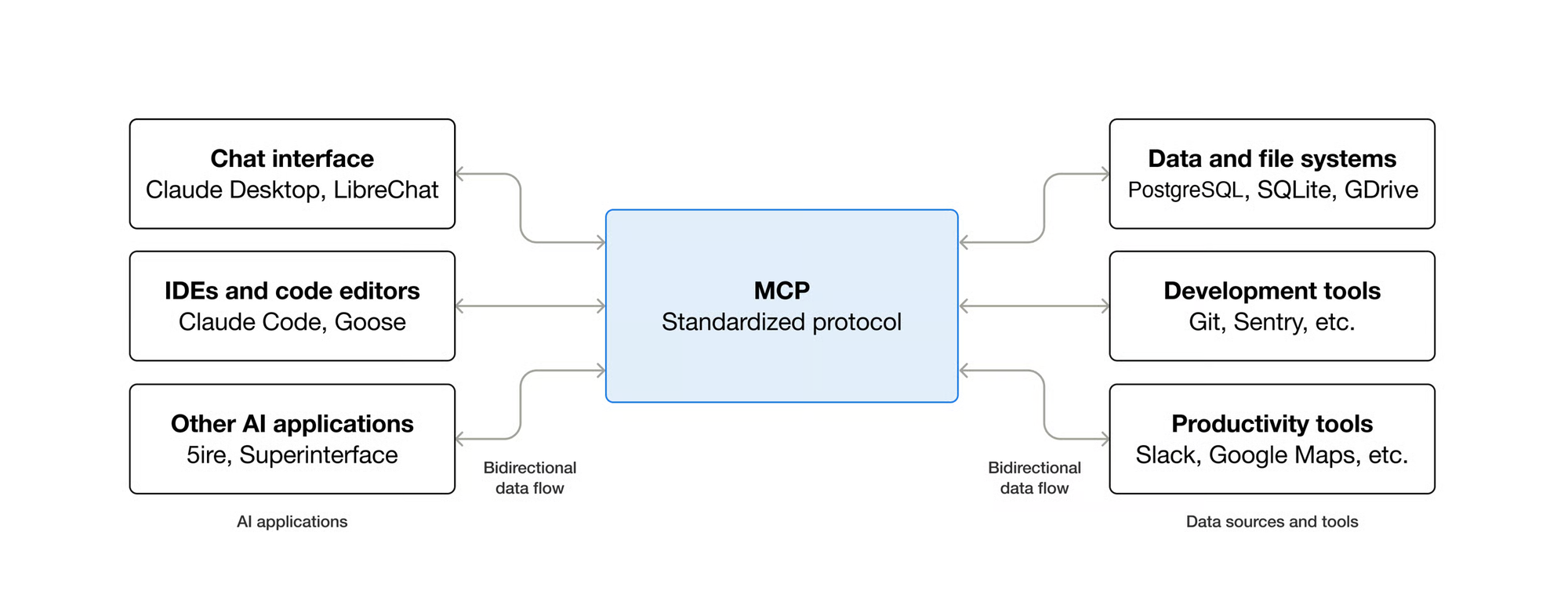
MCP has two sides.
The MCP server lives on the software side. It describes what an app can do, such as "import clips," "add a marker," or "render a timeline," in a format any AI assistant can understand.
The MCP client lives on the AI side. Claude, ChatGPT, or another assistant connects to the server, reads what tools are available, and calls them when your request needs them.
So when you ask an assistant to "make a 60-second cut of this interview," it doesn't guess its way through the app. It uses the actions the app has explicitly exposed through MCP.
How Is That Different From Computer Use?
AI assistants can also control software through computer use, where the model looks at screenshots of your screen and clicks and types like a person would.
MCP is more direct. Instead of reading a screen and hoping it clicks the right button, the assistant calls the app's own functions. That tends to be faster and more reliable, especially for precise tasks like placing a transition or setting a keyframe, which can be tricky to hit with a mouse.
The catch is that MCP only works when an app has built, or someone has built for it, an MCP server. Computer use works on almost anything visible on a screen.
MCP in Filmmaking: DaVinci Resolve
The clearest example for filmmakers so far is DaVinci Resolve Studio 21.1, which added a native, built-in MCP server. You enable it from the File menu under Setup AI Assistants.
Once connected, an assistant like Claude or ChatGPT Codex can check your project, search Resolve's scripting documentation, and run actions directly. Examples include importing footage, building timelines, running scene detection, adjusting audio, and working with Resolve's transcript data to assemble a cut.
Before Resolve's native server, editors relied on community-built MCP servers and custom setups. OpenAI's Brent Schooley, who used an AI agent to edit an OpenAI launch video in Resolve, said he'd happily retire his own custom tool now that official support exists, since Blackmagic's server will stay updated with each Resolve release.
Where Else MCP Shows Up
Resolve isn't the only creative tool with MCP support. Runway, for example, now lists an MCP connection among its tools, and community developers have built MCP servers for other creative apps, including Blender.
The broader trend is that software companies increasingly expose their features to AI assistants directly, rather than leaving assistants to navigate their interfaces.
Is MCP Safe?
MCP is powerful because it lets an AI take real actions in your software. That's also why it deserves some care.
A few practical guidelines:
- Only install MCP servers from sources you trust, ideally official ones from the software maker
- Pay attention to permission prompts, especially for actions that change or delete files
- Keep a backup of important projects before letting an assistant make large changes
- Be cautious with untrusted content, since instructions hidden in files or web pages can try to steer an AI's actions
Competitive Context
MCP's biggest advantage is that it's shared. Because major AI companies support the same standard, a software maker only needs to build one MCP server to work with multiple assistants. That's a big reason it spread so quickly.
It also shifts some control back to software makers. Instead of AI tools reverse-engineering an app's interface, the app decides exactly which features to expose.
The Signal in the Noise
For filmmakers, MCP is the plumbing behind a bigger shift: AI assistants moving from giving advice about your edit to actually working inside your editing software.
You don't need to understand the protocol to benefit from it. But knowing what it is helps explain why some AI integrations feel precise and reliable, while others feel like watching someone fumble through menus.
Would you let an AI assistant make changes directly inside your editing software, or would you rather keep it in an advisory role?
The Details
- MCP: Model Context Protocol, an open standard for connecting AI assistants to software and data
- Introduced: by Anthropic, November 2024
- Adopted by: OpenAI, Google, Microsoft, and many software makers
- How it works: apps provide an MCP server describing available actions; AI assistants connect as MCP clients and call those actions
- Vs. computer use: MCP calls an app's functions directly; computer use operates the on-screen interface
- Filmmaking example: DaVinci Resolve Studio 21.1 native MCP server (File > Setup AI Assistants)
- Safety tips: use trusted servers, watch permissions, back up projects, be wary of untrusted content
Resources & Reads
- Model Context Protocol official documentation
- BRC: DaVinci Resolve Can Now Take Direct Orders From Claude and ChatGPT
- BRC: How to Connect Claude to DaVinci Resolve (No Coding Required)
- BRC: Can AI Actually Edit a Video in DaVinci Resolve? It Already Has.
- BRC: What Is 'Computer Use'? How AI Agents Actually Control Your Screen