What Is an AI Agent? A Filmmaker’s Guide to Chatbots, Assistants and Agents
Chatbot, assistant or agent? How the three differ in Premiere, Resolve, Unreal and Palmier, and what to check before an AI touches your project.


Editing and VFX software now uses three words for AI features: chatbot, assistant and agent.
Companies apply them loosely, and the same product can be described as any of the three depending on who is writing.
The difference matters in practice. It decides what the AI can touch in your project, how much you approve along the way and what happens when it gets something wrong.
Chatbot, Assistant, Agent: The Short Version
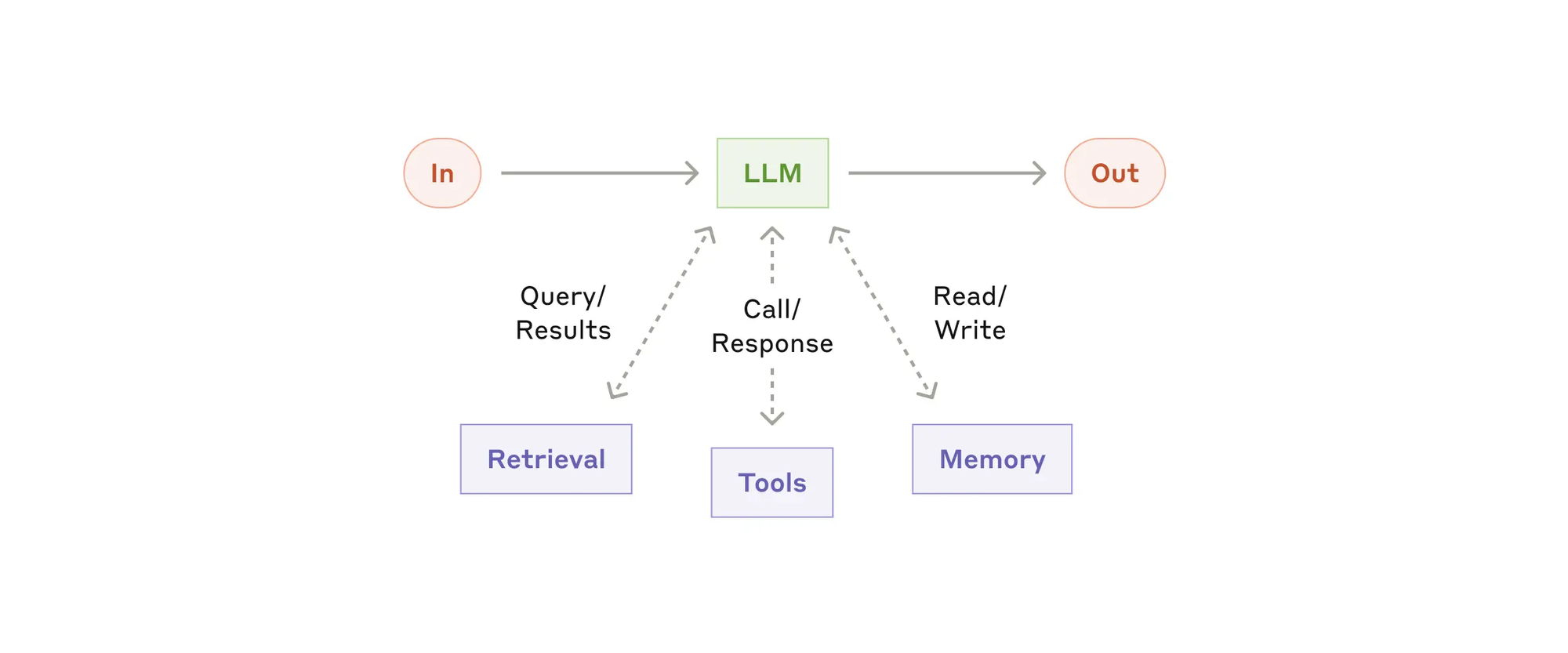
A chatbot answers questions. You type, it replies, and nothing in your project changes unless you copy the answer over yourself.
An assistant works inside an app and can act on your project. It can rename clips, build bins or apply an effect, and you stay in the loop.
An agent decides its own next steps. Anthropic’s engineering team draws the line this way: workflows follow a fixed path written in advance, while agents let the model choose what to do next and which tools to use.
In editing terms, you give an agent a goal instead of a command, and it works out the steps.
The boundaries blur in practice. Adobe’s Creative Agent powers features it calls assistants, and Unreal’s in-editor panel works with outside coding agents.
What Assistants Look Like Inside Editing Apps
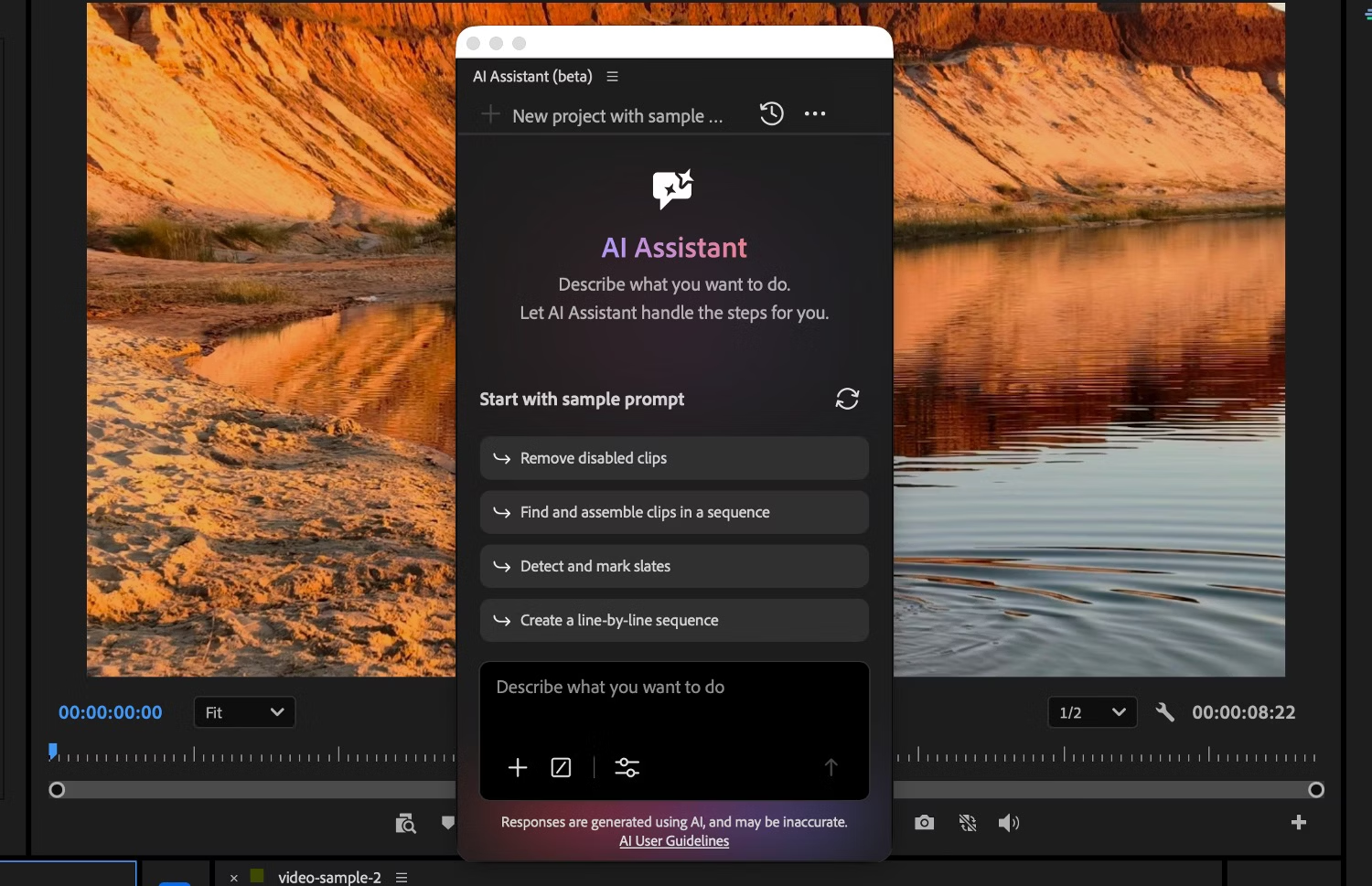
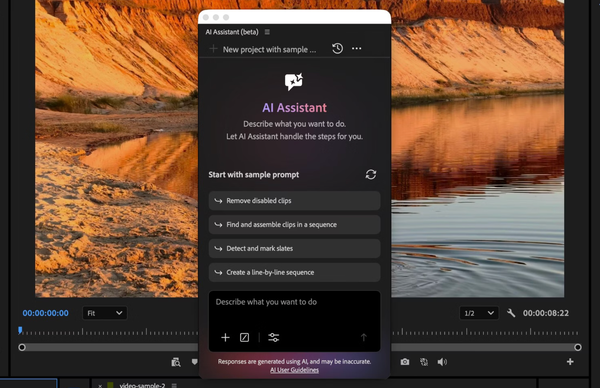
Adobe’s AI Assistants in Premiere, After Effects, Illustrator, InDesign and Frame.io run on what Adobe calls the Creative Agent. In Premiere, the panel opens from Window > Assistant.
Adobe’s examples include applying effects across every clip in a sequence, syncing multicam angles and building stringouts and rough cuts.
Control comes from the app. Permission modes are Always ask and Auto approve, every action lands in the undo history, and Plan Mode lets you review and edit the plan before the agent starts.
The assistants remain in beta. Adobe’s community team has advised testing on duplicates before client work. Our Adobe Creative Agent coverage has the details.
What Agents Look Like When They Connect From Outside

An outside agent works through a connection standard such as MCP, the Model Context Protocol. Our MCP explainer covers that layer.
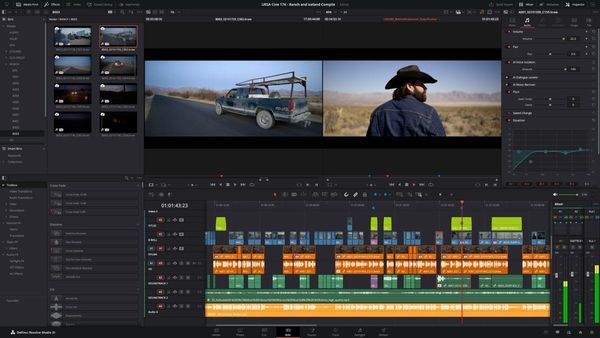
DaVinci Resolve Studio 21.1 has a built-in MCP server, so assistants such as Claude and ChatGPT can import footage, build timelines and adjust audio. Our Resolve 21.1 report covers the setup.
Palmier Pro, a free Mac editor, is built to be operated by agents. Its November 4 update added a headless mode, where the editor runs in the background with no window. It also added multi-agent mode, where several agents produce different versions of the same material in parallel. See our Palmier coverage.
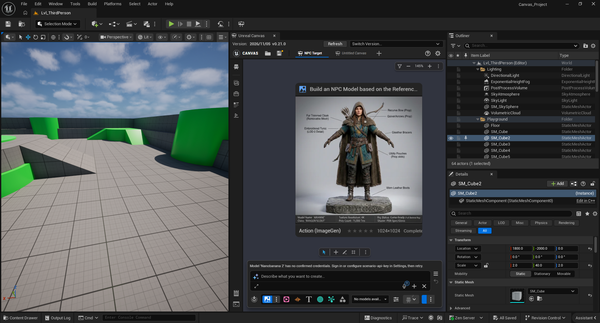
Unreal Engine 5.9 Preview is the clearest example of permission levels. The Unreal Assistant has five tool-access levels: Ask, Read, Edit, Auto and Full. Its panel works with Claude Code, Codex, Cursor and OpenCode. Our Unreal Canvas report covers it.
Adobe is also adding local MCP integrations so third-party agents can work with Premiere and After Effects, in private beta in early 2027. See our Adobe MCP article.
Computer Use Is the Third Route

Some agents do not need an integration at all. Computer use has the model read screenshots and click and type like a person.
It works with any app, but it is less direct and less precise than MCP. Our computer use explainer covers it.
What to Check Before You Hand Over a Project
The same checks apply across tools:
- Back up the project before a large agent-driven change.
- Test on a duplicate before client work, especially with beta features.
- Check the permission mode. Read-only and ask-first settings keep changes visible.
- Use official servers and integrations where they exist, and review permission prompts for actions that change or delete files.
- Treat untrusted content with caution, since instructions hidden in files or web pages can steer an AI.
- Note where your prompts go. Adobe’s assistant sends chat input to the cloud, according to ProVideo Coalition.
Competitive Context
The tools differ most in where the AI lives and who controls it.
Adobe puts the AI inside its apps and plans a separate route for outside agents. Resolve exposes the app to outside assistants through its built-in server. Palmier starts from the agent and treats the editor as the tool. Unreal pairs an in-editor assistant with graded permissions.
The result is more than one way to give an AI access to the same kind of work, with different amounts of control.
The Signal in the Noise
The word “agent” now covers a range of features, from a panel that renames clips to a background editor that several agents work in at once.
The questions that separate them are specific. Does it ask before acting? Can you undo it? Does it run locally or in the cloud? What can it read, change or delete?
Most of the products here are still in beta or preview, so these features are better suited to testing than client deadlines.
When you hand an AI a task in your editing software, how much do you want it to ask before it acts?
Specs & Pricing
- Adobe AI Assistants: beta in Premiere, After Effects, Illustrator, InDesign and Frame.io. Adobe lists complimentary daily usage for a limited time and has not said what usage will cost afterward.
- DaVinci Resolve Studio: the built-in MCP server is in 21.1. Exact pricing is available on Blackmagic Design’s website.
- Palmier Pro: the editor, MCP connection, headless mode and multi-agent mode are free. AI generation, upscaling and cloud transcription use paid credits, and exact credit pricing is on Palmier’s website. It requires macOS 26 or later.
- Unreal Engine 5.9 Preview: requires an NVIDIA GPU with at least 8GB of VRAM. Generation runs through providers connected with your own API keys.