Can Claude Code Prep a Color Grade? A Colorist Shows What It Handles, and What It Doesn’t
Colorist Waqas Qazi uses Claude Code to set up and balance a 13-shot commercial in DaVinci Resolve in seconds, then builds the look himself. Here’s how the work splits between the agent and the colorist.

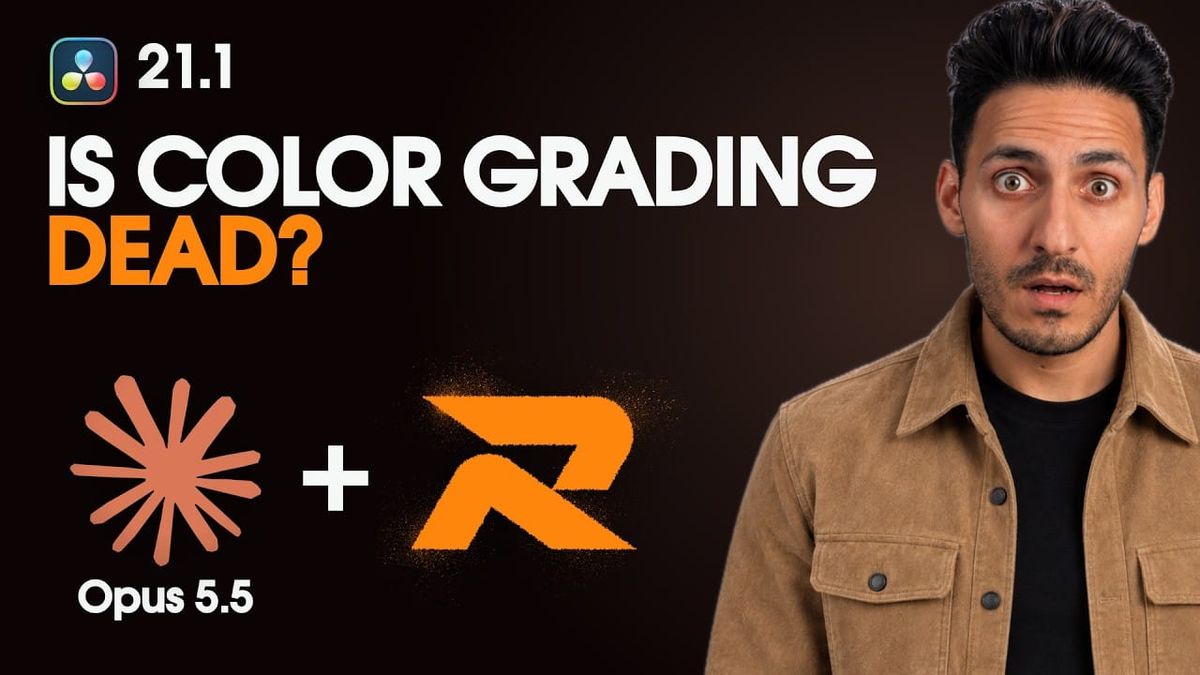
AI agents are starting to show up inside color grading workflows, and colorist Waqas Qazi has posted one of the clearest demonstrations yet. In a new video, he uses Claude Code to set up and balance a 13-shot commercial in DaVinci Resolve in about four seconds, then spends the rest of the session making the creative decisions himself.
The split is the useful part. The agent handles repetitive prep, and the colorist still builds the look.
What Claude Code Did
Qazi walks through the full commercial, from log footage to final playback. After loading a PowerGrade, he uses Claude Code to handle the setup work that usually comes before any creative grading: building the node structure, setting up color management in DaVinci Wide Gamut and balancing the shots across the sequence.
That’s the part he says took about four seconds. On a commercial with many shots, that prep can easily take much longer by hand, especially when every shot needs the same color-space setup and a consistent starting balance.
He then checks the color space and balance before moving on, which is a good habit with any automated step. An agent can apply the wrong transform or misjudge a shot, and catching that early saves time later.
What the Colorist Still Did
The creative grade was Qazi’s work. He builds the look using RapidGrade, a look-development tool for Resolve, then shapes the film look, corrects individual shots and adds film characteristics like grain and texture before applying the look across the sequence.
His approach puts a lot of weight on texture, an idea he credits to the colorist of the series Dark: separating your image from others is often more about texture than color. For a free way to add one popular film trait yourself, see How to Add Halation in DaVinci Resolve for Free.
A Note on RapidGrade

The video doubles as a showcase for RapidGrade, and the description links to RapidGrade’s software and LUT packs. RapidGrade offers look profiles grouped into families, along with controls for film grain, halation, diffusion and lens effects.
Exact pricing is available on RapidGrade’s website. The Claude Code part of the workflow doesn’t depend on RapidGrade, so editors can apply the same idea with their own looks, PowerGrades or Resolve’s built-in tools.
How AI Agents Connect to Resolve
DaVinci Resolve Studio supports scripting, which tools like Claude Code can use to automate tasks inside a project. With Resolve Studio 21.1, Blackmagic added a native MCP server that lets Claude, Claude Code and ChatGPT Codex run editing actions directly, covered in DaVinci Resolve 21.1: Claude and ChatGPT MCP Integration.
Scripting and AI assistant control require Resolve Studio. The free version of Resolve has scripting disabled.
Competitive Context
Most AI color features so far have focused on automatic correction or shot matching inside a single app. Agents like Claude Code take a different approach, executing a sequence of setup steps the way an assistant colorist would.
On the look side, RapidGrade competes with film emulation tools like Dehancer and FilmConvert, as well as Resolve’s own Film Look Creator, covered in The Best Film Emulation Plugins for DaVinci Resolve.
The Signal in the Noise
This is a practical, believable use of AI in color. Handing the agent the repetitive setup frees the colorist to spend time where it matters: the look, the texture and the shot-by-shot judgment that clients actually pay for.
It’s also a reminder of where the pressure is. Faster prep means faster turnarounds, and for colorists on tight commercial budgets, the agent becomes a time-saver rather than a replacement. The hype around “AI color grading” tends to skip that distinction.
Would you let an AI agent set up your grades, or do you want your hands on every node? Share how you handle prep in the comments.
The Details
- Video: “Claude Code + This Tool Just Changed Color Grading Forever”
- Creator: Waqas Qazi
- Posted: October 21, 2026
- Project: 13-shot commercial, graded from log
- Claude Code’s role: PowerGrade and color-space setup, DaVinci Wide Gamut color management, shot balancing
- Colorist’s role: Look development, shot corrections, film texture and final decisions
- Look tool: RapidGrade; exact pricing on RapidGrade’s website
- Requirement: Scripting and AI assistant control need DaVinci Resolve Studio