A Free Claude Skill Now Does Genjutsu-Style Video Edits. Here’s How Alter Works
Scenario’s free Alter skill lets Claude swap products, people, and styles in a video while keeping the original performance and camera, with an automatic quality check before the final render.

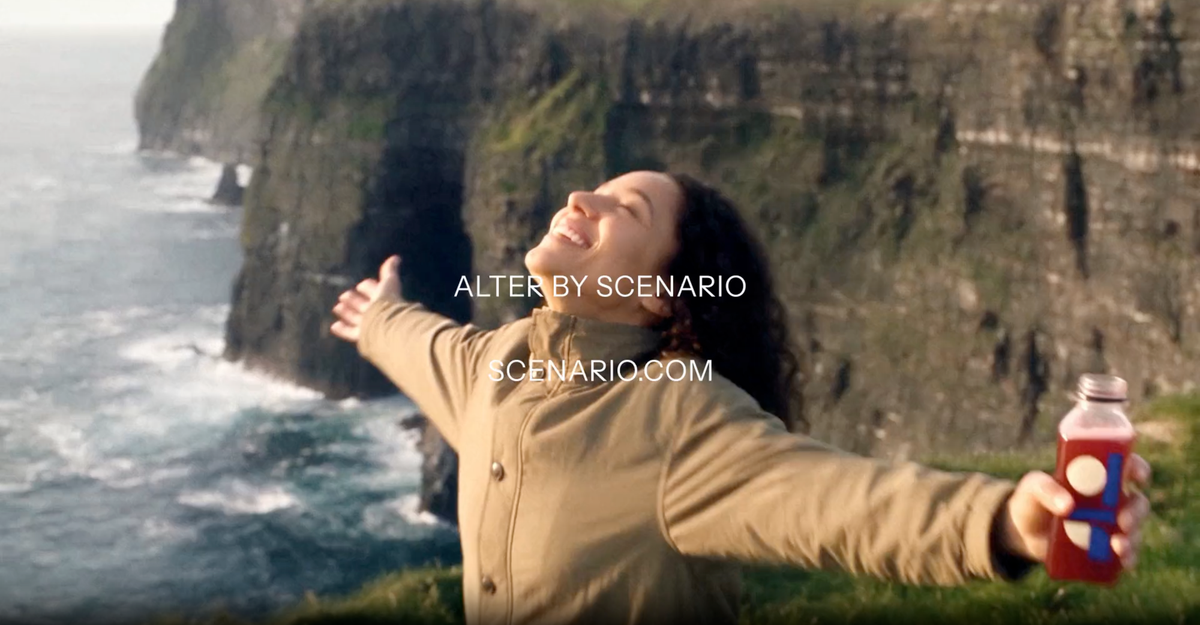
Scenario has released Alter, a free Claude skill that changes one thing in a video while keeping the original performance, timing, and camera movement. You can swap a product, change the person or location, or restyle the shot entirely, and every version lines up frame by frame with the original.
It’s the kind of edit that made Higgsfield’s Genjutsu popular, now available as a skill you run through Claude Code. Scenario’s Emmanuel de Maistre shared the release on X.
What Alter Does
R.I.P. Higgsfield Genjutsu.
— Emm | scenario.com (@emmanuel_2m) October 23, 2026
We just made a Claude skill that replaces it completely.
Download here: https://t.co/MOkfKsJwBe
> upload your video, add your character or product
> Seedance 2.5 on Scenario changes what you name and keeps the acting, lip sync and camera
>… pic.twitter.com/v6qhbY8DwW
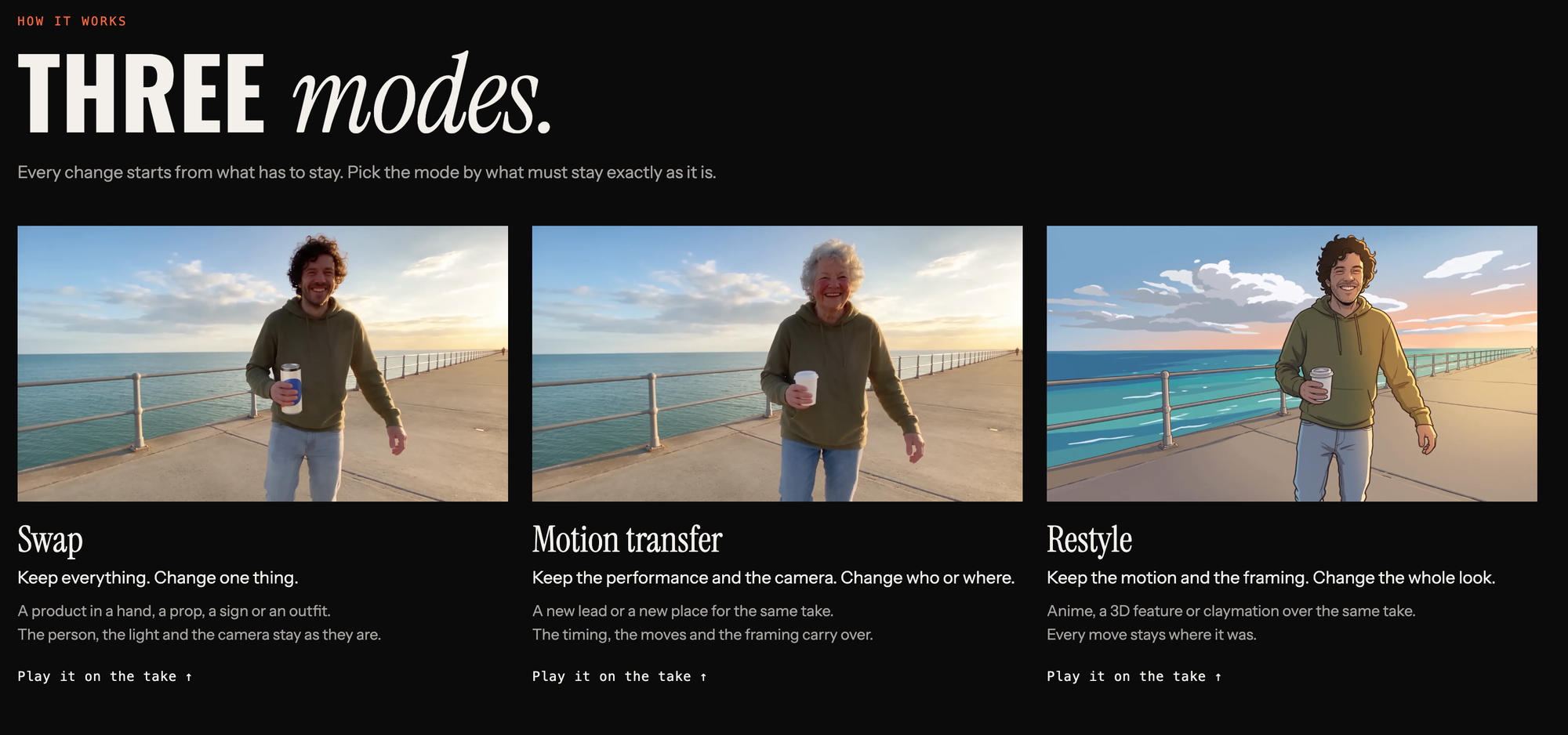
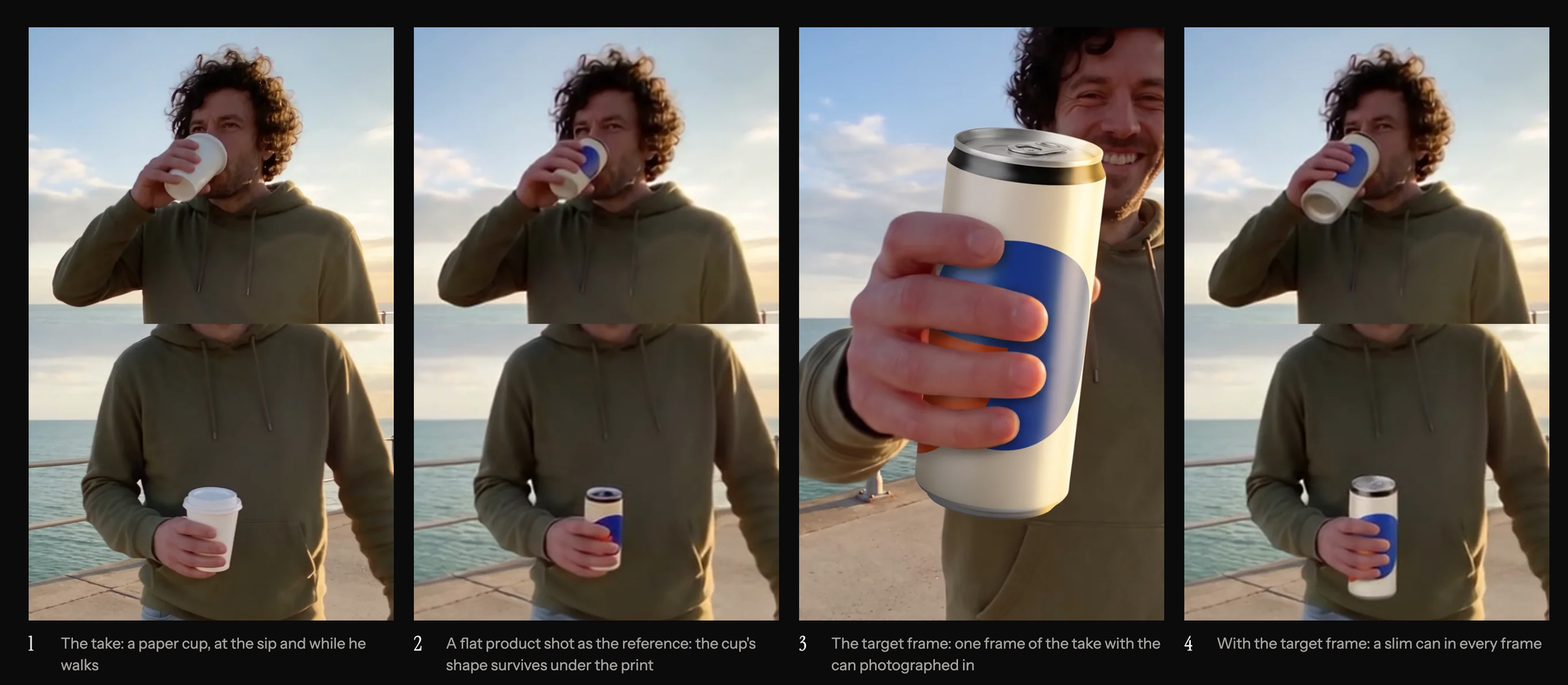
Alter has three main modes. Swap keeps everything in the shot and changes one element, like a product, prop, sign, or outfit.
Motion transfer keeps the performance and camera movement but changes the person or the place. Restyle keeps the motion and framing and changes the look, such as anime, 3D, or claymation.
In Scenario’s demo, a single eight-second take of a man on a seaside promenade was changed 11 different ways. Because every version matches the original frame by frame, you can switch between them during playback.
How It Works
You start by giving Alter a video clip. The skill checks its length, frame rate, size, and sound, then you choose one of 36 presets or describe the change in plain language.
You add reference images of the product, outfit, person, or place, plus a target frame showing the change in the exact framing of the shot. Alter then renders a 480p draft.
Built-In Quality Checks
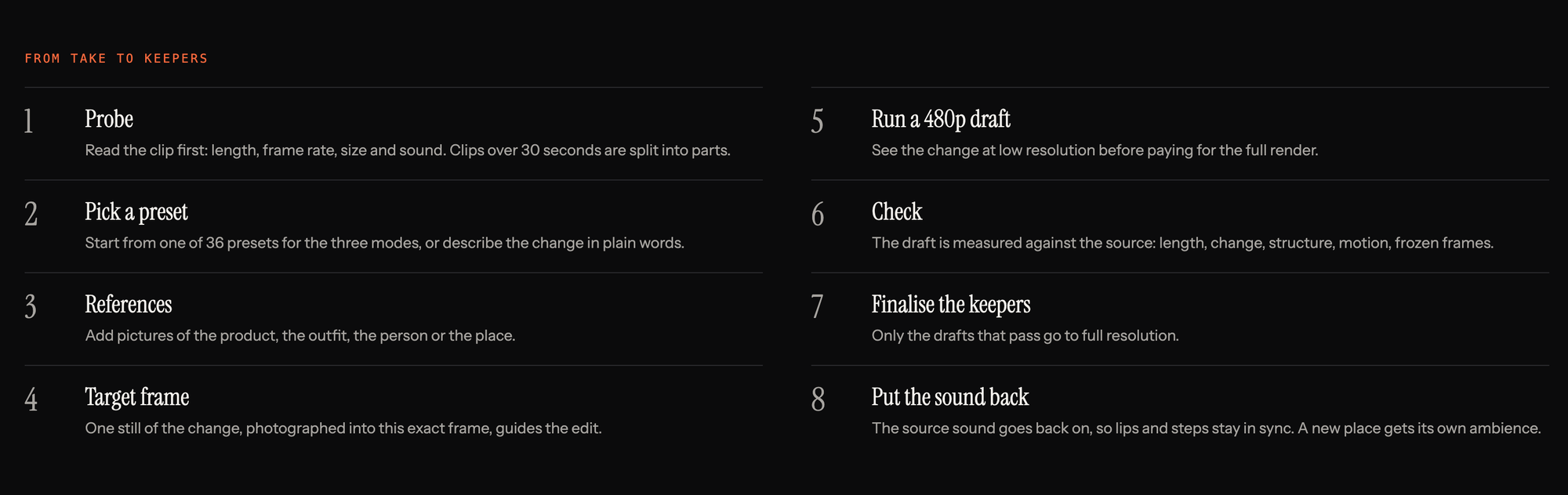
Before anything is rendered at full resolution, Alter checks the draft against the original clip. It looks at length, how much changed, whether the structure and motion match, and whether there are jumps, drift at the end, or frozen frames.
It also flags edits that didn’t actually change anything. Only drafts that pass are finalized at full resolution, which saves time and credits on generations that missed.
Scenario still recommends that a person review the result for brand logos, hands, and text, which AI video often gets wrong.
Sound Stays Intact
After the final render, Alter restores the original audio. If you’ve moved the scene to a new location, it adds matching ambience for the new setting.
What You Need
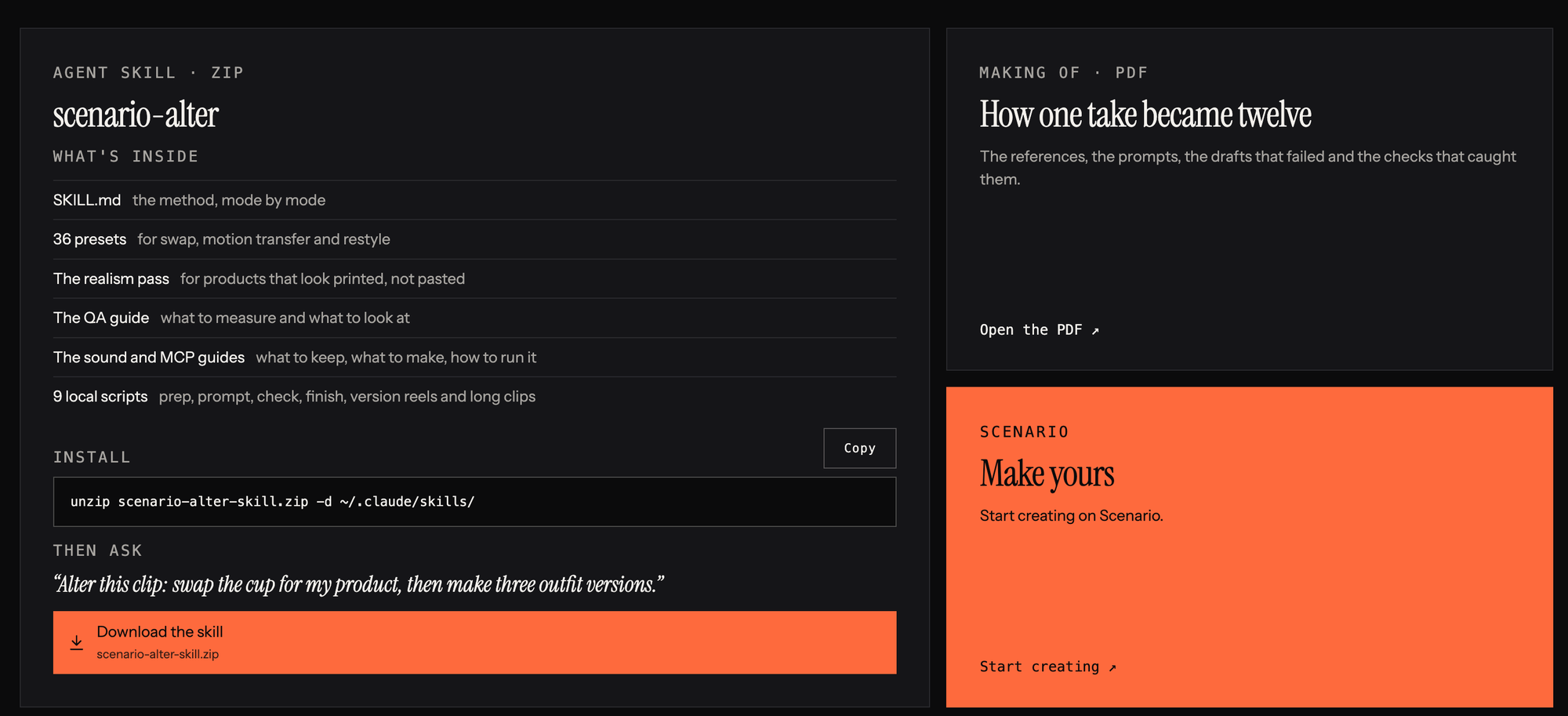
Alter requires Claude Code with Scenario’s MCP connection set up, plus a Scenario account. The local scripts also need Python 3 with the numpy and Pillow libraries, and ffmpeg.
To install it, you download the skill as a ZIP and unzip it into your Claude skills folder. Clips longer than 30 seconds are split into parts.
The skill is free, but generations run on Scenario’s platform. Exact pricing is available on Scenario’s website. For background on how Claude connects to tools like this, see What Is MCP (Model Context Protocol)?.
Competitive Context
Higgsfield’s Genjutsu made performance-preserving edits easy to access through its own app, covered in A Beginner’s Guide to Higgsfield Genjutsu. Alter offers similar edits through Claude, but with more setup, since it requires Claude Code and command-line tools.
Claude is increasingly showing up in video workflows through skills and MCP connections, from editing talking-head videos with Takes to color grading with Tesseract. For an example, see This Free, Open-Source Mac App Lets Claude Code Edit Your Talking-Head Videos.
The Signal in the Noise
Alter’s most useful features are the frame-matched versions and the automatic quality check. For product swaps, ad variations, and location changes, catching bad drafts before the full render could save real time and money.
It’s best suited to creators who are already comfortable with Claude Code. If you’d rather work in a simple app, Genjutsu remains the easier option, and the cost of each will depend on Scenario’s and Higgsfield’s credit pricing.
Would you use a Claude skill for edits like these, or stick with a dedicated app? Share your take in the comments.
The Details
- Product: Alter by Scenario (free Claude skill)
- Modes: Swap, motion transfer, restyle
- Presets: 36, or plain-language descriptions
- Quality check: 480p draft checked for drift, jumps, frozen frames, and unchanged edits
- Audio: Original sound restored; new ambience for new locations
- Clip length: Over 30 seconds is split into parts
- Requirements: Claude Code, Scenario MCP, Scenario account, Python 3 (numpy, Pillow), ffmpeg
- Pricing: Skill is free; generation pricing on Scenario’s website



