7 Indie-Built Tools Every Filmmaker Should Know About
Seven free tools built by individual filmmakers and developers — not software companies — that are genuinely worth knowing about. ScriptBreak, OpenCut, Voicebox, Stow, NOIR Generator DCTL, Moto, and Perfect Cuts.


The best filmmaking tools don't always come from software companies. Some of the most useful tools available right now were built by individual filmmakers and developers who encountered a specific problem on a real production, built something to solve it, and released it publicly because other people had the same problem.
Here's seven worth knowing about — all free or free to start, all built outside the traditional software industry.
1. ScriptBreak — Script Breakdown With AI Prompt Pack Export
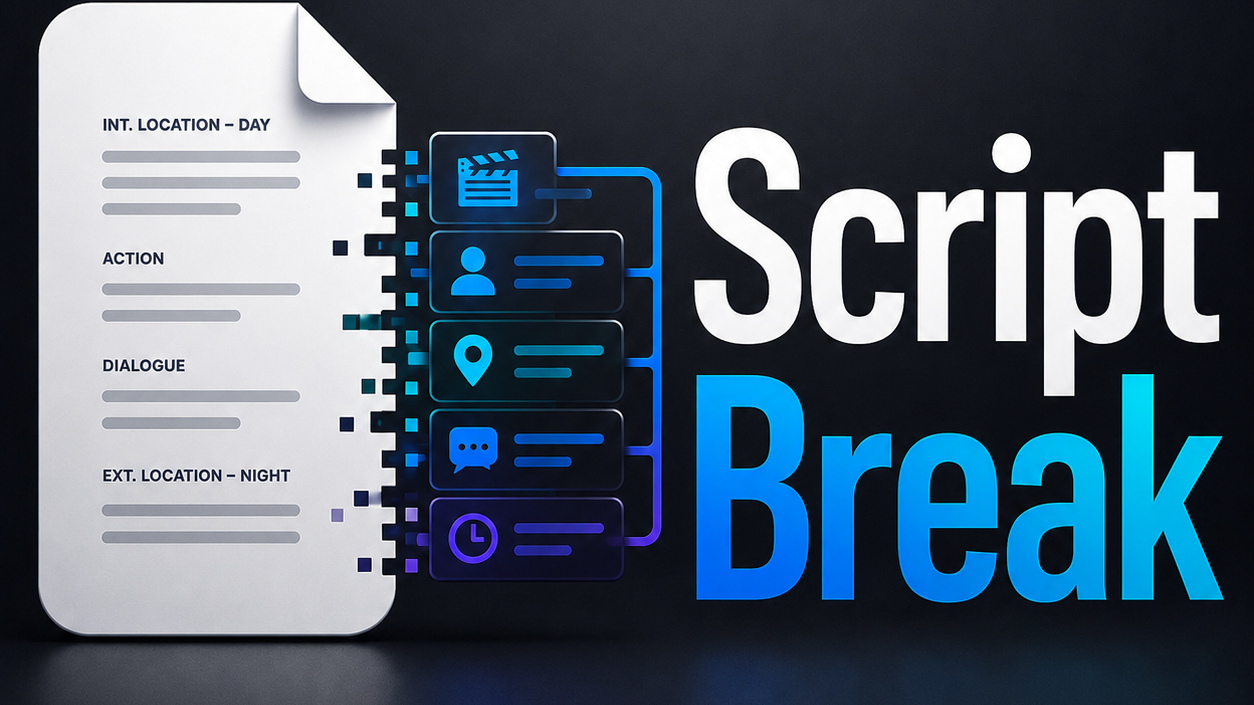
ScriptBreak reads your screenplay in any major format (Fountain, Final Draft, PDF, plain text) and produces a full production breakdown: scenes, element tags, character bibles, shot lists, and a visual timeline. The feature that sets it apart from every other breakdown tool: it exports self-executing AI prompt packs pre-formatted for Runway, Kling, Veo, Seedance, Midjourney, and every other major AI video and image generator. Paste the exported file into any LLM and it handles the production work — storyboards, shot prompts, analysis — on its own infrastructure. No API keys. No cloud. No uploads. The entire app is one HTML file.
Apache 2.0 license. Free.
2. OpenCut — Free Open-Source Video Editor
CapCut watermarks your exports, locks features behind paywalls, and charges a subscription. A group of developers got fed up and built the alternative. OpenCut is a free, open-source video editor for web, desktop, and mobile — full timeline editor, multitrack support, native plugin architecture, MCP server and AI agent support, MIT license. It hit 50,000 GitHub stars faster than most open-source projects reach that milestone, and Vercel and fal.ai are both listed as sponsors. Export is still being refined — this is an active early-stage project — but the architecture and contributor velocity suggest it's closing the gap fast.
Free. OpenCut on GitHub
3. Voicebox — Free Local ElevenLabs Alternative
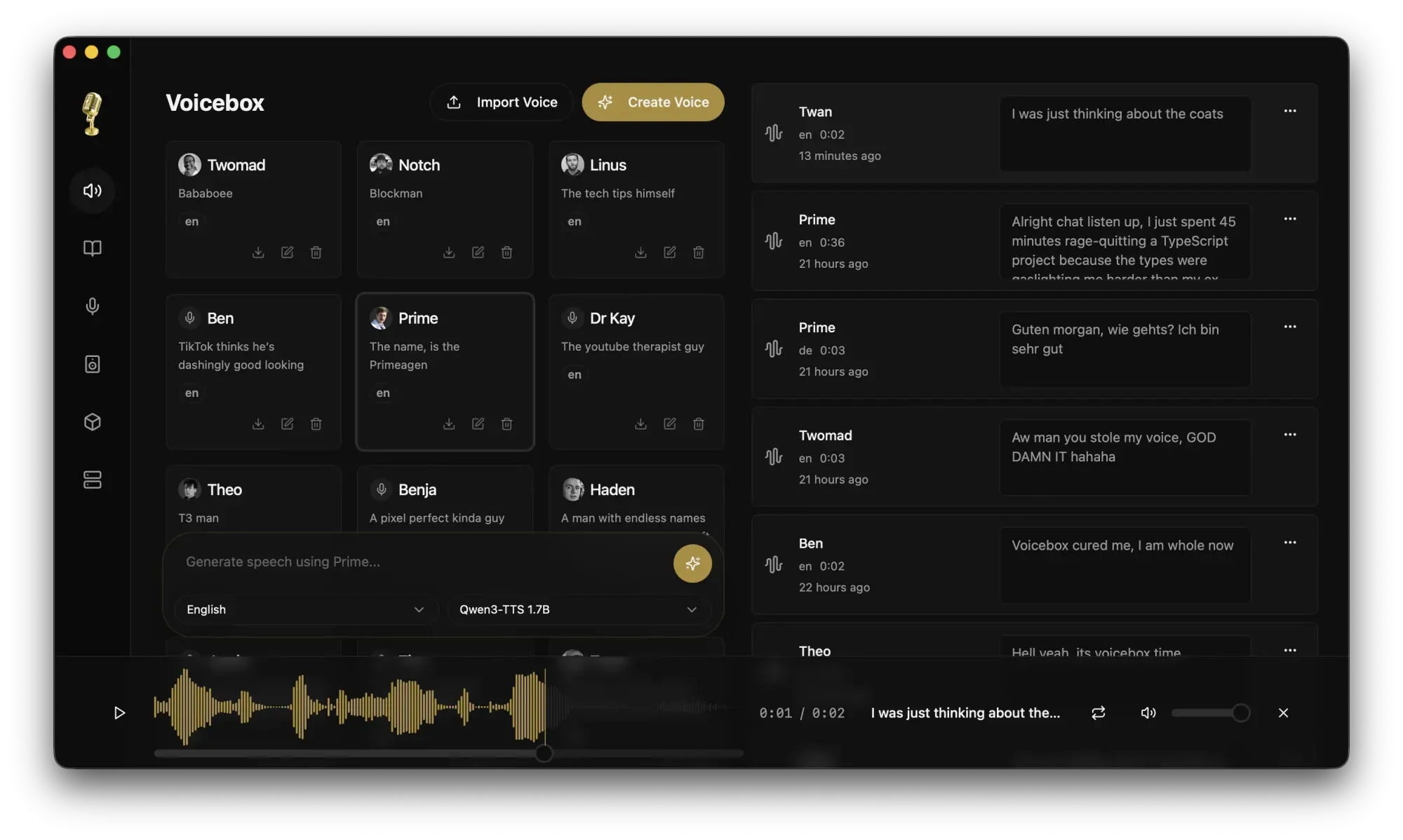
ElevenLabs starts at $22/month and sends your audio to their servers. Voicebox does the same core thing locally, for free, and has 22,000 GitHub stars. It's a free, open-source voice cloning studio that runs entirely on your own machine — zero-shot voice cloning from a few seconds of audio, 7 TTS engines, 23 languages, system-wide dictation via a global hotkey, and a built-in MCP server that lets AI agents like Claude Code speak back to you in a cloned voice. Everything runs offline. Your audio never leaves your computer. A few rough edges worth knowing about (active macOS malware flag in the GitHub issues, some MCP bugs still open), but for non-commercial use or privacy-sensitive projects, it's the most capable free alternative available.
Free. Voicebox on GitHub
4. Stow — Card Offload Verification That Tells You When It's Safe to Wipe
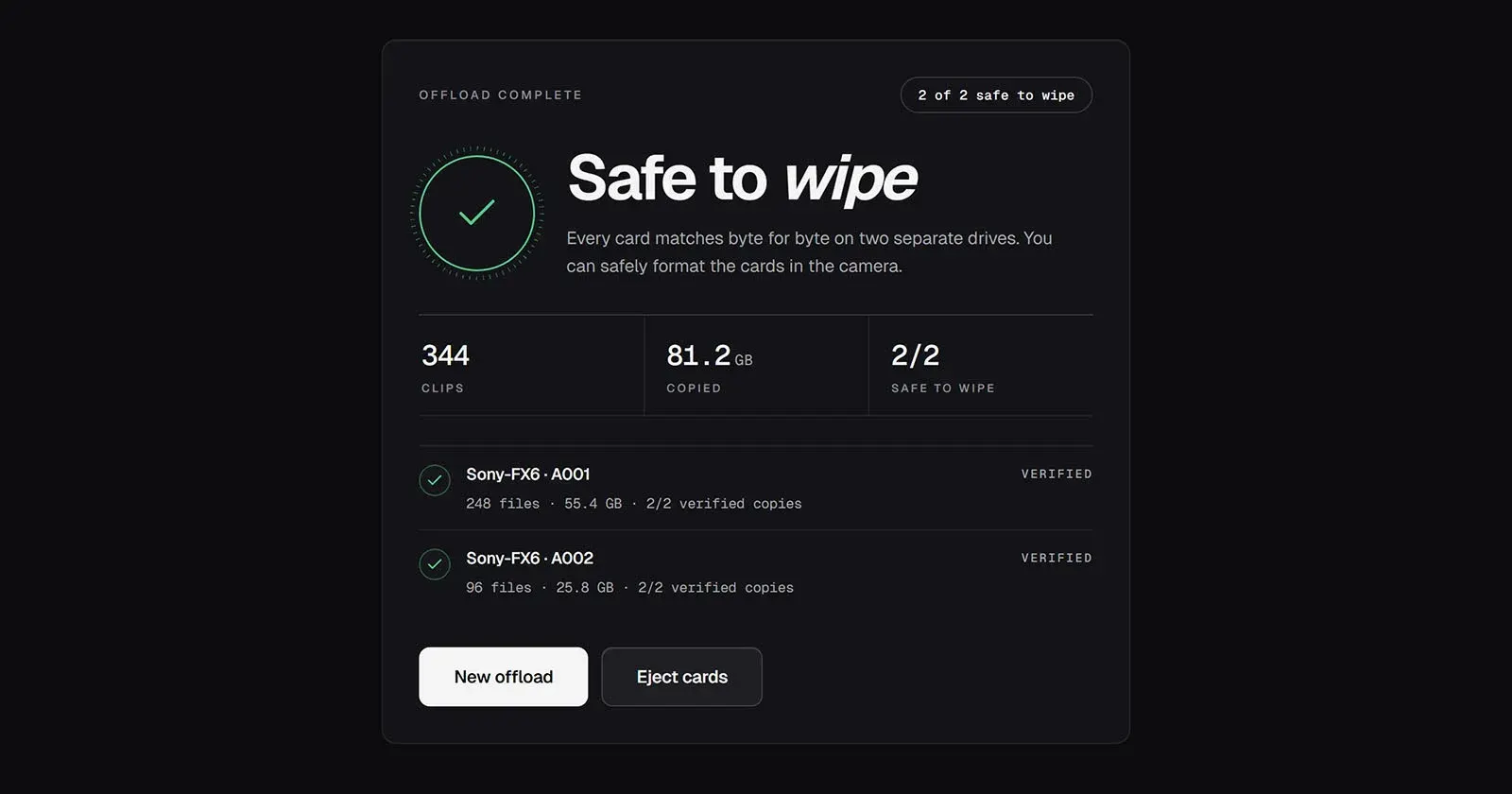
Most card offload tools show you a checksum. None of them tell you what to do with it. Stow does. It copies your camera card to two drives simultaneously, reads every file back off both drives using xxHash3-128 verification, and gives you one of three verdicts: not verified, one verified copy, or safe to wipe. It won't call a card safe to wipe unless there are two verified copies on two separate drives. Every run writes a one-page verified offload report to each destination. Built by a video production company that needed it on their own shoots. No server. No account. Runs fully locally.
Free. Download Stow
5. NOIR Generator DCTL — Free Diagnostic Tool for DaVinci Resolve
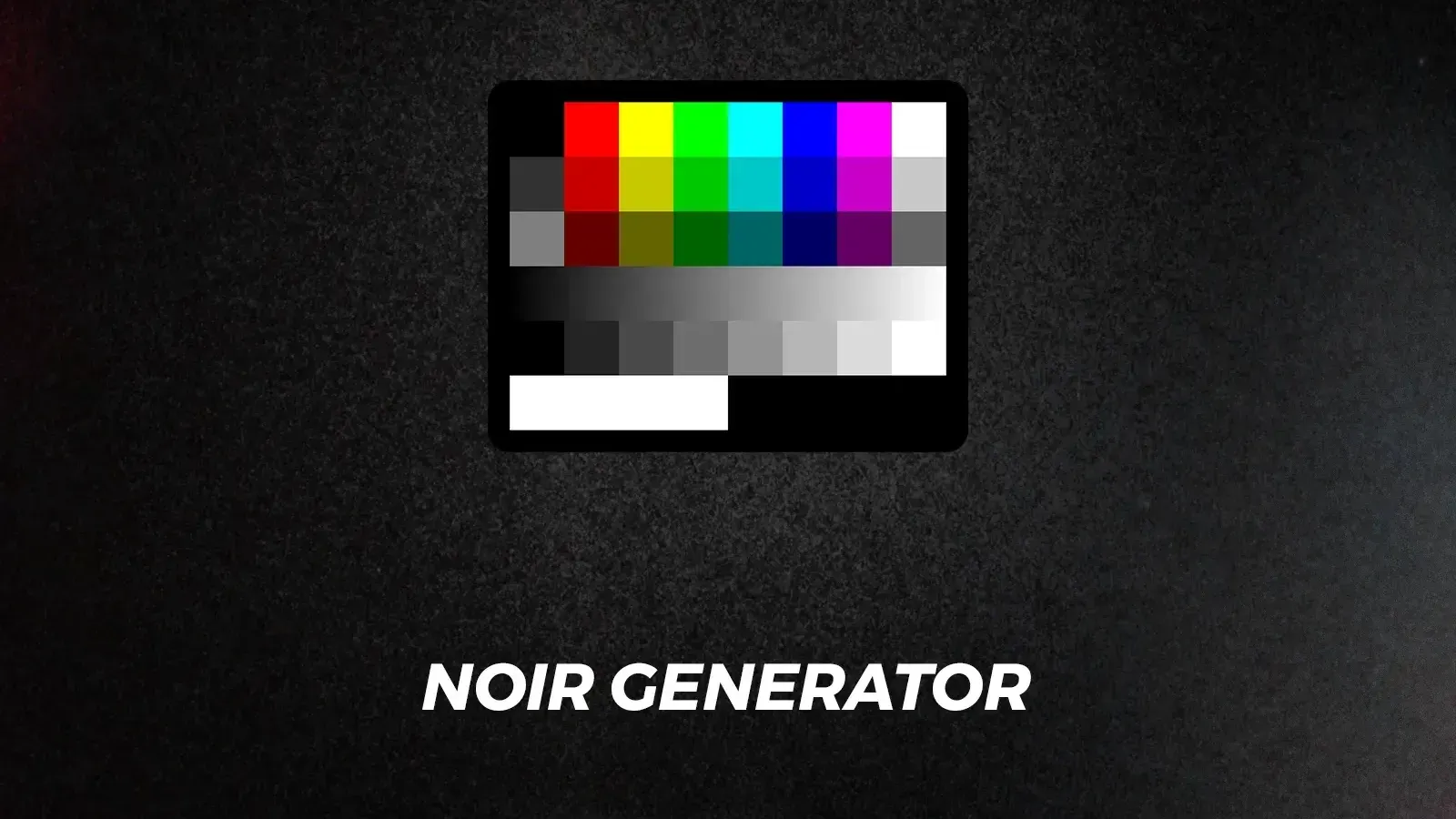
Most AI editing tools are about generating content. This one is about understanding what your color pipeline is actually doing. The NOIR Generator DCTL places diagnostic test patterns — ramps, patches, color gradients — directly in your DaVinci Resolve node tree at any point in your pipeline, so you can see exactly what your color management is doing at each stage. The latest update added new Color Exposure Patches, the Elizabeth composite pattern for skin-tone testing, a Checkerboard for spatial effects, and a "Show on Top" overlay for superimposing patterns directly over footage. Built by colorist Sven Hegen. Free, with a pay-what-you-want option to support the channel.
Free. Download NOIR Generator DCTL
6. Moto — Video Editor Built Around AI Generation
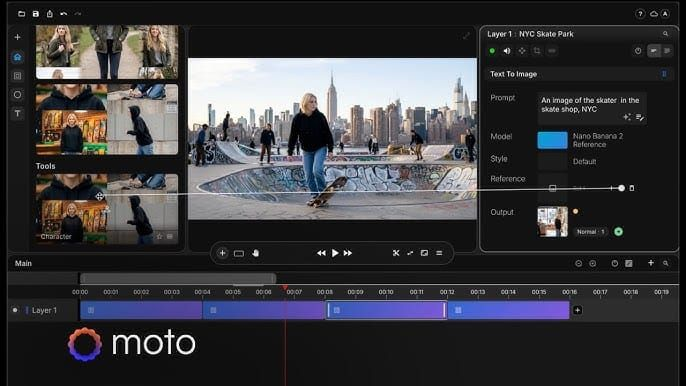
Every AI video workflow has the same problem: you generate in one tool, edit in another, and rebuild every time something changes. Moto is a desktop timeline editor with AI generation built directly into the project. When you generate a shot, it arrives as a clip in your timeline. When you regenerate something, the rest of your cut stays in place. It integrates Seedance 2.0, Veo 3.1, Kling, and Nano Banana inside the same project — no platform switching, no separate accounts. A Motion AI system converts a reference image to editable motion graphics in under 30 seconds. Currently in private beta, opening in waves. The core editor is free, with paid plans for watermark-free export.
Free core editor in beta. Request access at usemoto.app
7. Perfect Cuts — AI-Powered Editing Assistant
Perfect Cuts, from Systems by Vic, is an AI-powered editing assistant designed to speed up the most repetitive parts of the post-production workflow. Built by a working editor who kept running into the same friction points across projects, it targets the gap between raw footage and a first assembly — the part of editing that requires the most time and offers the least creative return. Worth knowing about if your bottleneck is getting from ingested footage to something cuttable.
The bigger picture
All seven of these tools were built outside the traditional software industry — by working filmmakers, colorists, developers, and production companies who encountered a specific gap and filled it. That pattern is accelerating. The barrier to building and distributing useful tools has never been lower, and the filmmaking community is producing more of them than ever.
If you want to understand how these tools get built — and how to build your own — our vibe coding guide for filmmakers is the place to start.
Resources & Reads:
- How to Vibe Code Your Own Filmmaking Tool — BRC
- ScriptBreak: Free Script Breakdown App — BRC
- OpenCut Is About to Give CapCut a Serious Run for Its Money — BRC
- This Free Open-Source App Is Everything ElevenLabs Is, Minus the Monthly Bill — BRC
- This Free App Tells You Exactly When Your Camera Card Is Safe to Wipe — BRC
- This Free NOIR Generator DCTL for DaVinci Resolve Just Got Its Biggest Update Yet — BRC
- This New Video Editor Puts AI Generation Inside the Timeline — BRC
- This Editor Built a Free Claude Tool to Do His Rough Cuts for Him



